Chapter 4 Operation and Display Panel
This chapter introduces the fucntion and use of the components of the UPS operation and display panel, and provides
LCD display options information, including LCD screen types, detailed menu messages, prompt windows messsge and
UPS alarm list.
4.1 Introduction
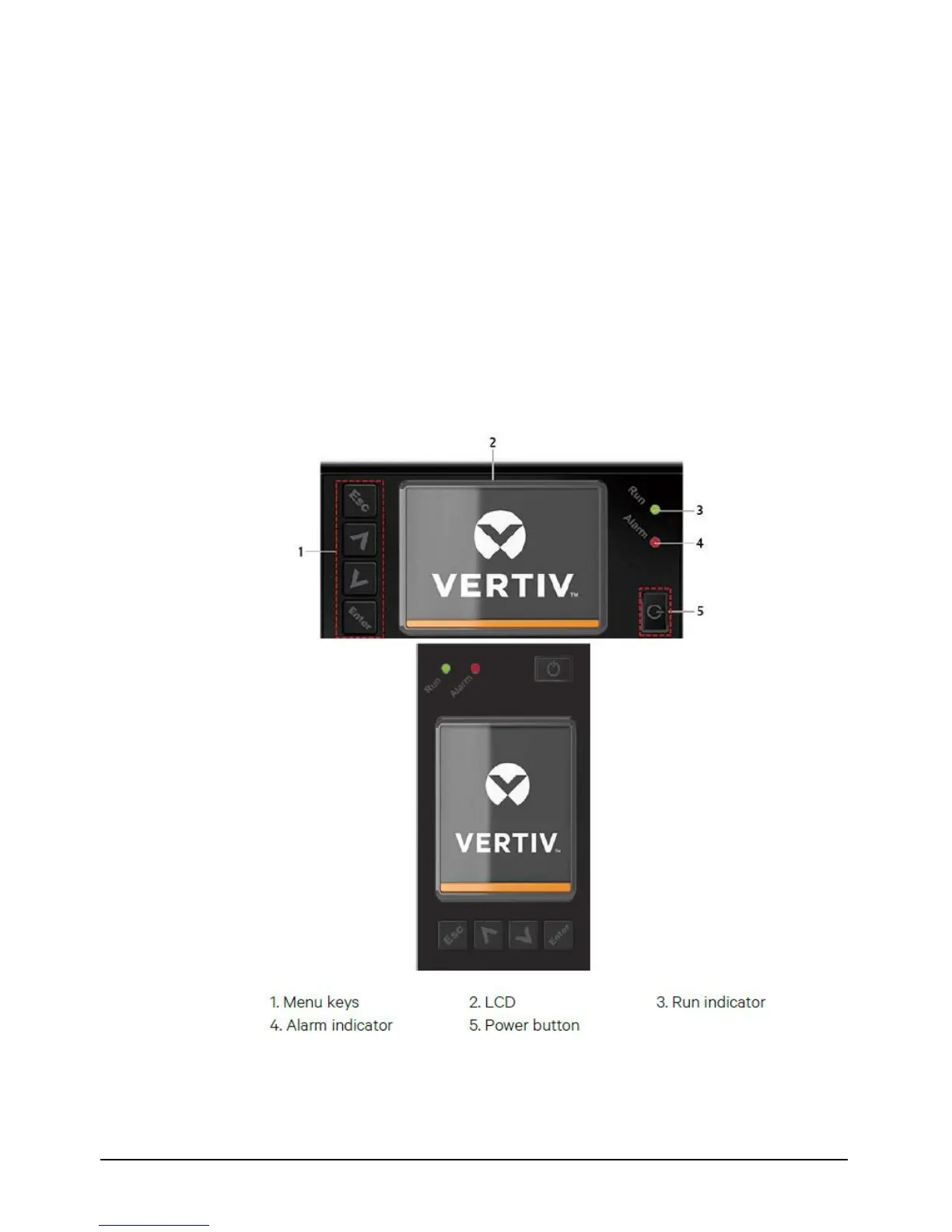
The operation and display panel is located on the front panel of the UPS. Through the operation and display panel, you
can conduct the operation and control on the UPS and query all the UPS parameters, UPS and battery states, and alarm
message.
As shown in Figure 4-1, the operation and display panel provide LCD, menu keys, LED indicators (run indicator and
alarm indicator).
Figure 4-1 LCD Screen


 To Next Page