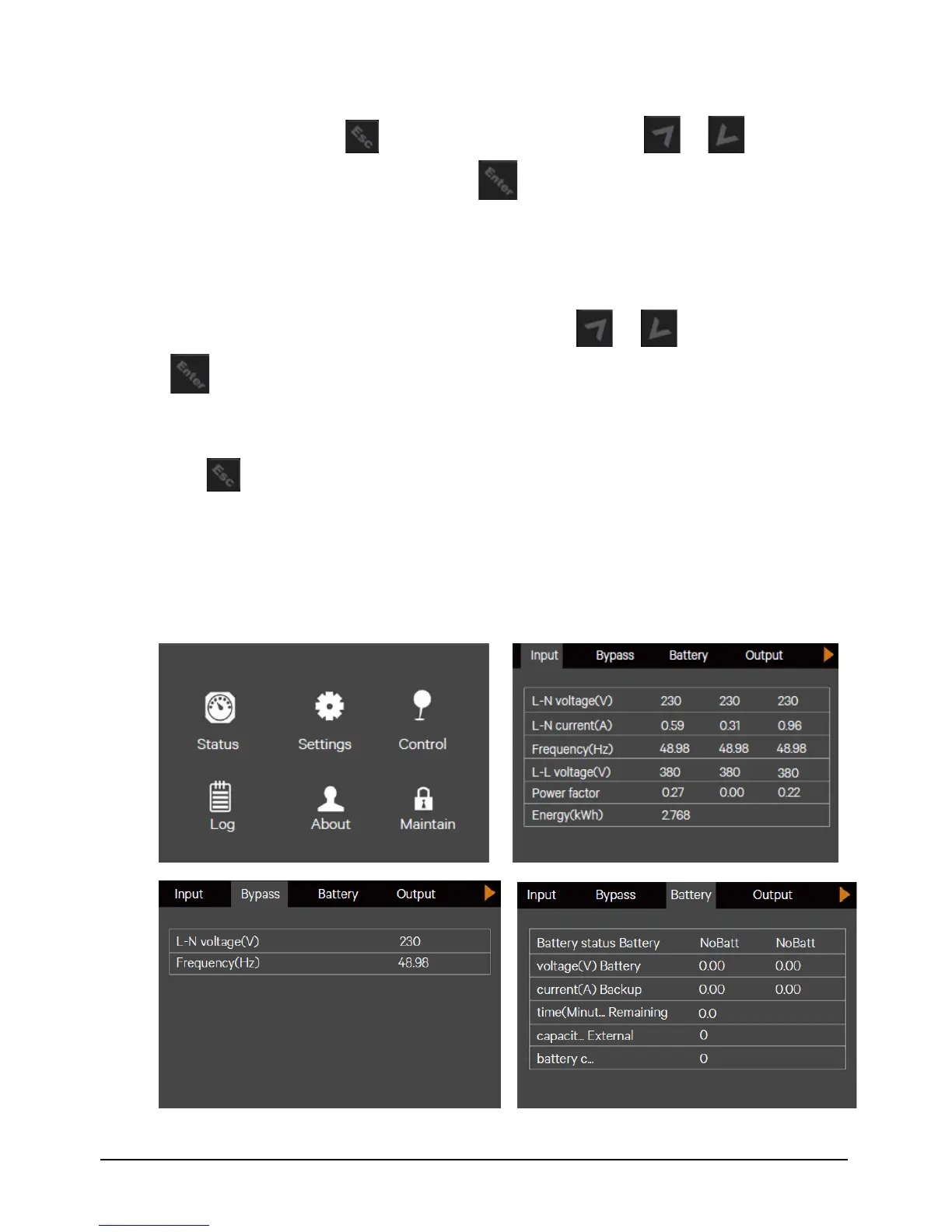
At main menu screen, press the key to back to the flow screen. Press the or key to switch the
cursor to select the submenu you need, then press the key to confirm it.
4.4.4 Submenu Screen
The submenu screen contains the UPS parameters and item settings. After entering the submenu screen, if there is a
tab control, just move the cursor to the tab. Now, you can press the or key to switch the tab. Press
the key to move the cursor to a certain item.
After entering the submenu screen, if there is no tab control, then the cursor will stop at a certain Item.
Press the key to back to the previous screen.
For details about the submenu screen, see following pages.
Status page
The Status page contains the Input, Bypass, Battery, Output and Load. See below


 To Next Page