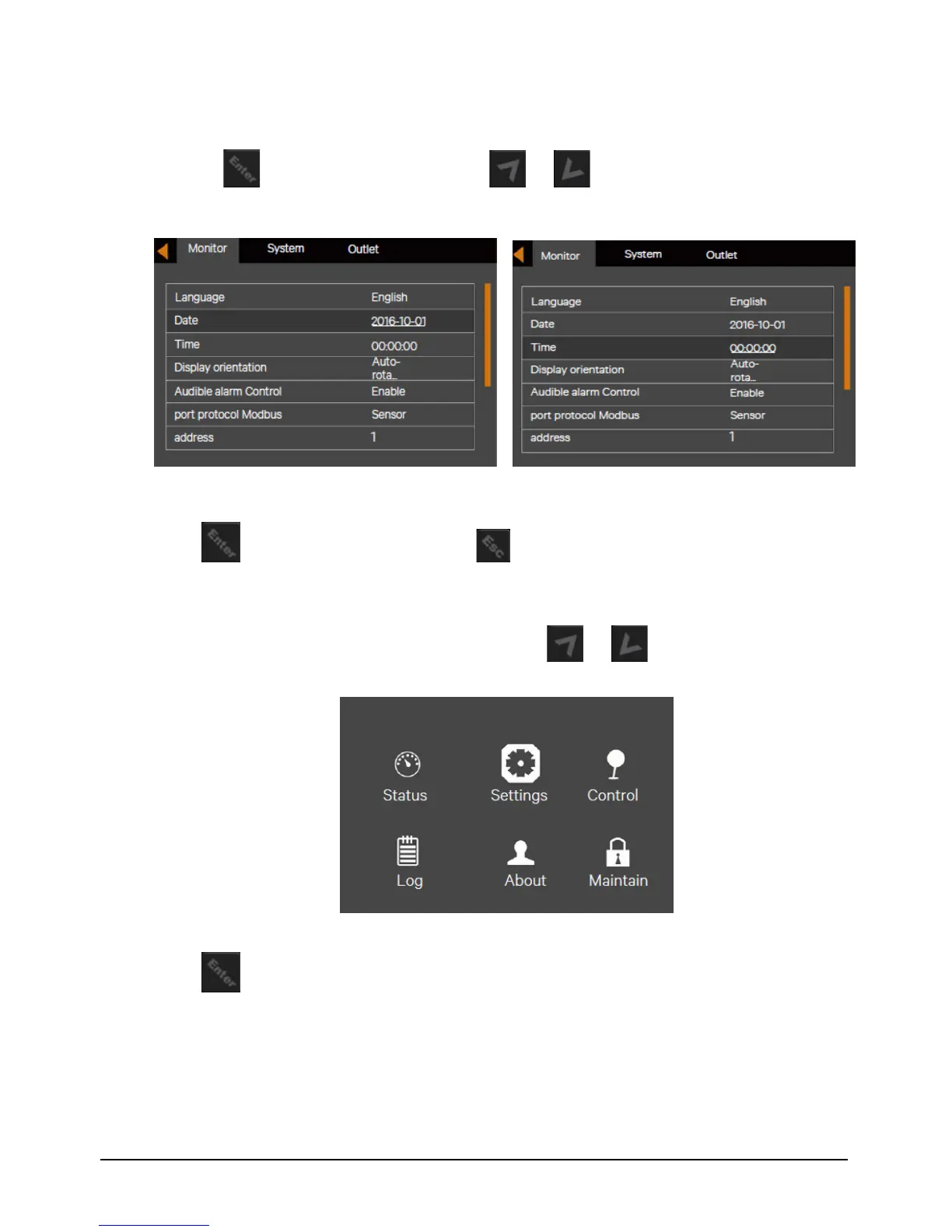
Figure 5-11 Selection of date and time
4. Press the key, move the cursor and press the or key to change the date and time you need.
See Figure 5-16.
Figure 5-12 Changing date and time
5. Press the key to confirm it, and then press the key several times to back to the main menu screen.
5.9 Setting Password
1. After powering on the UPS, at the main menu screen, press the or key to move the cursor to select
'Settings'. See Figure 5-17.
Figure 5-13 Main menu
2. Press the key, the interface shown in Figure 5-18 will appear.


 To Next Page