5.8 Changing Current Date and Time
Procedures for changing the system date and time:
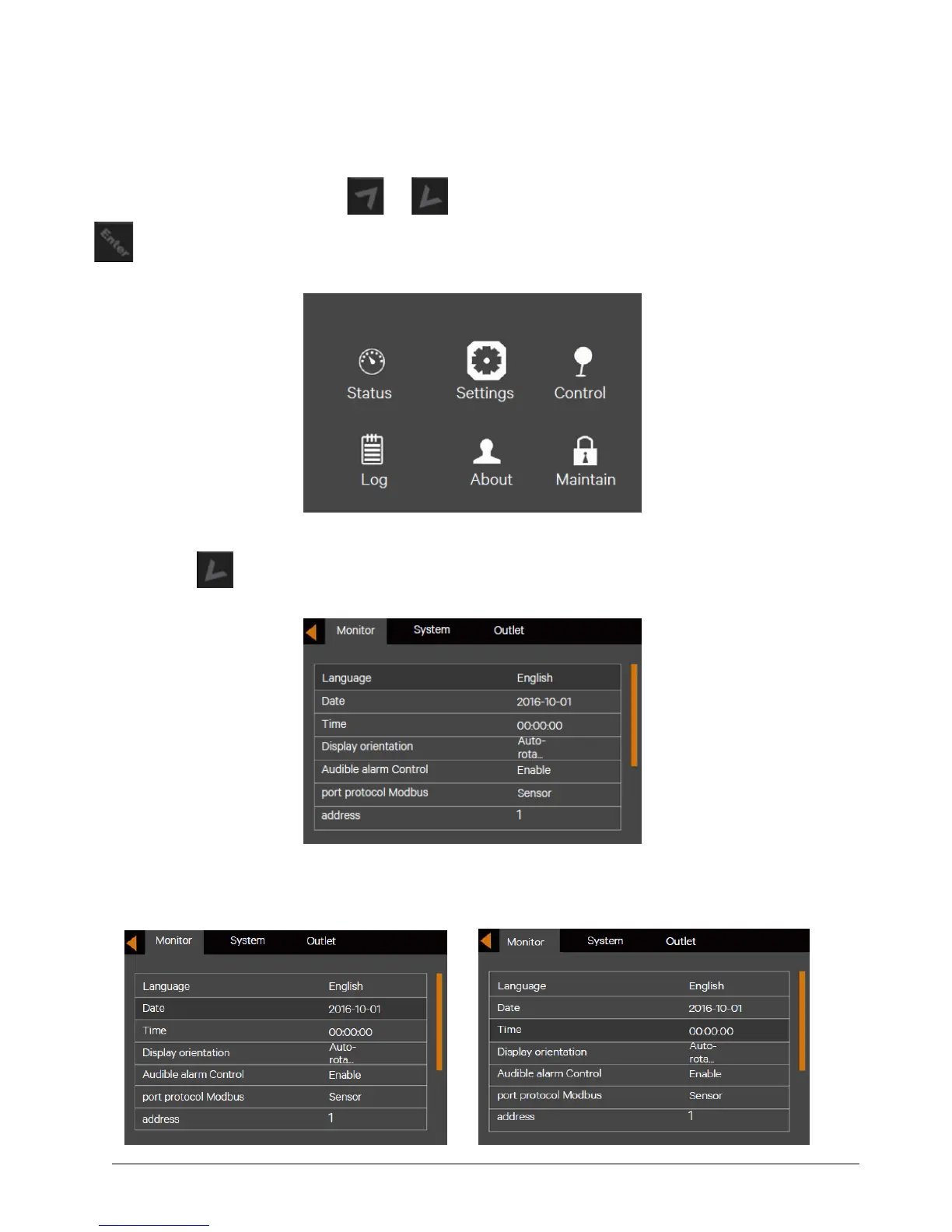
1. At the main menu screen, press the or key to switch the cursor to select 'Settings', then press the
key to confirm it. See Figure 5-13.
Figure 5-9 Main menu screen
2. Press the key to move the cursor to 'Monitor', see Figure 5-14.
Figure 5-10 Monitor Interface
3. Press the key, and press the or key to highlight the date and time, see Figure 5-15.



 To Next Page