Operating manual and inspection booklet
Camping
136 3435216
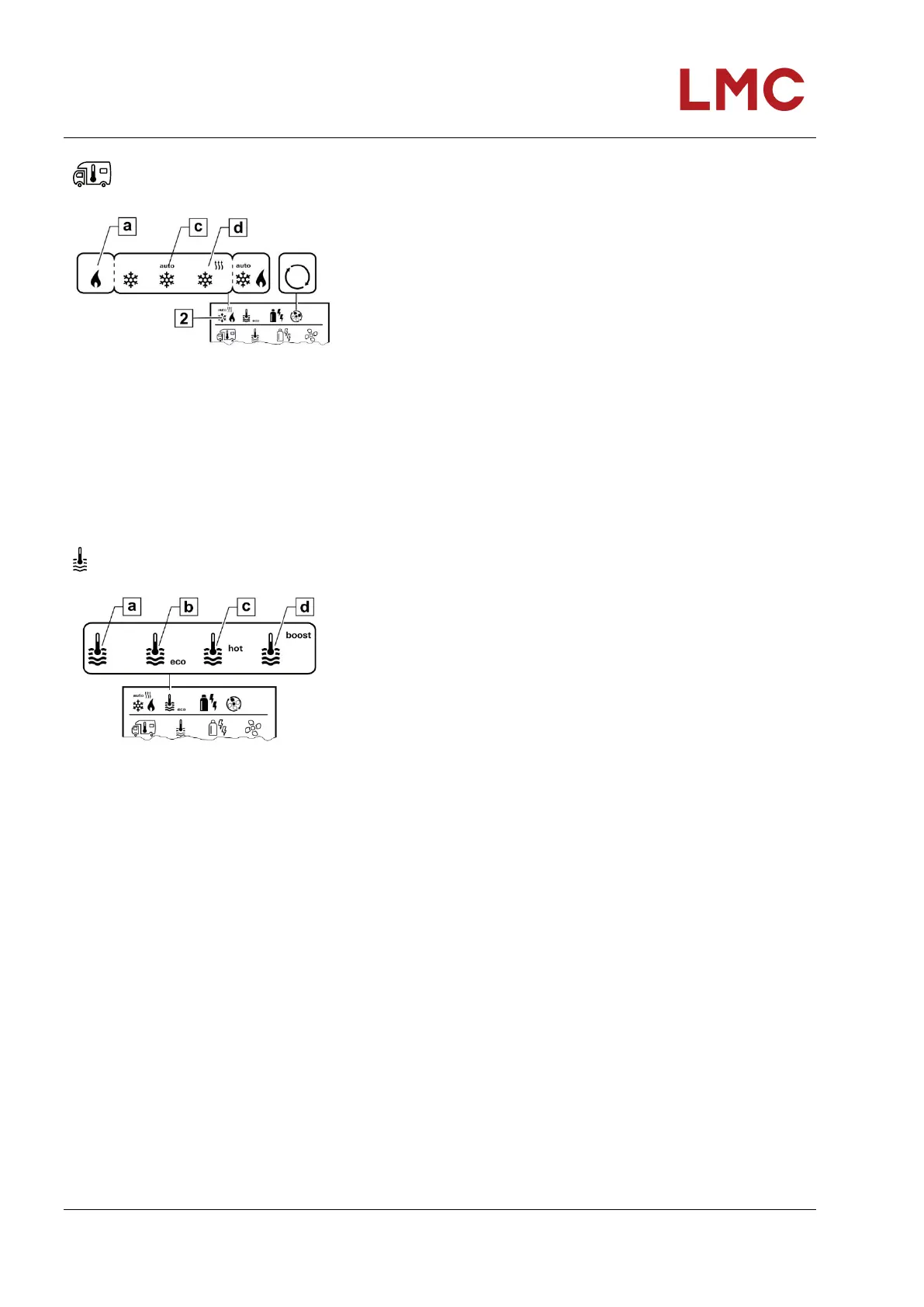
Change room temperature
Fig. 126: Room temperature symbol
Select the symbol in menu line (3) using the rotary/push-button.
Change to the setting level by tapping.
Dependent on the connected device use the rotary/push-
button to select between (HEAT)(d), air condition (AC) or
automatic climate control
1)
(AUTO)(c).
Tap rotary/push-button to confirm the selection.
Select the desired temperature with the rotary/push-button.
Tap rotary/push-button to confirm the value.
Heating (HEAT) Adjustable temperature range 5 – 30 °C (1 °C steps)
a = heating ) – heating is switched off.
1) Automatic air conditioning (AUTO) only if “ACC” has been activated in the service menu (see “Service menu”). This is switched off
in the factory.
2) Symbol flashes until the desired room temperature is reached.
Changing the hot water level
Fig. 127: Hot water level symbol
Select the symbol in menu line (3) using the rotary/push-button.
Change to the setting level by tapping.
Use the rotary/push-button to select the desired level.
Tap rotary/push-button to confirm the value.
–
a
b
c
d
=
=
=
=
=
OFF
Boiler
eco
hot
boost
Water heating is switched off.
Water heating is switched on.
Hot water temperature 40 °C
Hot water temperature 60 °C
Targeted quick heating of the boiler content (boiler priority) for a
maximum time window of 40 minutes. Then the water
temperature is maintained at a higher level (about 62 °C) for two
post-heating cycles, not Combi Diesel. Once the water
temperature is reached, heating of the room continues.



 To Next Page