Operating manual and inspection booklet
Camping
3435216 151
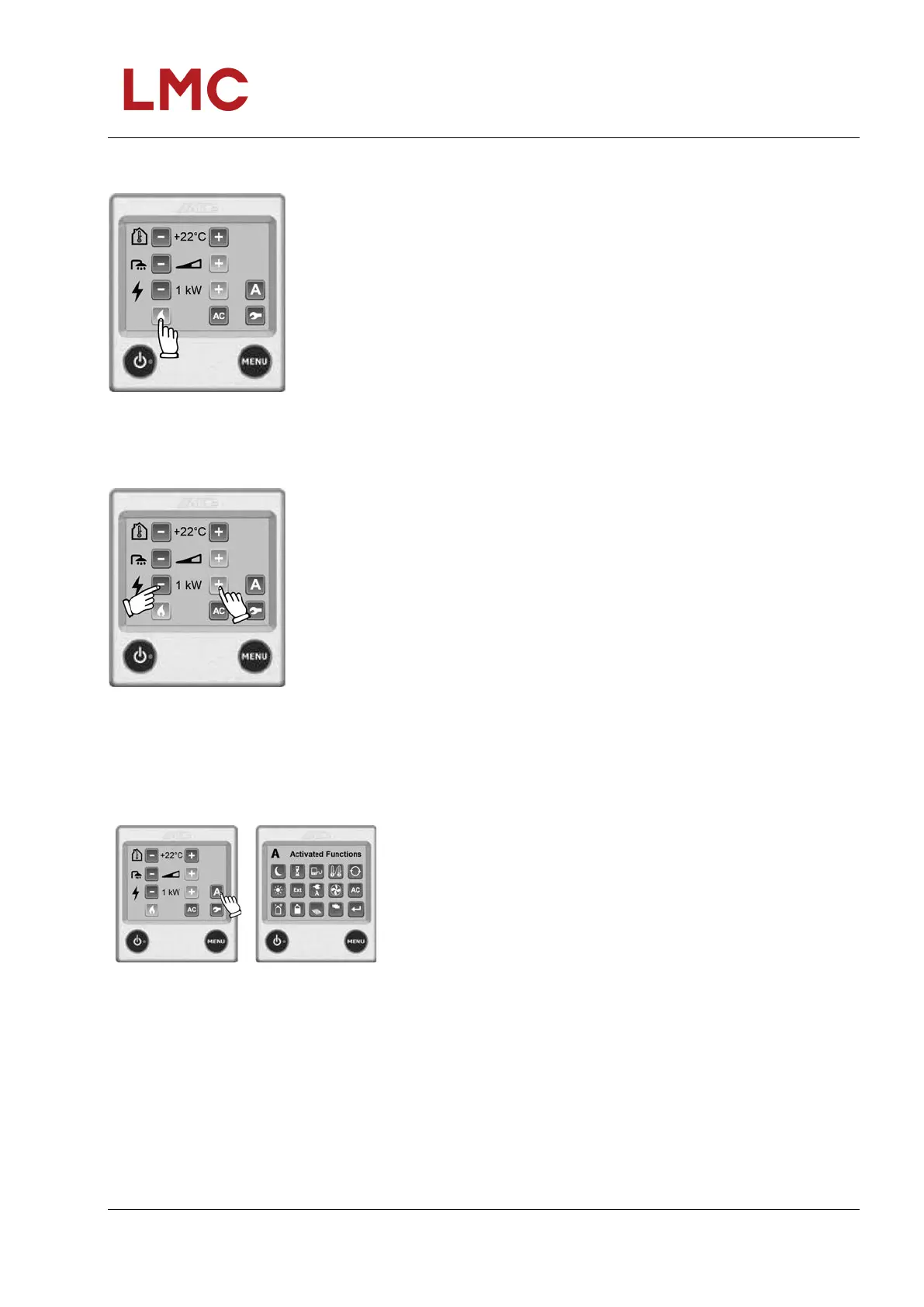
Heating with gas
Fig. 151: Heating with gas
If you select electricity and gas at the same time, you can set the
priority for either electricity or gas (see the ALDE operating
manual).
1. Press the "liquefied gas flame" symbol to start the gas mode.
The symbol for liquefied gas becomes active and changes to
green.
2. The heater operates until the set temperature is reached.
3. Press the "liquefied gas flame" symbol again to end the gas
mode. The symbol for liquefied gas is deactivated and
changes to blue.
Heating with electricity
Fig. 152: Heating with electricity
The higher the selected capacity, the faster the heating process.
If you select electricity and gas at the same time, you can set the
priority for either electricity or gas (see the ALDE operating
manual).
1. Start and incrementally change the various heating levels
(Off, 1 kW, 2 kW or 3 kW) with "+" or "-". The set value is
displayed on the screen. Upon activation, the plus sign is
shown in green. If the load monitor function* is installed and
set. the heater will not use any more electricity as required,
even if you have selected 3 kW.
2. The heater operates at the set temperature.
3. Press "-" until "Off" appears to switch off the electric heating
mode.
Activated functions
Fig. 153: Idle
position
Fig. 154: Activated
functions
Press "A" to display the individual activated functions. You can
now select an individual function to change the settings.
The "A" symbol is only visible when you have activated and/or
installed a particular function.



 To Next Page