WSDA
®
-2000 User Manual
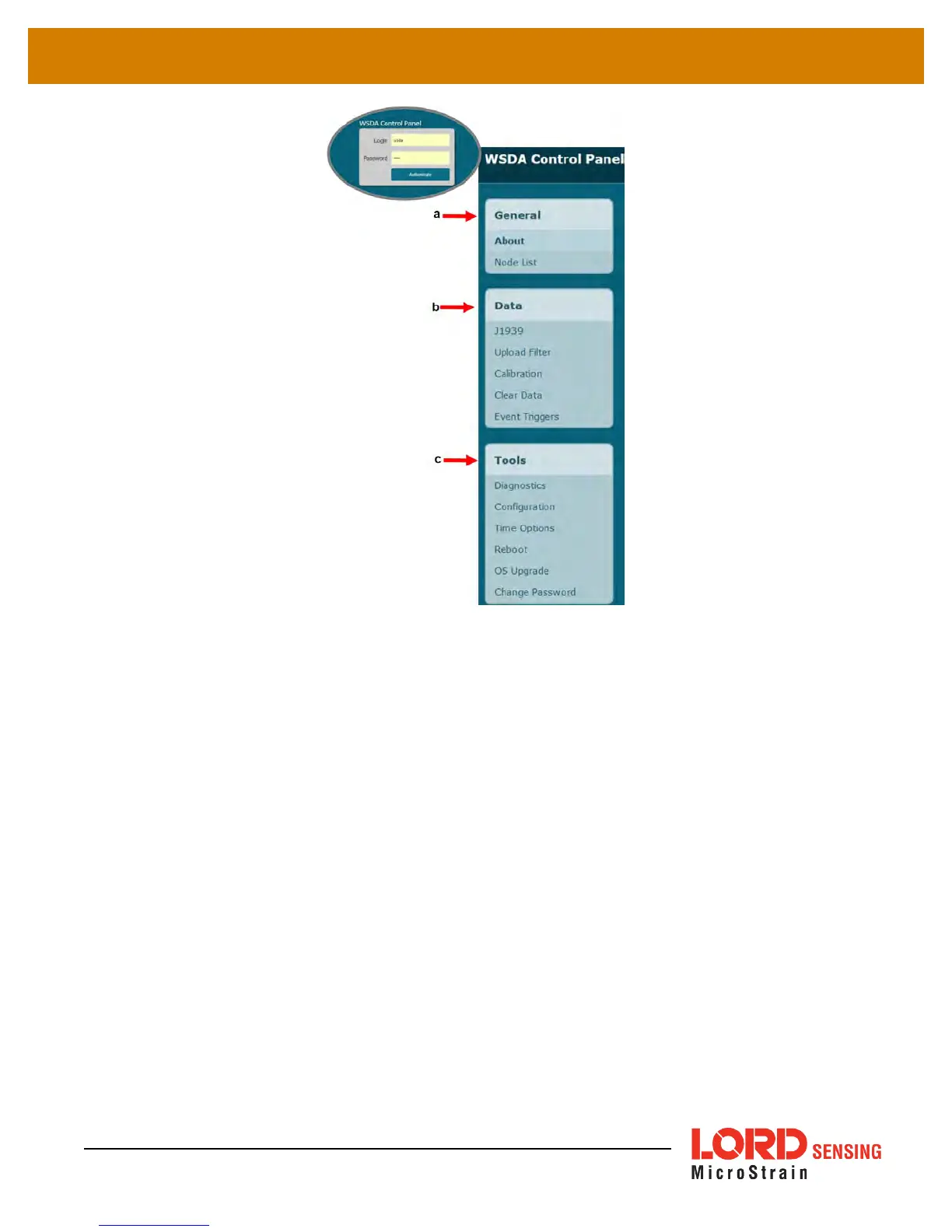
Figure 8 - Control Panel Menus
a. General - This category includes menu selections for information about the gateway's iden-
tity and time settings (About) and the sensor nodes it currently has data for in memory
(Node List).
b. Data - This category includes menu selections that allow users to set which node and chan-
nel data is uploaded to SensorCloud™ (Upload Filter), set which data is pushed out the
CAN J1939 port (J1939), apply calibration coefficients to data downloaded from the gate-
way internal memory (Calibration), and clear data from the device internal memory (Clear
Data).
c. Tools - This category includes menu selections for troubleshooting the gateway (Dia-
gnostics); configuring communication settings, enabling and disabling operating
sequences, changing the node synchronization beacon state, and changing the gateway
radio frequency (Configuration); configuring system time (Time Options); rebooting the gate-
way (Reboot); updating the operating system (OS Upgrade); and changing the Control
Panel log-in (Change Password).
15



 To Next Page