WSDA
®
-2000 User Manual
8.2.2 Navigating Graphs
Use the mouse along with the shift and control keys inside the graph window to adjust the data view.
Control Action
Mouse wheel
Zoom in/out on x-axis
Shift + mouse wheel
Zoom in/out on y-axis
Mouse double-click
Zoom toextends
Shift + mouse left-click, drag left/right
Zoom window left/right
Shift + mouse left-click, drag up/down
Zoom window up/down
Ctrl +mouse left-click, drag
Zoom box
Table 11 - Graph View Controls
8.2.3 Widgets Options
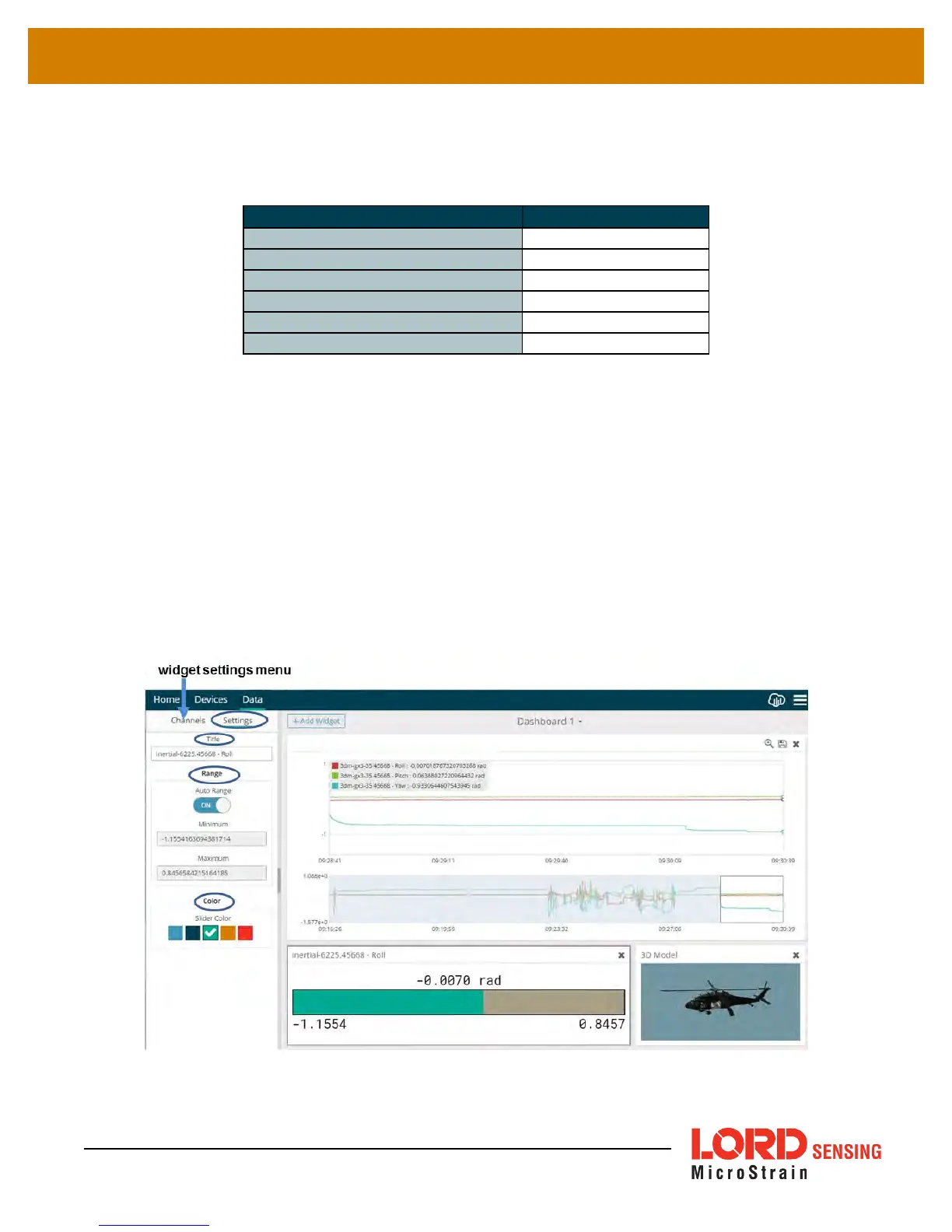
The widget configuration menu is different for each type of widget but typically includes sensor or
channel selections and widget settings such as titles and legends.
After adding a widget, left click to select and configure it in the Channels and Settings left sidebar
menu. Under Channels, the channel(s) for the widget can be enabled and disabled.
Figure 45 - Widget Settings Menu
62



 To Next Page