WSDA
®
-2000 User Manual
10.2 Communications Ports inWindows
®
Serial gateways (including USB gateways) have either a standard serial or virtual communications port
in Windows
®
. Windows
®
Device Manage can be used to determine what communication port the
gateway is connected to.
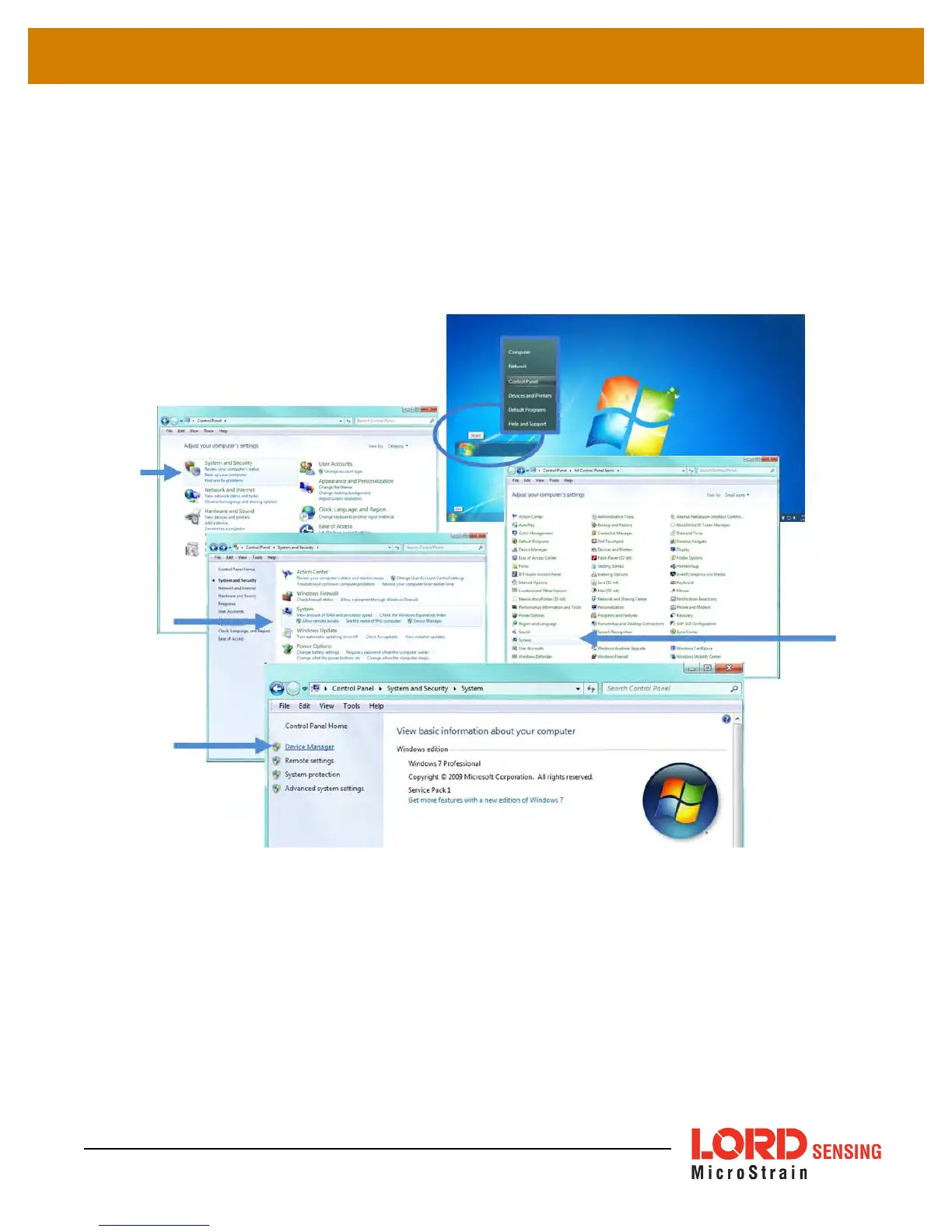
1. Click on the Windows
®
Start icon, and select Control Panel.
2. Navigate to the System menu, and select Device Manger. The menus may appear different
depending on the version of Windows and the View settings.
Figure 58 - Windows
®
System Menu
76



 To Next Page