WSDA
®
-2000 User Manual
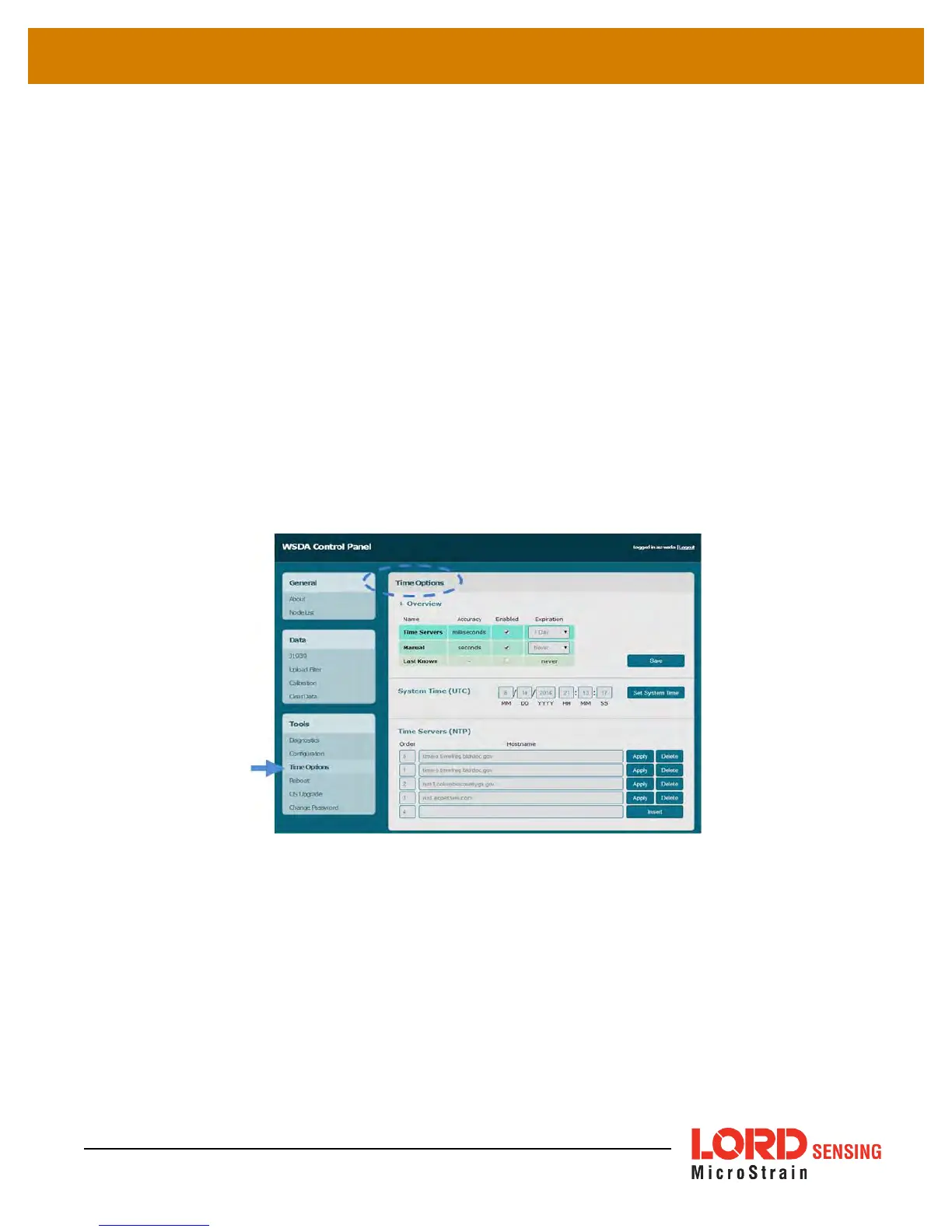
4.3.3 Time Options
The Time Options menu allows configuration options related to how the gateway retrieves and uses
time. TheWSDA-2000 has two on-board clocks: the System Clock and the Real Time Clock (RTC).
The purpose of the System Clock is to provide the operating system with a time source. The
purpose of the Real Time Clock is to provide time updates to the System Clock and to provide a
reference for the node synchronization beaconing function.
During normal operation, the WSDA-2000 synchronizes time from enabled time sources starting
with the most accurate. On boot-up, the WSDA-2000 will try to get a new time. If it is unable to, it will
check to see if it already has a non-expired time from the first source. If not it will move on to the next
source. During boot-up the WSDA-2000 must successfully synchronize time before it can begin
data acquisition. Once synchronization has occurred, the WSDA-2000 will continue to query the
time source every hour, however synchronization is not required to continue data acquisition.
Manually setting time on the WSDA-2000 will immediately override any synchronization attempts
and allow data acquisition to start.
Figure 23 - Time Options Menu
The WSDA-2000 can synchronize its system time from four different time sources: Network Time
Protocol (NTP)time servers, manual user entry, the last known time reference, or from an attached
device with GPS.
l Time servers allows the WSDA-2000 to synchronize with external servers that provide the
NTP service. A list of time servers is provided and can be modified by the user. This option
requires connection to a NTPserver and is the most accurate time source (with the
exception of GPS).
39



 To Next Page