WSDA
®
-2000 User Manual
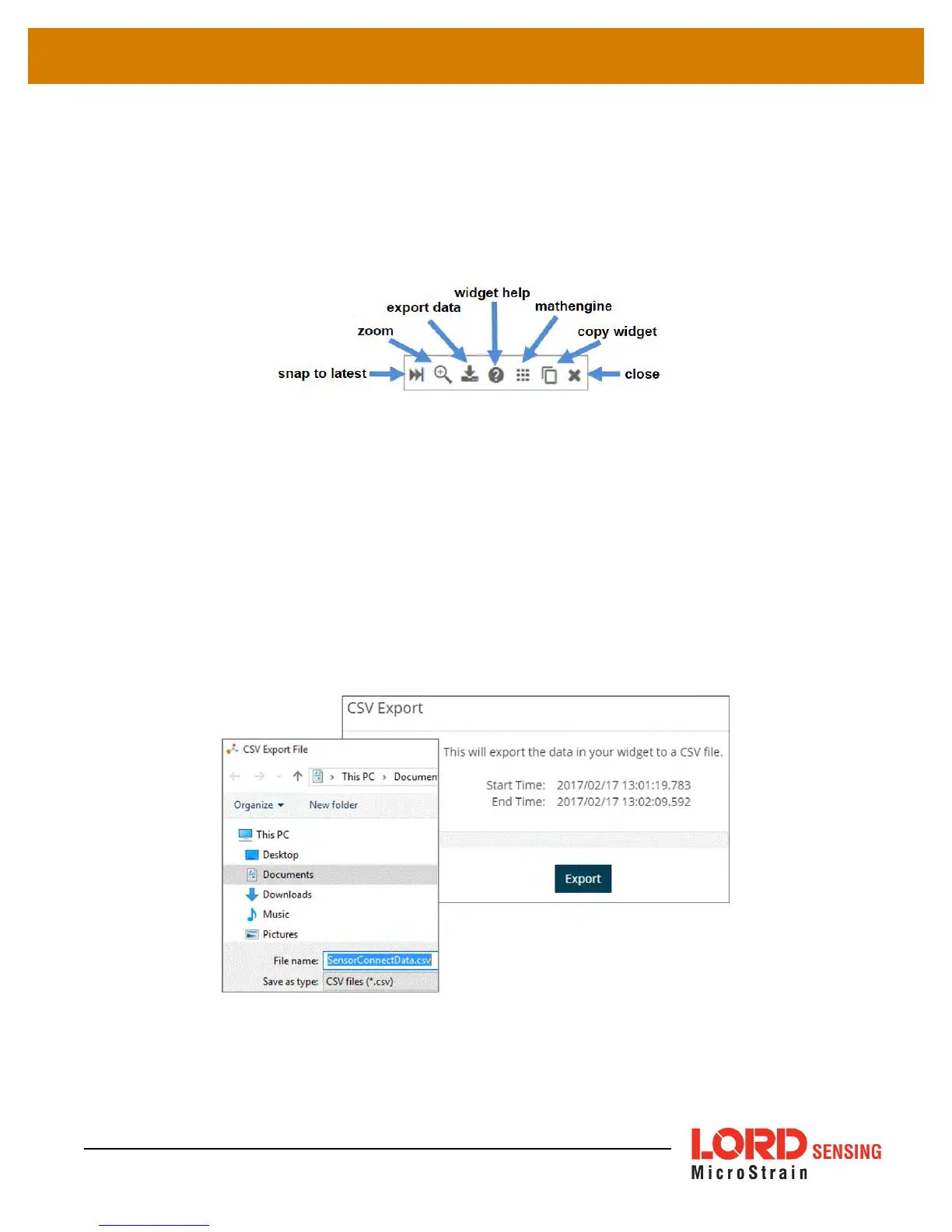
8.2.4 Time Series Widget Menu
The Time Series Widget menu has two features to help optimize sensor data collection for export to
a .csv file.
Snap to Latest
captures the most recent data and
Zoom
isolates specific events from a
larger data sample (
see Exporting Data Files on page 63
).
Figure 46 - Time Series Widget Menu
8.2.5 Exporting Data Files
To export data to a .csv file, select the Export Data button on the Time Series widget > Export >
name the document > save to the preferred location on the host computer.
Figure 47 - Exporting Data
63



 To Next Page