WSDA
®
-2000 User Manual
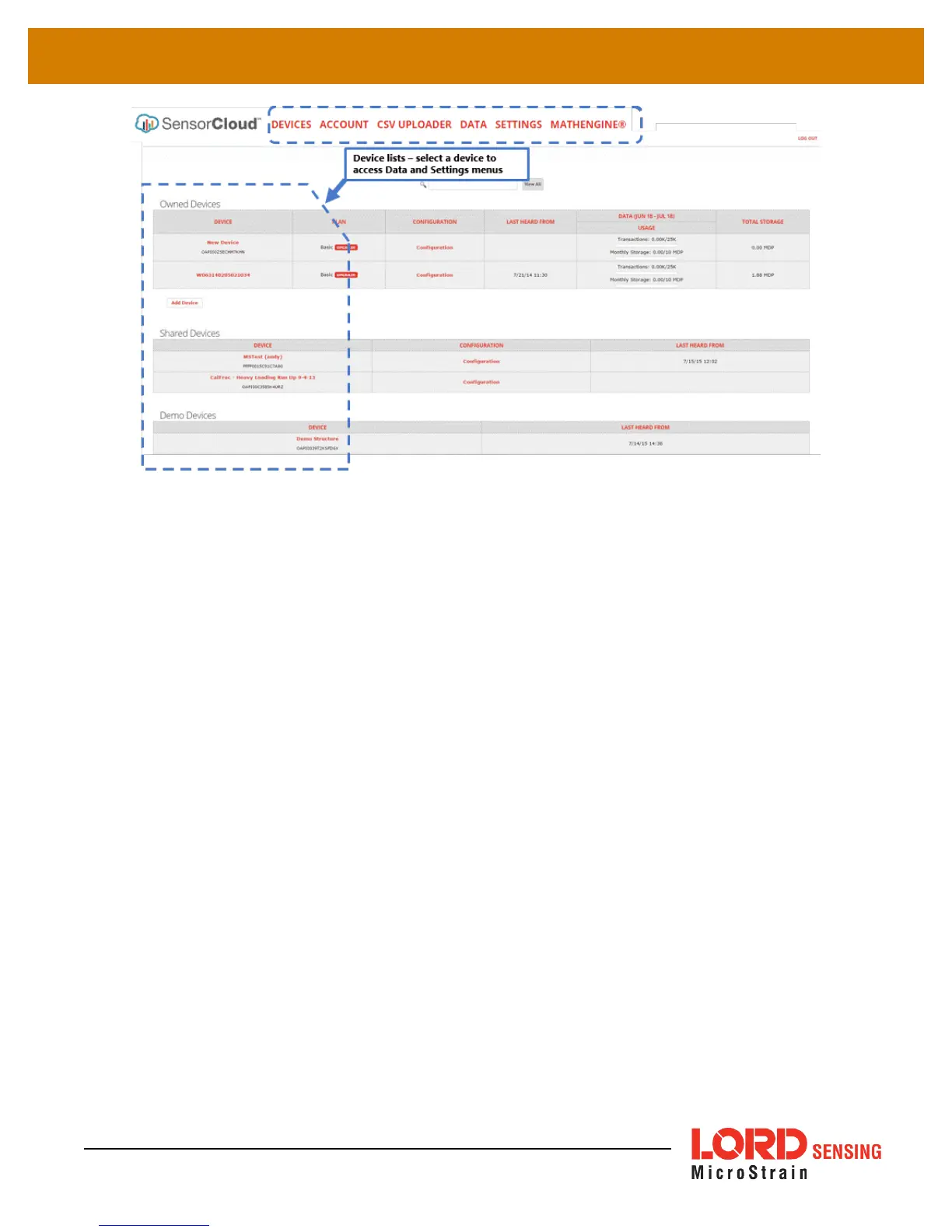
Figure 40 - SensorCloud Menu Views
Device - The device list shows every Ethernet gateway and API device associated with the
SensorCloud account, including owned, shared, and demo devices. This view provides links to each
device’s SensorCloud subscription plan, configuration options, and a summary of last communications
and data transactions.
Account - The account view is for logistic management of the SensorCloud account, such as changing
the log-in password, accessing user email, and reviewing billing information.
CSVUploader - The data upload feature enables data from any source (such as non-Ethernet LORD
Sensing gateways, or third-party sensor) to be uploaded to the SensorCloud platform. The data must
be in the LORD Sensing CSV format.
Data - This view is only available after a device is selected. It displays data that is collected from sensor
nodes or uploaded from files. Data selections are listed by node channel or a user-defined label and
can be enabled for display in the graph window. The interactive graph has navigational features such
as panning, zooming, and an overview graph for single-click access to data points or ranges. There are
also use and management features such as viewing the meta-data and downloading, embedding, and
tagging data graphs.
59



 To Next Page