Operation control
Operation control 2-
19
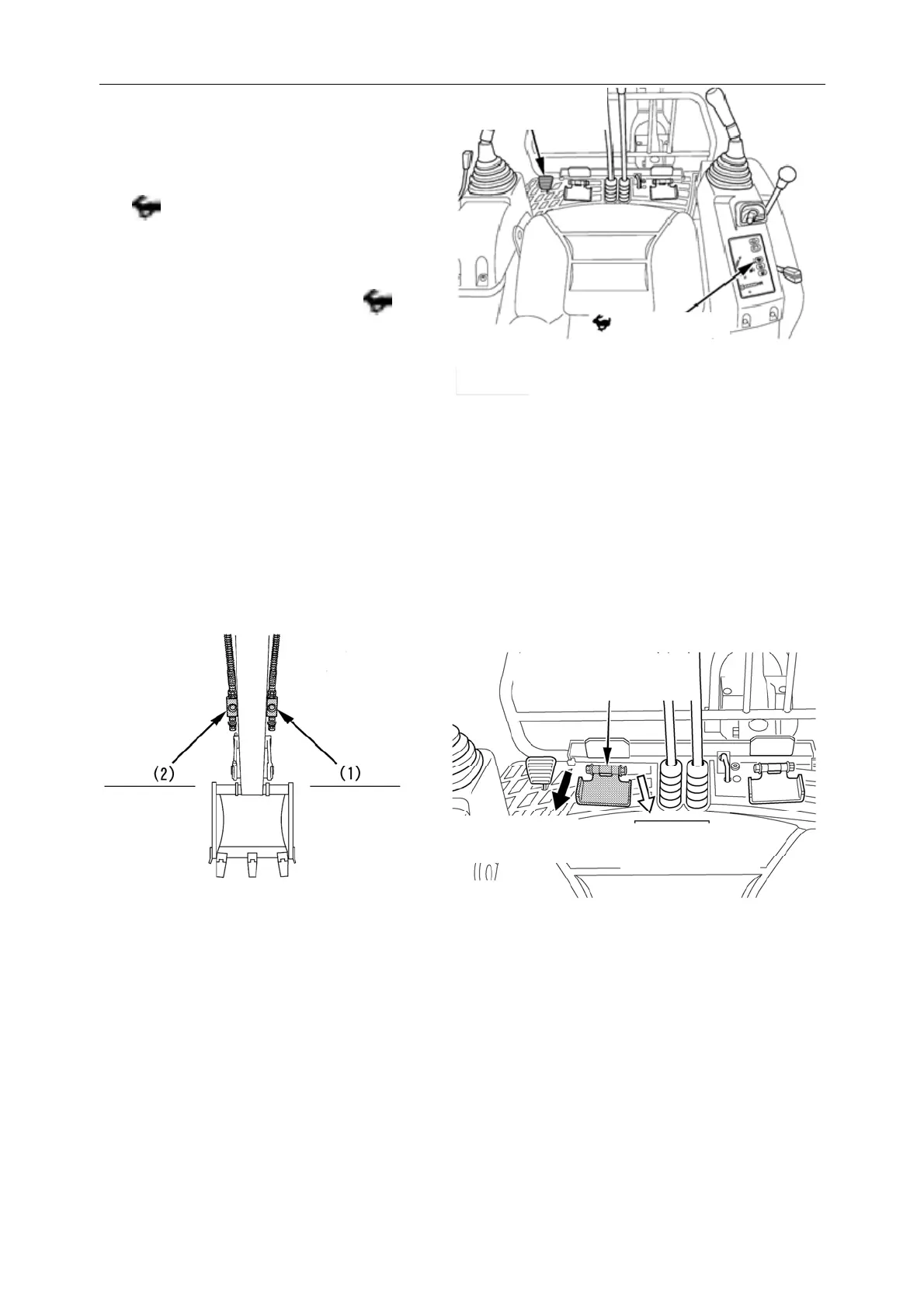
7. Driving accelerator pedal
Press down on the driving accelerator pedal,
which increases the driving speed. At this time
the indicator light is on.
Remove the foot from the pedal and the
acceleration is re leased, returning to the
normal driving speed. At this time
indicator light is off.
Even if you press down the driving accelerator
pedal, you may not be able to accelerate if the
driving resistance is h igh. This is not a glitch.
8. Auxiliary working device (optional) operating pedal
Used to operate the crushing hammer and other working devices. In models with auxiliary work device
pipelines:
Step on the left pedal, the working oil flow to the left... (when viewed from the dri ver's sid e);
When pressing the pedal to the right, the working oil flows to the right... (1)(When l ooking from the
driver's side).
Driving accelerator
edal
Warning Light
Arm on the
left side of
the
The right
arm
Working oil flow
direction (2)
Working oil flow
direction (1)
Attached working u nit
operating pedal



 To Next Page