LPKF Laser & Electronics AG | V. 1.0
Turning the material over
1. Remove the adhesive tape.
2. Lift the material.
3. Turn the material over along the y axis.
4. Fasten the material with adhesive tape.
5. Click on [OK].
The machining view changes. The orientation of the layout is adapted to the
orientation of the material. The side of the material to be processed is now the top
side.
The material has been turned over.
If no camera is available for processing the phase Read Fiducials_Top, the Top side is
aligned to the Bottom side via the reference-hole system. The phase Read
Fiducials_Top is not processed.
E44 only
If the fiducial search is started for the first time since the start of the program, the
camera auto-focuses initially five times. The camera automatically moves to the
positions of the fiducials and recognizes them.
If the material is placed approximately at the same position as before, the fiducials
should be found automatically and their positions should be stored. The Top side has
thus been aligned to the Bottom side.
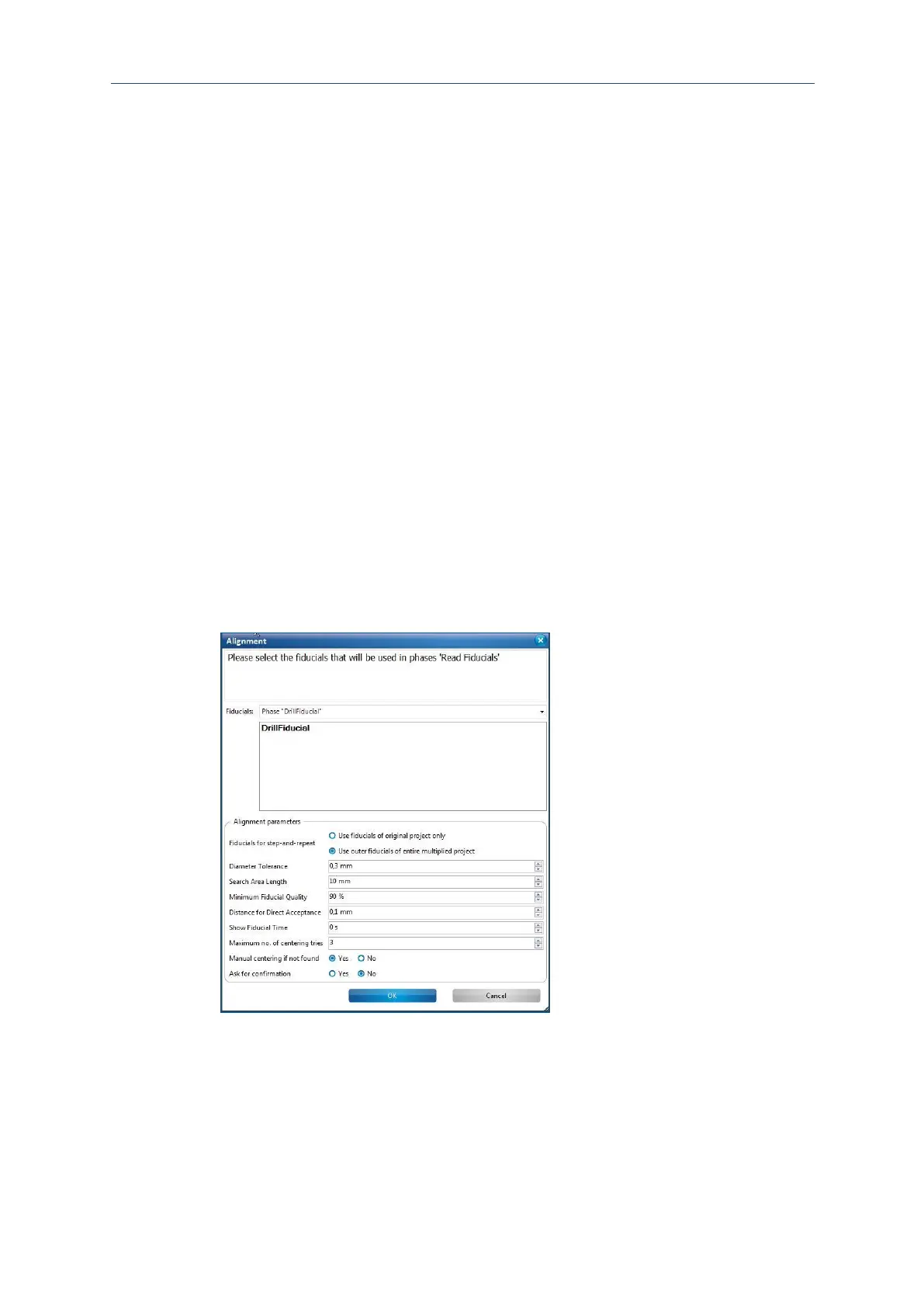
The following dialog is displayed, if the fiducials are not found automatically:



 To Next Page