V. 1.0 | LPKF Laser & Electronics AG
Drilling reference holes
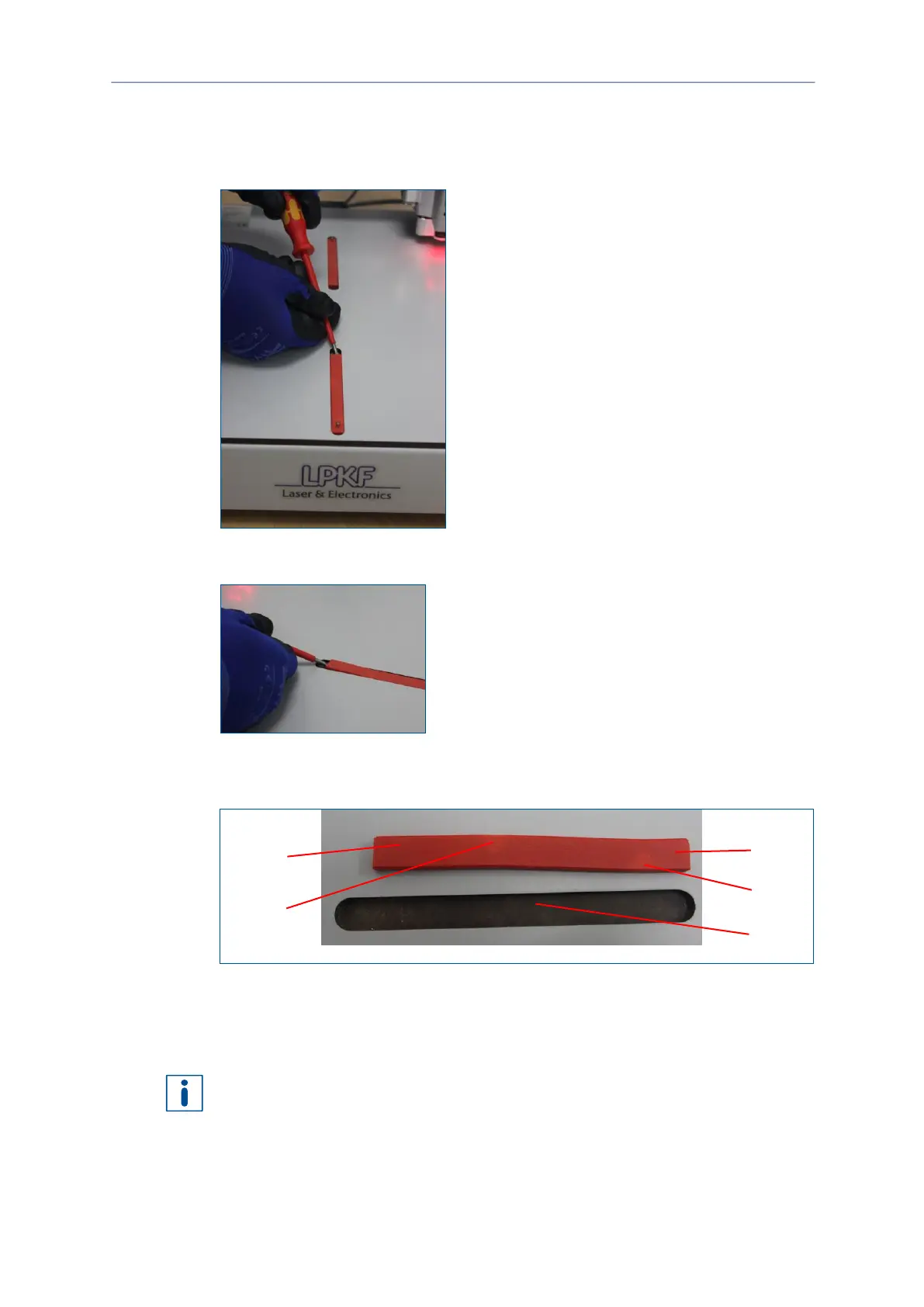
1. Remove any material and the drilling underlay plate from the processing table.
2. Insert a screwdriver into one of the recesses next to the reference-hole strip.
Fig. 45: Inserting a screwdriver
3. Pry the reference-hole strip from the recess.
Fig. 46: Removing the reference-hole strip
4. Remove the other reference-hole strip (see steps 1 to 3).
The reference-hole strips have been removed.
Fig. 47: Reference-hole strip
1 Short end
2 Mark
3 Recess in the processing table
The reference-hole strip has a slightly curved shape with two marks. Depending on
the distance from each end to the first mark, the strip has a short (1) and a long end
(5). The short end (1) should be inserted into the recess (3) first.
5. Insert a new reference-hole strip into the first recess (3).



 To Next Page