5 -26
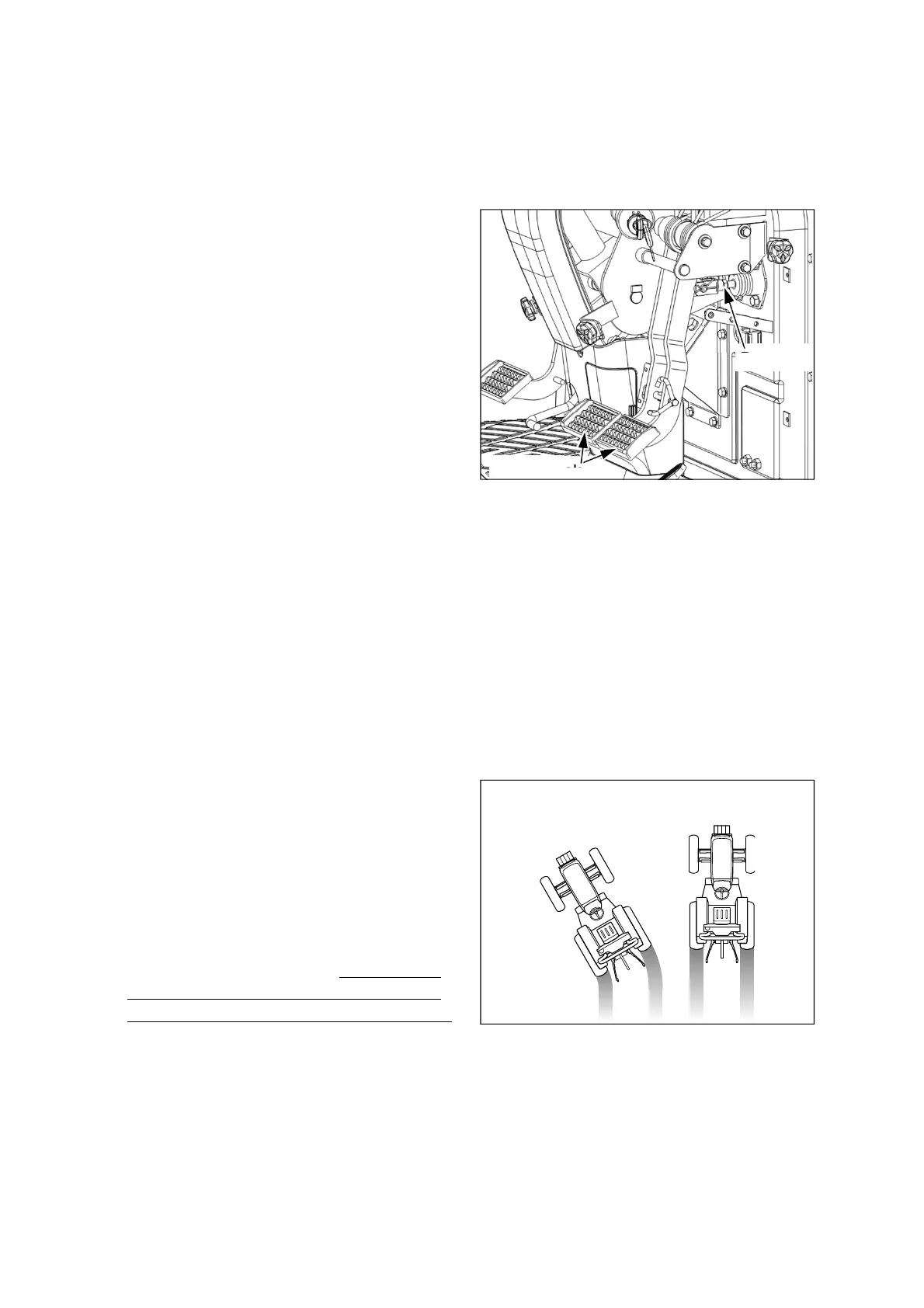
Brake pedals
Brake rod
(11) Adjustment of Brake pedal
play
Normal distance: 20~40mm. (0.7~1.6 in.)
If the pedal play distance is over the normal
distance, adjust it as below.
1. Loosen the locking nut and turn the brake rod
clockwise / counter-clockwise.
2. If tightening the brake rod, the pedal play will be
increased, and if loosening, it will be reduced.
3. Pay attention that the brake rod does NOT push
the piston of brake master cylinder when the
brake pedals are released.
4. After adjusting the pedal play, tighten the locking
nuts.
5. Check if the brake distance of the left and right
brake is same as below.
Also, be sure to check the brake pedal force.
When you press the brake pedal(s), if you feel
the brake pedal(s) falls into the swamp, it means
a possibility that some air bubbles are in the
brake oil line. Consult your authorized local
dealer for bleeding air from the brake oil line.
(For the details, see page 5-50)
Left/ Right brake distance
is different.
Normal
Checking the brake distance
1. Connect the left and right brake pedal with the
brake pedal latch.
2. Check the skid marks of the tires or stability of
the tractor while driving at a suitable speed.
3. If the brake distance is different as shown in the
right figure, adjust the pedal play again.
4. If the vehicle is turned to the left-hand side when
checking the braking distance, tighten the left-
hand brake rod or loosen the right-hand brake
rod with checking the brake pedal play distance.





 To Next Page