214328 14 Revision A
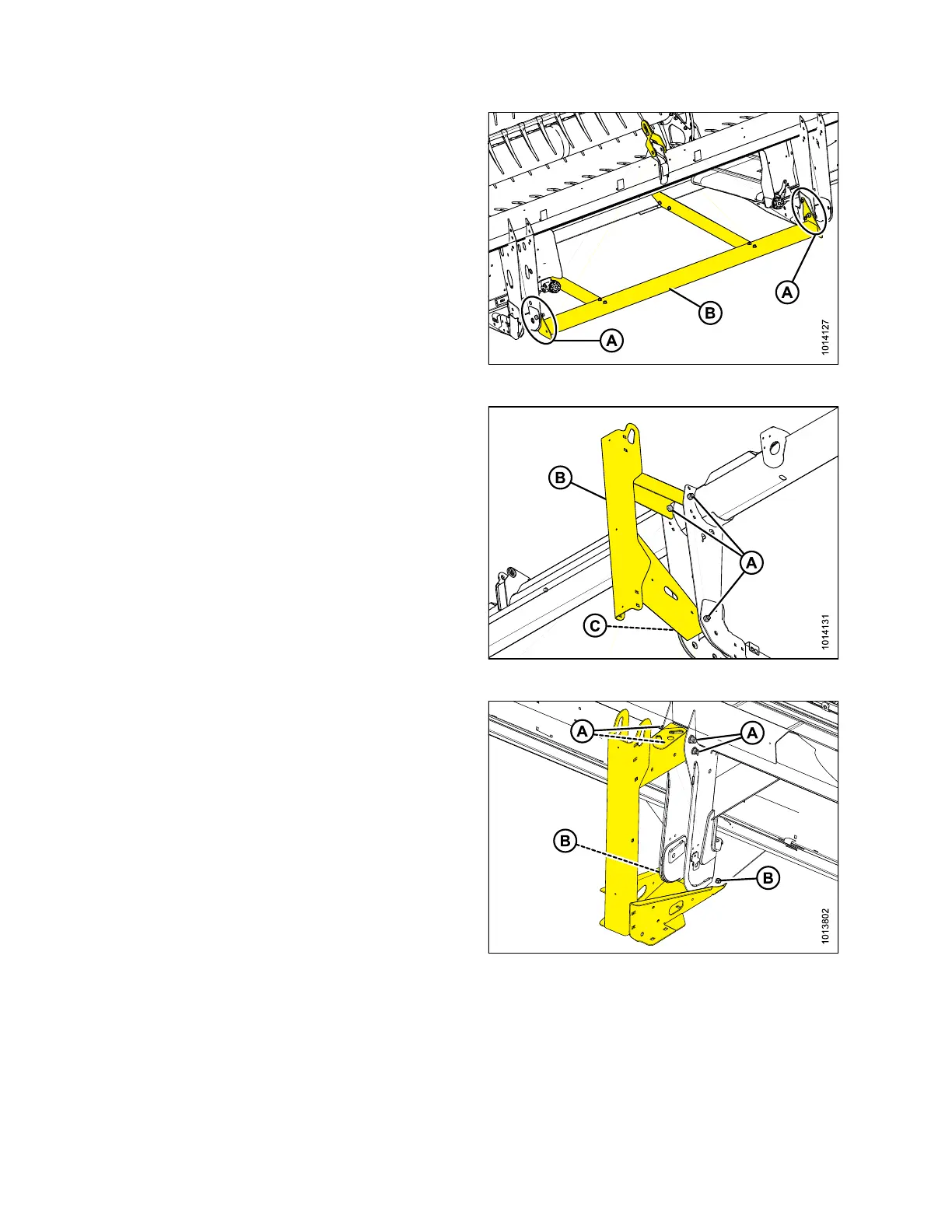
Figure 2.16: Lower Support
4. Remove six bolts (A) securing lower support (B) to
header legs, and remove support.
Figure 2.17: Center Leg Shipping Stands
5. 15-, 20-, and 25-foot: Remove two bolts (A) from top of
shipping stand (B).
6. 15-, 20-, and 25-foot: Remove one remaining bolt (A)
from bottom of stand. Remove shipping stand.
7. Repeat for opposite side.
Figure 2.18: Outer Leg Shipping Supports
8. 30-foot and larger: Remove four bolts (A) and two
bolts (B) from shipping stands at both outboard header
legs, and then remove shipping stands.
UNLOADING HEADER



 To Next Page