214328 26 Revision A
3.4 Removing Crop Dividers from Storage
Crop dividers are shipped attached to inboard side of endsheets. To remove crop dividers, follow these steps:
1. Open endshields. Refer to 3.3 Opening Endshield, page 25.
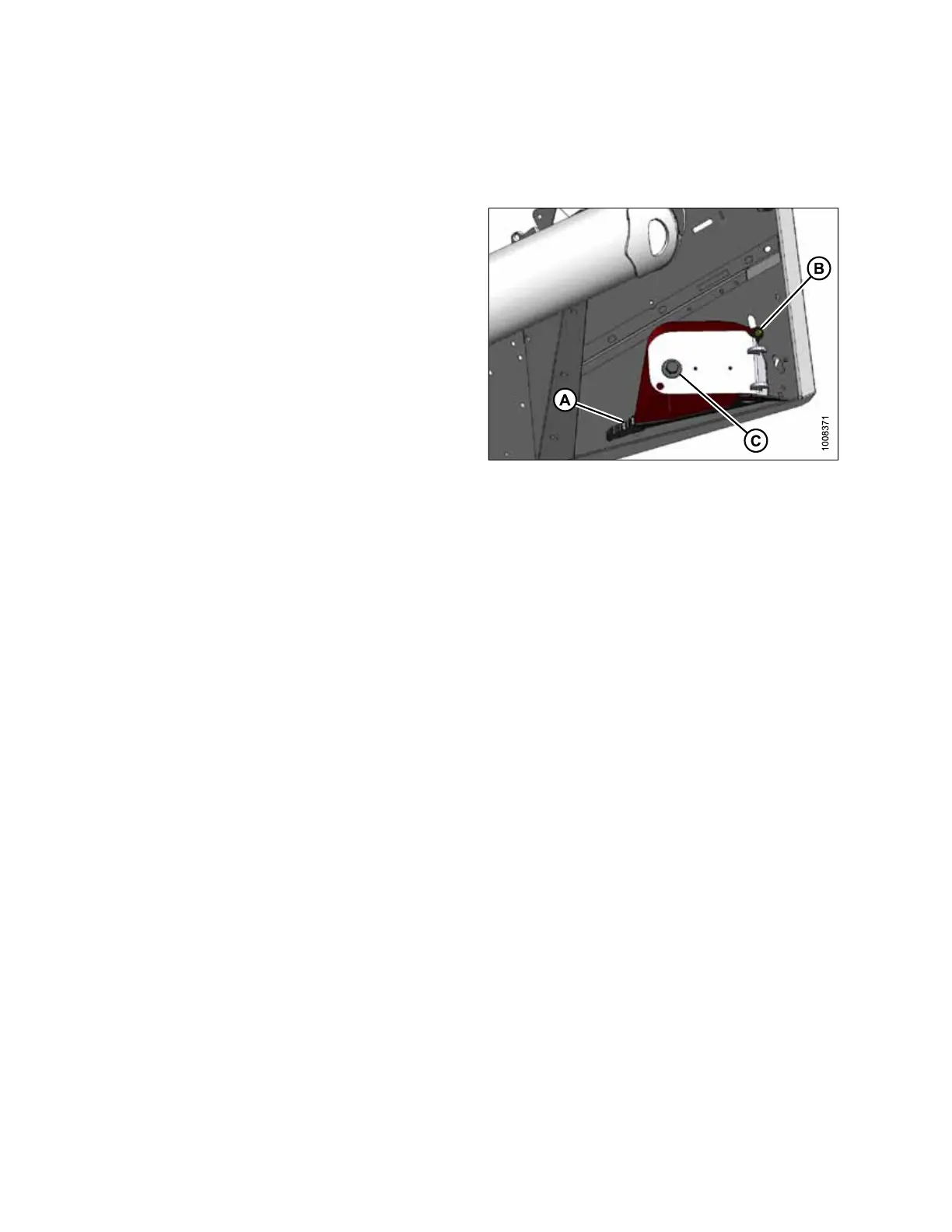
Figure 3.20: Crop Divider Storage
2. Support crop divider and remove shipping wire at front
end (A).
3. Remove bolt (B).
4. Remove bolt with washer (C) and retain for installation.
5. Repeat above steps for opposite end.
ASSEMBLING HEADER



 To Next Page