214328 27 Revision A
3.5 Installing Crop Dividers with Latch Option
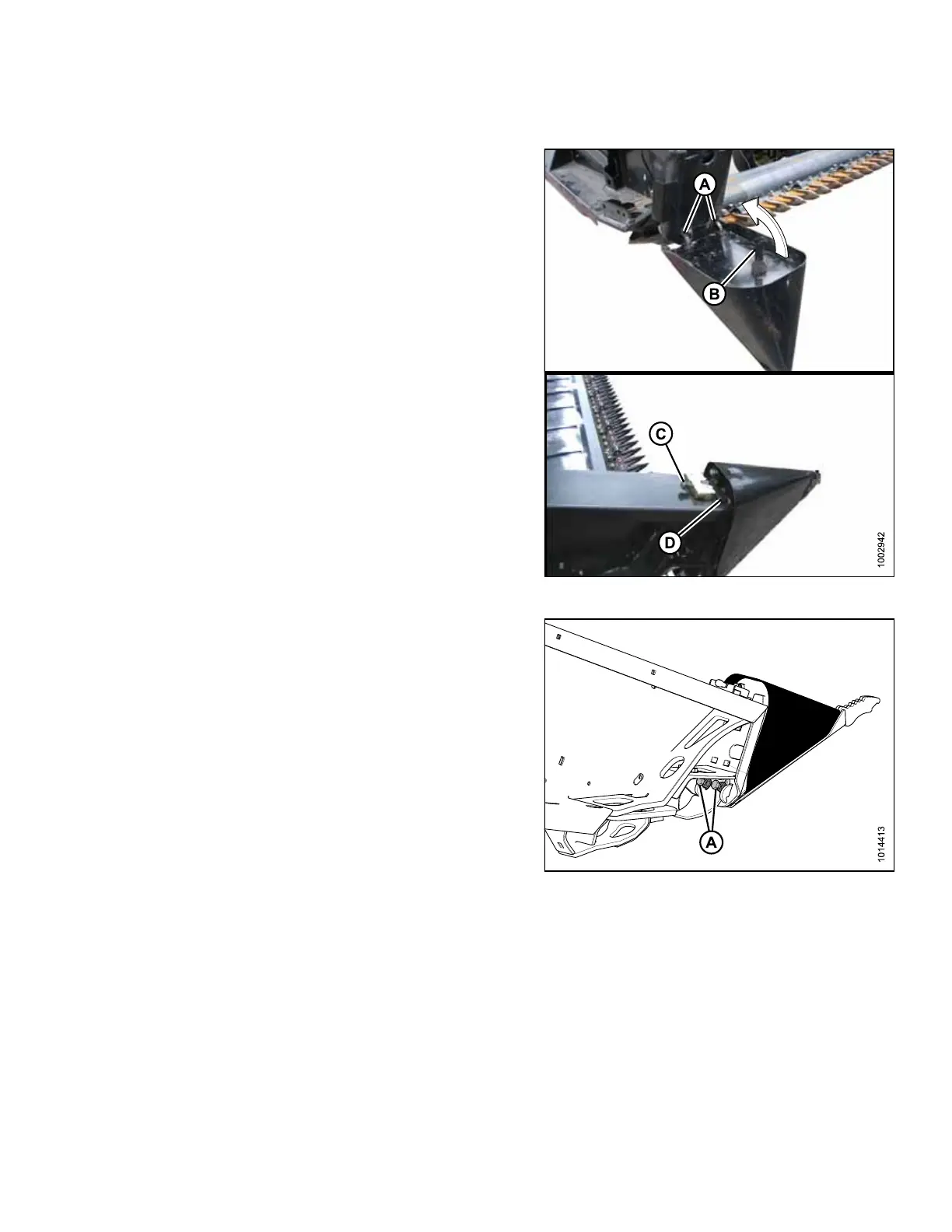
Figure 3.21: Crop Divider Installation
1. If not already open, open endshields. Refer to 3.3
Opening Endshield, page 25.
2. Position crop divider as shown by inserting lugs (A) into
holes in endsheet.
3. Lift forward end of divider until pin (B) engages and
closes latch (C).
4. Push safety lever (D) down to lock pin in latch.
Figure 3.22: Crop Divider Adjustment
5. Check that divider does not move laterally. Adjust
bolts (A) as required to tighten divider and remove
lateral play when pulling at divider tip.
6. Close endshield. Refer to 3.7 Closing Endshield, page
29.
ASSEMBLING HEADER



 To Next Page