214328 13 Revision A
2.3 Removing Shipping Supports
NOTE:
Unless otherwise specified, discard all shipping materials and hardware.
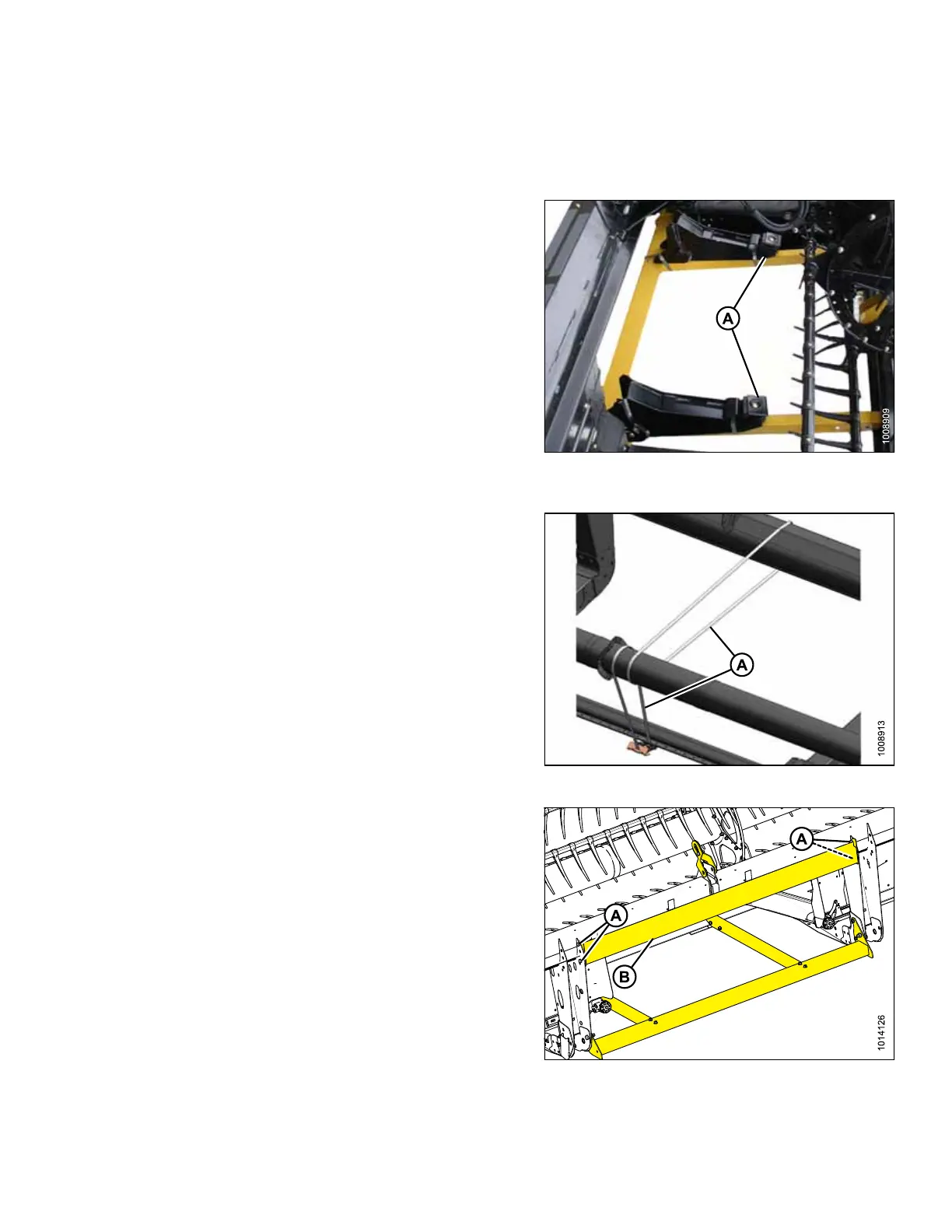
Figure 2.13: Straps, Header Boots, and
Shipping Supports
1. Cut straps and remove header boots (A) from shipping
support. Set boots aside for reinstallation.
Figure 2.14: Single Reel
2. Single reel: Cut banding (A) securing reel to cutterbar
and backtube.
Figure 2.15: Upper Support
3. Remove four bolts (A) securing upper support (B) to
header legs and remove support.
UNLOADING HEADER



 To Next Page