© 2019 EnergyLogic, LLC Toll Free: 800 311 8828 Fax: 615 471 5202 www.energylogic.com 73
Rev. Date 040819
Troubleshooting
For all other fault codes, please call Technical Support at (800) 351-0643.
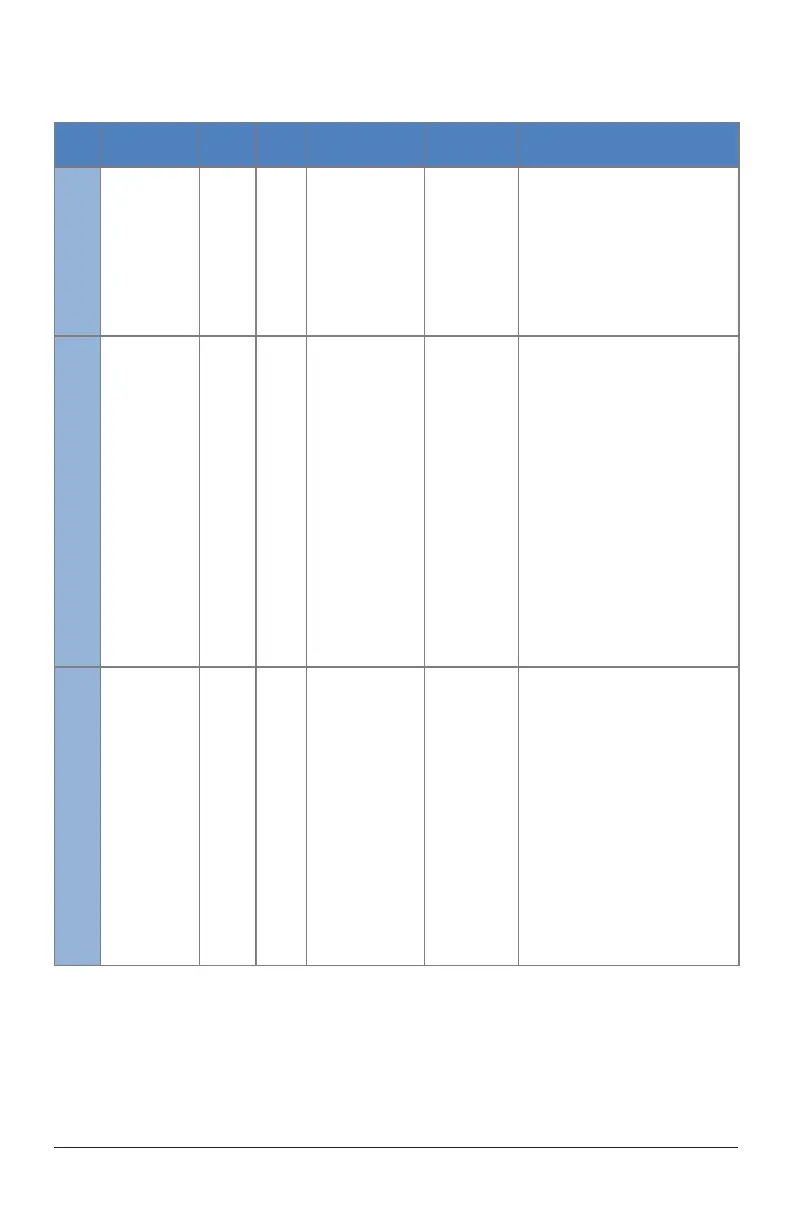
Code Name
Code
Type
Factory
Setting
Description Symptoms Troubleshooting Tips
1028 Hall Error
Fan Will Not
Start
Fan Will Not
Complete Blade
Detect
Fan “Twitches”
Fan Runs
Irregularly
Conrm that hall sensor is properly
plugged into the drive
1029
Receive Frame
Error / Noise On
Comm Lines
Fan Stops
Fan Will Not
Start
1. Conrm whether touchpad was
unplugged or not
2. Conrm that CAT5 is under 100ft
3. Conrm that CAT5 is from factory and
has not been modied
4. Conrm that CAT5 is shielded
5. Conrm that repeaters are properly
installed on the network
6. Double check network splices
7. Plug touchpad directly into board
8. Conrm rmware is 146 or above
COMM
ERROR
Fan Stops
Fan Will Not
Start
1. Conrm whether touchpad was
unplugged or not
2. Conrm that CAT5 is under 100ft
3. Conrm that CAT5 is from factory and
has not been modied
4. Conrm that CAT5 is shielded
5. Conrm that repeaters are properly
installed on the network
6. Double check network splices
7. Plug touchpad directly into board
8. Test for 5VDC on blue pair if screen
lights up, test for 24VDC if screen does
not light up



 To Next Page