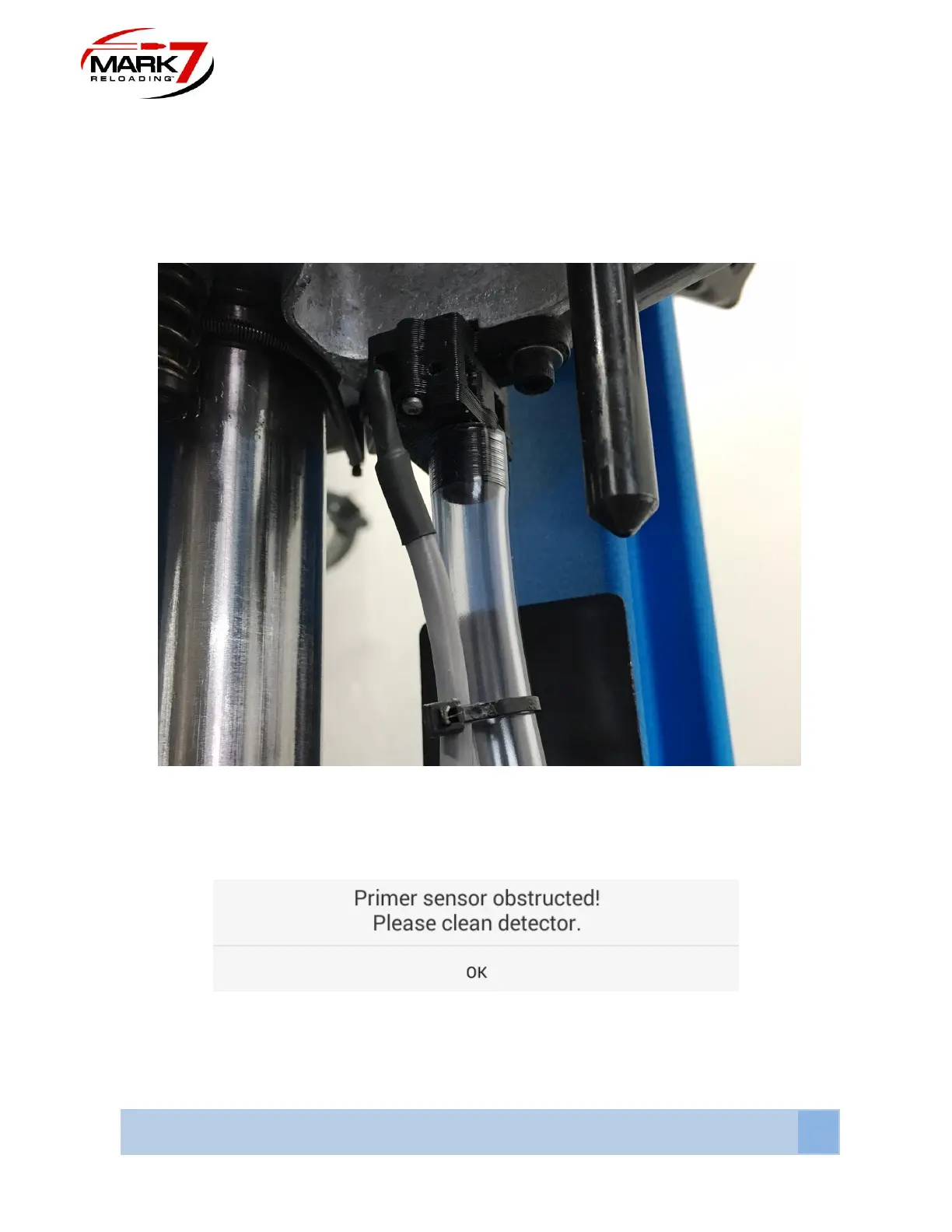
Install the Mark 7® Decapping Sensor™ with the provided hardware to the bottom of the 650
platform assembly. It is important that the cable orientation exits towards the front of the press.
Attach the hose and route into a bucket or other spent primer collection container. Plug the
cable connector into the assigned console port (Refer to section 11).
Figure 31: Decapping Sensor Installed
During operation the optical sensor may become dirty and require cleaning. The following
notification box MAY appear when cleaning is required.
In either case the recommended cleaning interval is every 500-700 rounds that are decapped.
Using a duster can or compressed air, spray into spent primer hole in the 650 platform and into
the front hole on the decap sensor shown below. It may be necessary to remove the sensor.



 To Next Page