Page 80 / 100 Technical Notice V1.0 / 01.09
12 Options
12.7.2 Thermostat
12.7.2.1 Description
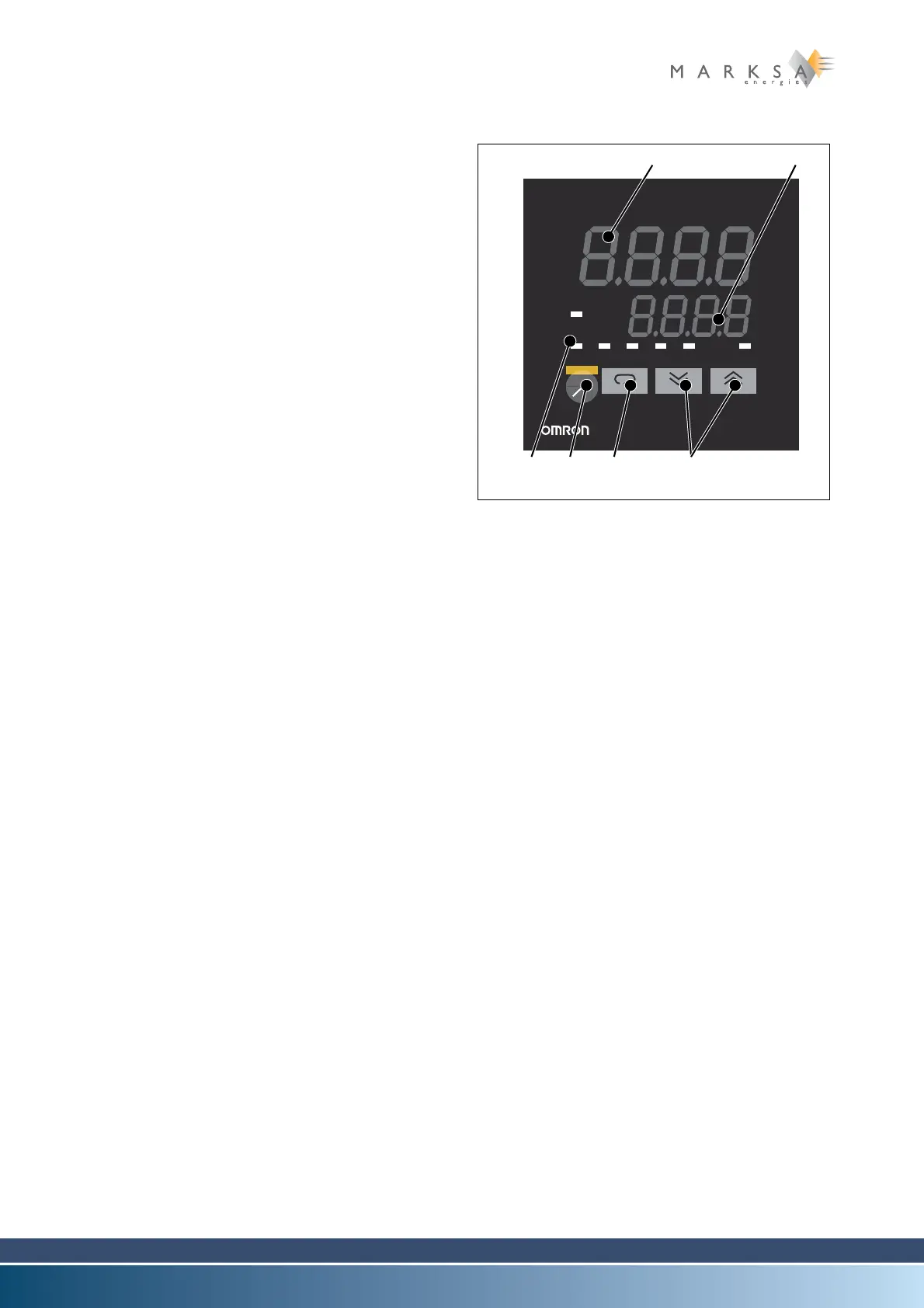
(1) Display n°. 1
Displays the process value or the parameter sym-
bols.
(2) Display n°. 2
Displays the setting's value, the ramp setting's va-
lue, the heating capacity or the selection of para-
meters.
(3) Visual operation indicators
-OUT1
Alight: Operation of outlet 1 switches to ON
-OUT2
Alight: Operation of outlet 2 switches to ON
-SUB1
Alight: Operation of the auxiliary outlet swit-
ches to ON
-MANU
Alight: Manual mode is activated
-STOP
Alight: The device is stopped
- RMT (remote)
Alight: Remote control is activated
- AT (auto-tuning)
Flashes during automatic regulation of the
PID
(4) A/M key
Selection between manual / automatic mode
(5) Display key
- Pressing < 1 sec
Move to the next parameter
- Pressing > 1 sec
Display of the menu
(6) Increment / decrement keys
Increases or decreases the value in display win-
dow n°2
12.7.2.2 Parameters
Level 1
AL-1 Alarm 1 value............................ 5
AL-2 Alarm 2 value............................ 5
P Proportional band ..................... 0.4
I Integration time......................... 134
D Derivation time.......................... 20
Niveau 2
ALH1 Al 1 Hysteresis.......................... 0.1
ALH2 Al 2 Hysteresis.......................... 0.1
Fig. 12-5 : Affichage du thermostat
OUT2 MANU STOP RMT AT SUB1
OUT1
PV
sv
E5CK
A
M


 To Next Page