Technical Notice V1.0 / 01.09 Page 81 / 100
Options 12
Parameter setting mode (SET)
Ent-t Entry type ..................................1
d-U Select either °C / °F...................C
oUt 1 Cont allocation 1........................Heat
oUt 2 Cont allocation 2........................Al 1
Sub 1 Auxiliary outlet ...........................Al 2
AL t 1 Alarm 1 type ..............................2
AL In Alarm 1 opening ........................n-C
AL t 2 Alarm 2 type ..............................2
AL 2 n Alarm 2 opening ........................n - C
or Eu Normal / inv. operation ..............o r - r
12.7.2.3 Activation of auto-tuning
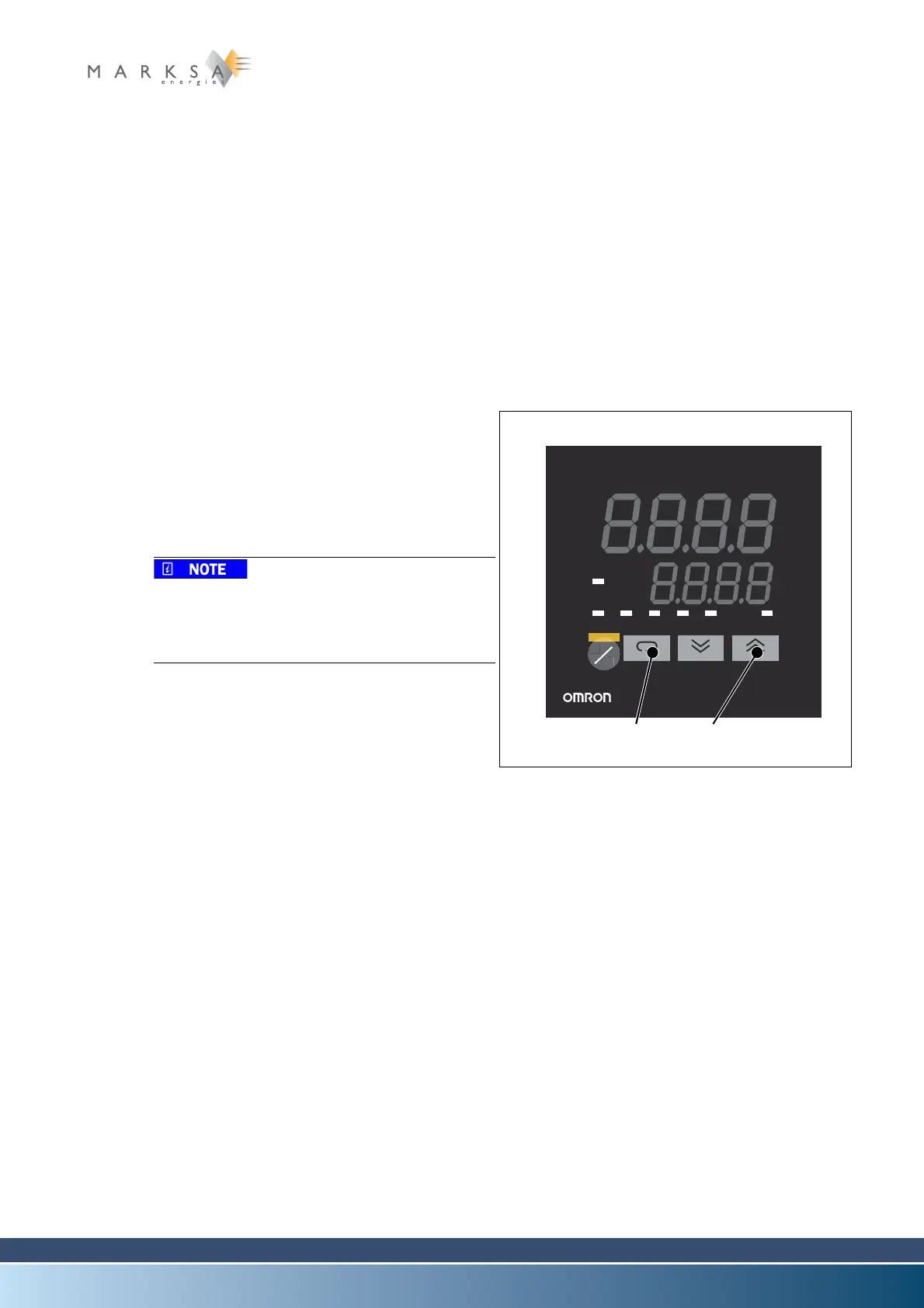
A. Hold down the button (1) for more than one se-
cond.
B. Press once on (2).
C. Hold down the button (1) for more than one se-
cond to go to level 1.
D. Press on (2) to activate auto-tuning.
This operation may take several dozens of mi-
nutes.
This operation will modify the P.I.D. values to
optimise the operation of the device.
12.7.3 Maintenance
No special maintenance procedures.
12.7.4 Breakdowns
No special breakdown procedures.
Fig. 12-6 : Thermostat display
OUT2 MANU STOP RMT AT SUB1
OUT1
PV
sv
E5CK
A
M


 To Next Page