Instruction Manual
34
– Instruction Manual
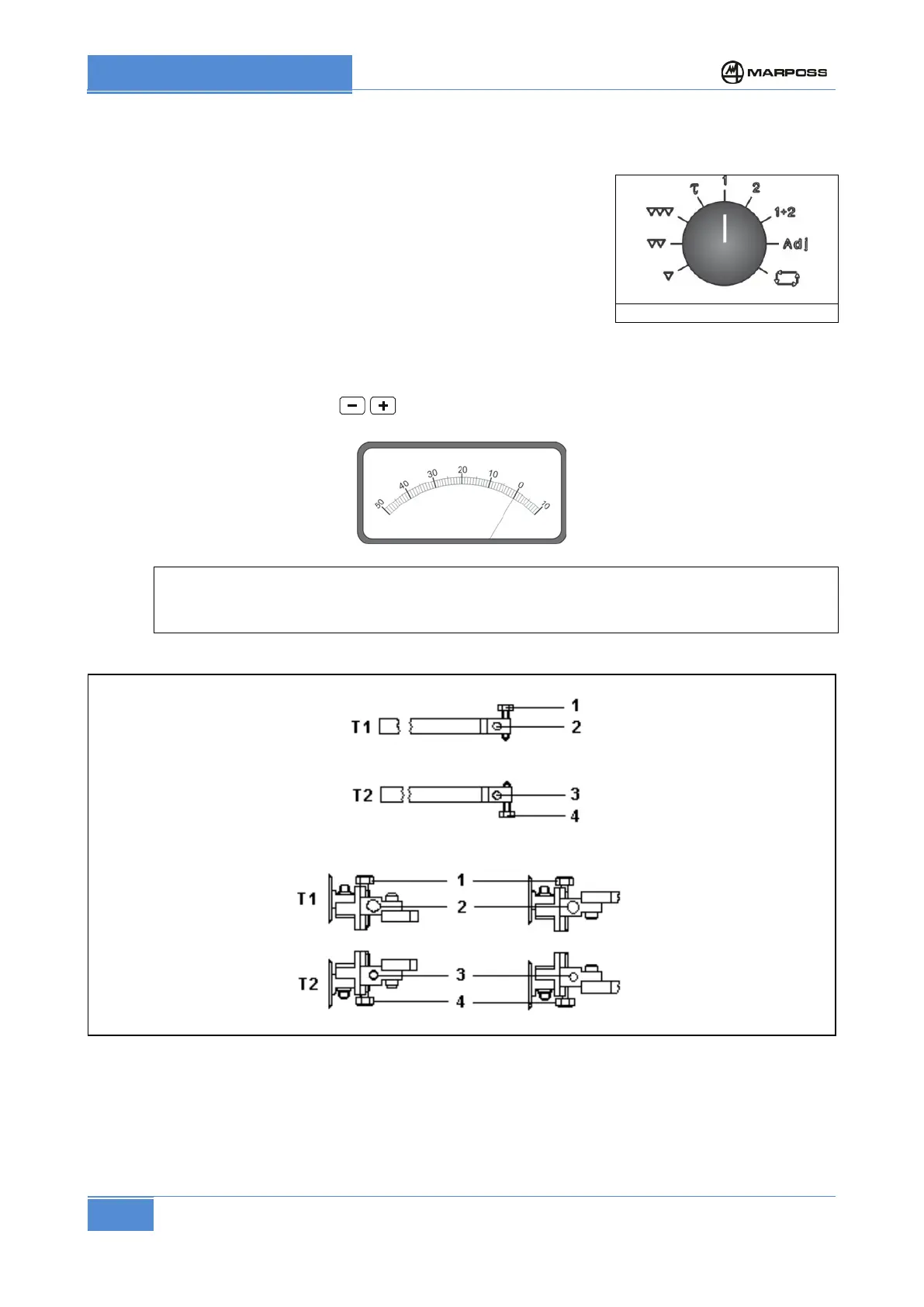
7.5.1.1 Zeroing with screw guides or pawls
a) Bring the head to measuring position.
b) Set selector (Figure 13) to position “1”.
c) Loosen screw 2 (Figure 14)
d) Act on screw 1 until the meter reads zero, tighten screw 2.
e) Set selector (Figure 13) to position “2”.
f) Loosen screw 3.
g) Act on screw 4 until the meter reads zero. Tighten screw 3.
h) Set selector 5 (Figure 13) to position “1+2”.
i) If necessary, act on pushbuttons for zero adjustment making the meter read zero.
In applications with measuring head provided with one contact only, carry out only operations a),
b), c), d) and i) relevant just to contact T1.
B) with adjustable screw-guides
Figure 14 Zero-setting with screw-guides or pawls



 To Next Page