Matrix SETU VFXTH System Manual 108
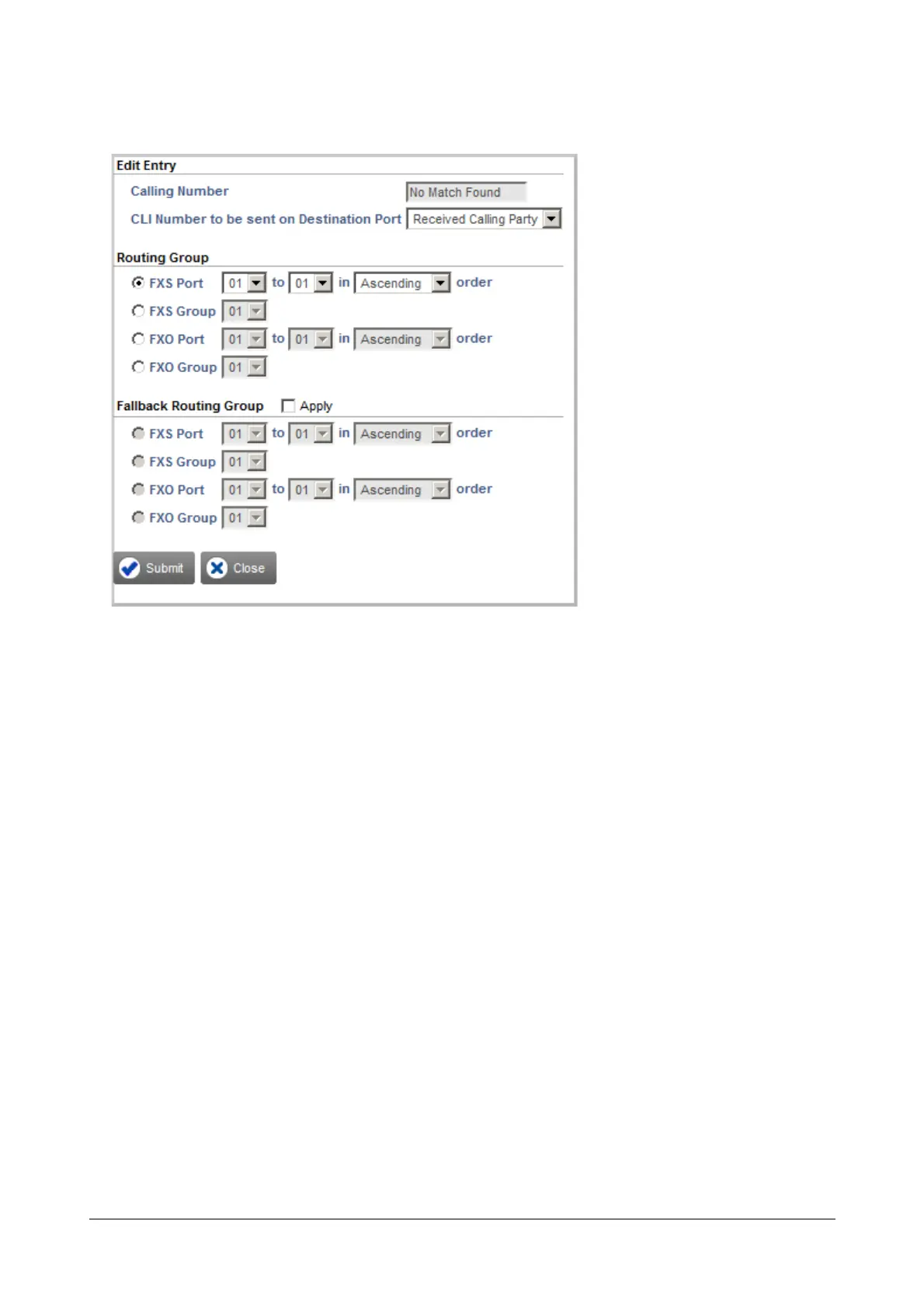
• The Edit Entry window opens.
• Create the Routing Group and Fallback Routing Group.
• Click Submit and close the window.
• Follow the same steps as above to add another entry to this table.
• To delete an entry, select the check box and click Delete button.
• Close the window if you have finished adding/editing entries.
You can also configure the Calling Number Based Table from Advanced Settings. See “Destination
Port Determination” under Advanced Settings.
Allowed - Denied Logic (Toll Control)
With the Allowed-Denied Numbers feature you can permit and restrict the dialing of particular numbers from the
SIP Trunk. You can use this feature for applying Toll Control on the SIP Trunk.
Allowed Denied Number Logic makes use of two Number lists:
• Allowed Numbers List: This is the list of numbers that can be dialed out from the SIP Trunk. By default,
List Number 7 is assigned to the SIP Trunk.
• Denied Numbers List: This list contains the numbers that are to be restricted from being dialed out from
the SIP Trunk. By default, List Number 8 is assigned to the SIP Trunk.


 To Next Page