McHale Orbital Round Bale Wrapper
51
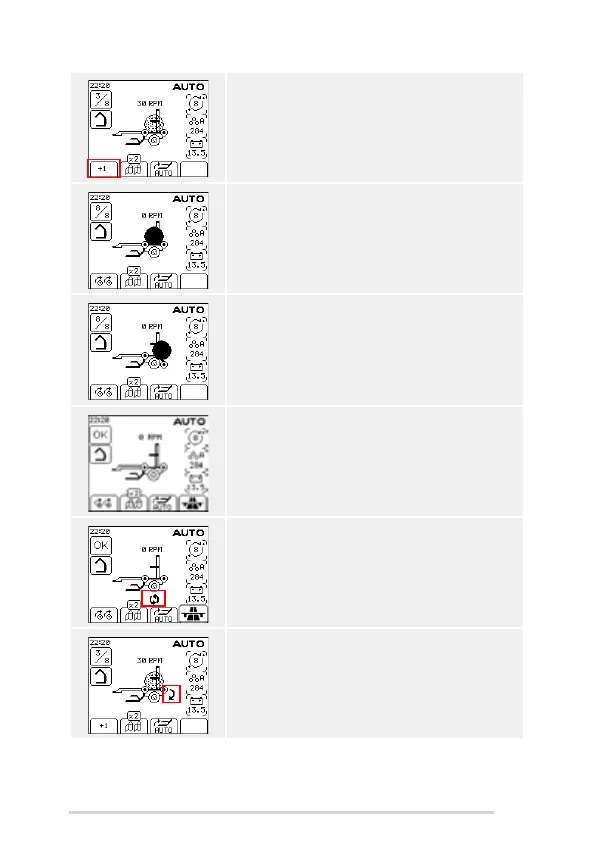
The ring rotates and the speed is shown in rpm. Extra
revolutions can be added by pressing the '+1' soft key.
Wrapping finishes and the wrapped bale icon is shown
on the wrapper.
Press the tip button to tip off the bale. The tip arm goes
down and the wrapped bale icon disappears off
screen.
The tip arm comes back up and the next bale is ready
to be loaded.
If Auto Wrap is set to On in Machine Setup 1 then
wrapping will start automatically after the loading cycle
is completed. The two rotating arrows shows that Auto
Wrap is on.
If Auto Tip is set to On in Machine Setup 1 then the
bale will be automatically tipped off at the end of
wrapping. The down arrow shows that Auto Tip is on.



 To Next Page