McHale Orbital Round Bale Wrapper
50
7.5 Machine operation
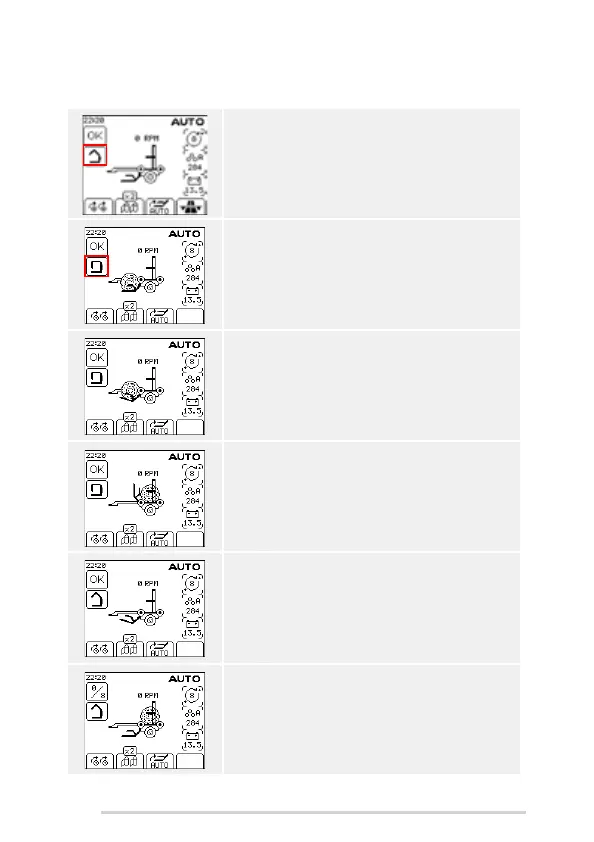
A bale is ready to be loaded. The clamp arm is open.
The load arm is down.
Press the AUTO LOAD button. The clamp arm closes.
The bale icon is shown on the load arm.
The load arm starts to lift the bale onto the wrapper.
The load arm is fully up and the bale is loaded onto the
wrapper.
The load arm goes down and the clamp arm starts to
open.
Press and hold the AUTO START button to begin
wrapping. The buzzer sounds as a warning. Wrapping
starts and the number of revolutions is shown on
screen.



 To Next Page