45 Version 1.0
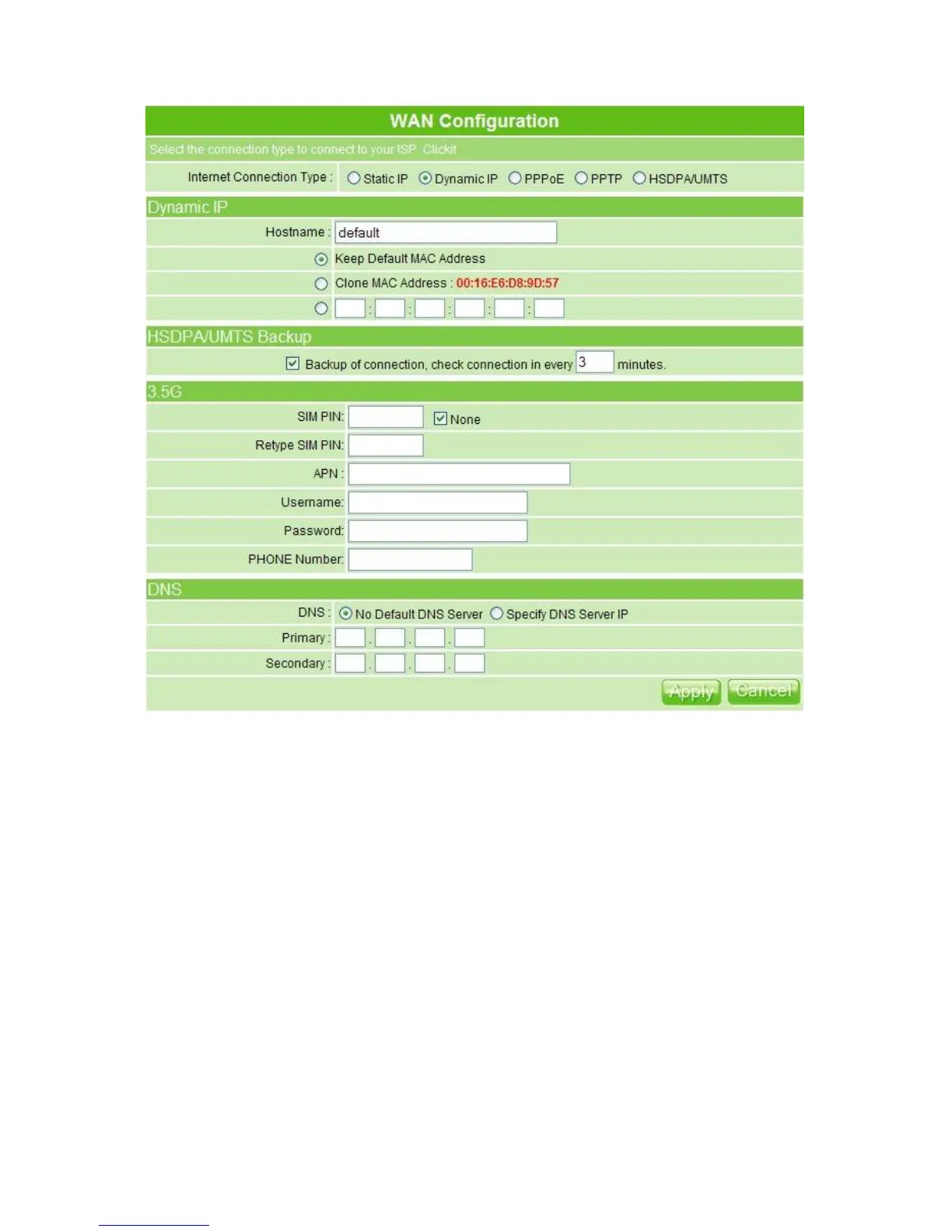
1. Host Name
The host name is optional; but if your ISP requires you to input a specific host name,
please put it in, for example, MT4205 applied from ISP. Generally, Cable Modem will
provide the hostname information.
2. MAC Address: Keep, Clone & Input MAC Address
Select Keep or Clone MAC Address for copying the MAC address of your Ethernet
adapter to the gateway, or input a group of MAC Address. Generally, your ISP will
inform you.
3. HSDPA/UMTS Backup
The default interval between the two connection detection is 3 minutes, and the range is
from 1 to 3 minutes. Once Internet connection is disconnected, the system automatically
connects Internet via 3.5G adapter. If 3.5G signal is not available, it starts to search
downward for 3/2.75/2.5G signals until none existed. Please check to activate or not.
4. 3.5G
This feature requires user to enter user name, password and SIM PIN etc.; also it is



 To Next Page