46 Version 1.0
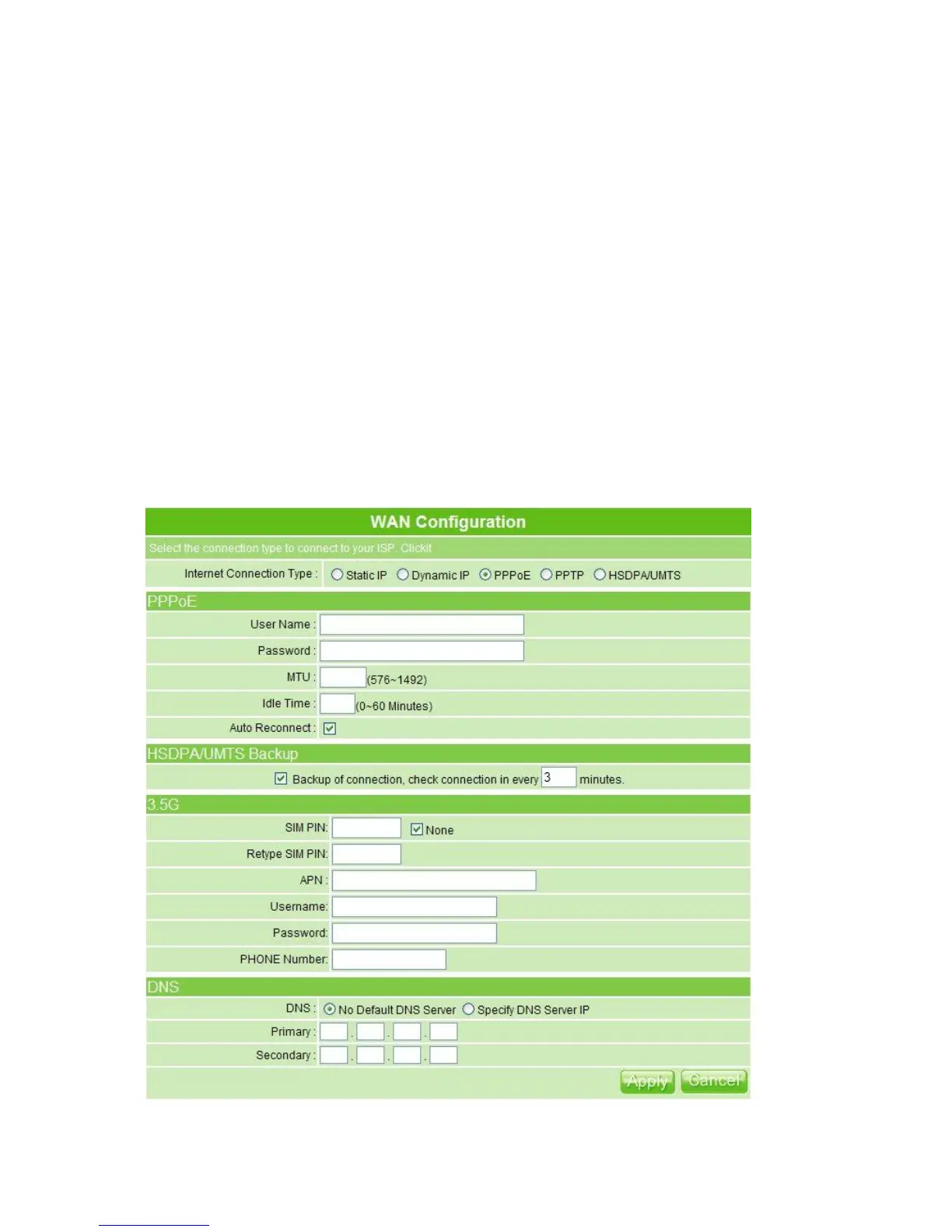
working as mutual backup for other 4 WAN Types. That is, setting up the interval time to
auto detect whether the Internet connection is lost or not. If yes, the system immediately
switches to 3.5G Internet connection until the original connection is back during the next
detection.
5. DNS
If ISP provides you DNS information, please select Specify DNS Server IP and input
the DNS information into the blank; otherwise, select No Default DNS Server.
6. Apply & Cancel
Click on Apply button to continue. Click on Cancel button to clear the settings on this
page.
3.3.1.3 PPPoE
If you applied for a PPPoE connection type from ISP, please follow the steps to set up your
WAN connection.



 To Next Page