MM-IM User Guide
19
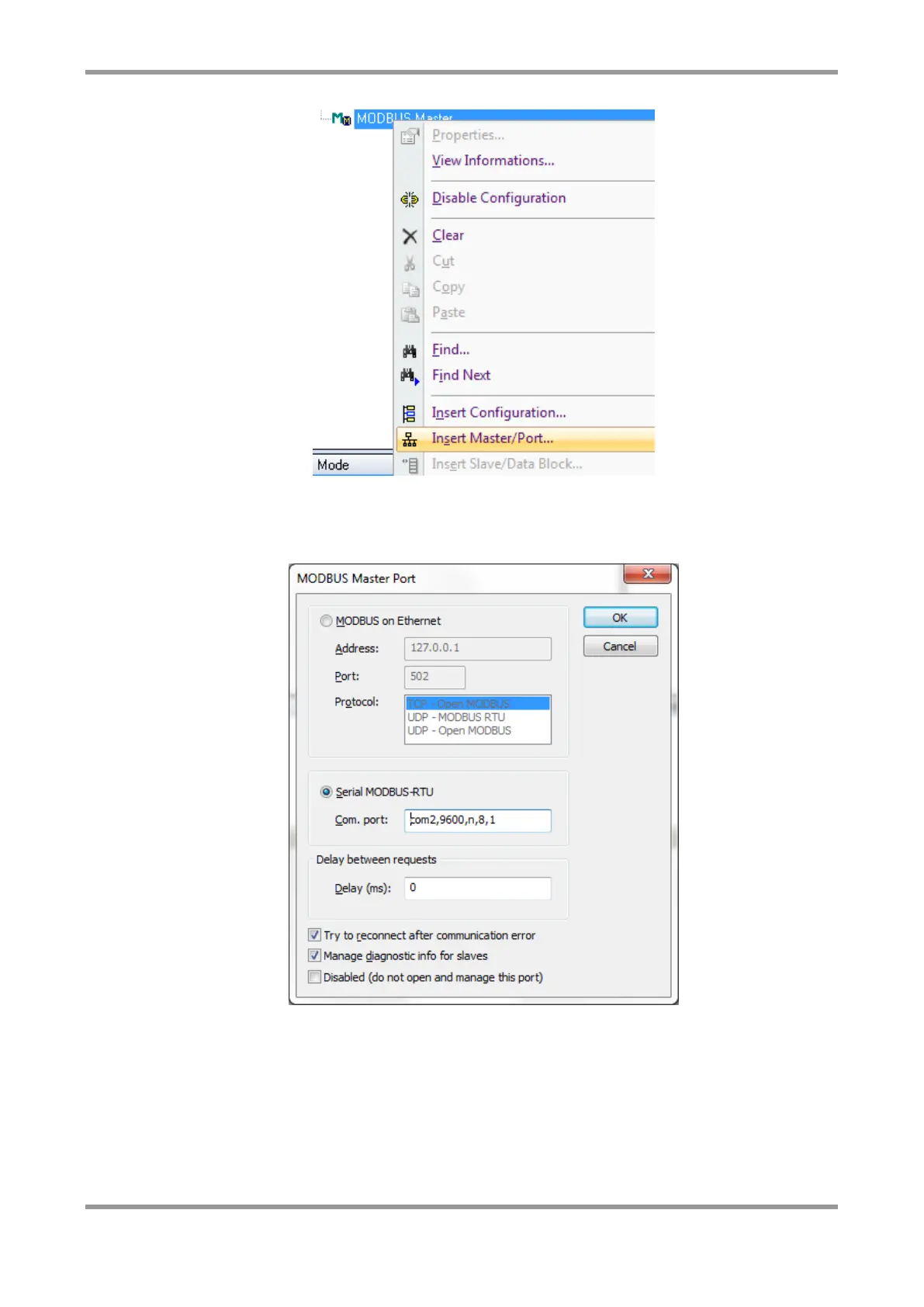
You can choose either Modbus on Ethernet, or Serial Modbus-RTU. The format of the
“Com port” string must be in lower case as shown in the example below. It comprises:
<COM port>, <Baud rate>, <parity>, <Data bits>, <Stop bits>
Note: If configuring Modbus for COM4 (RS485), you must add an extra item to the
“Com port” string: rs485. E.g. com4,19200,n,8,1,rs485. This must be in lower case.
Once you have inserted the port, you can then right click on it and choose “Insert
Slave/Data Block. Fill in the details as required. An example is shown below.



 To Next Page