Installation and Start-Up | 3-15
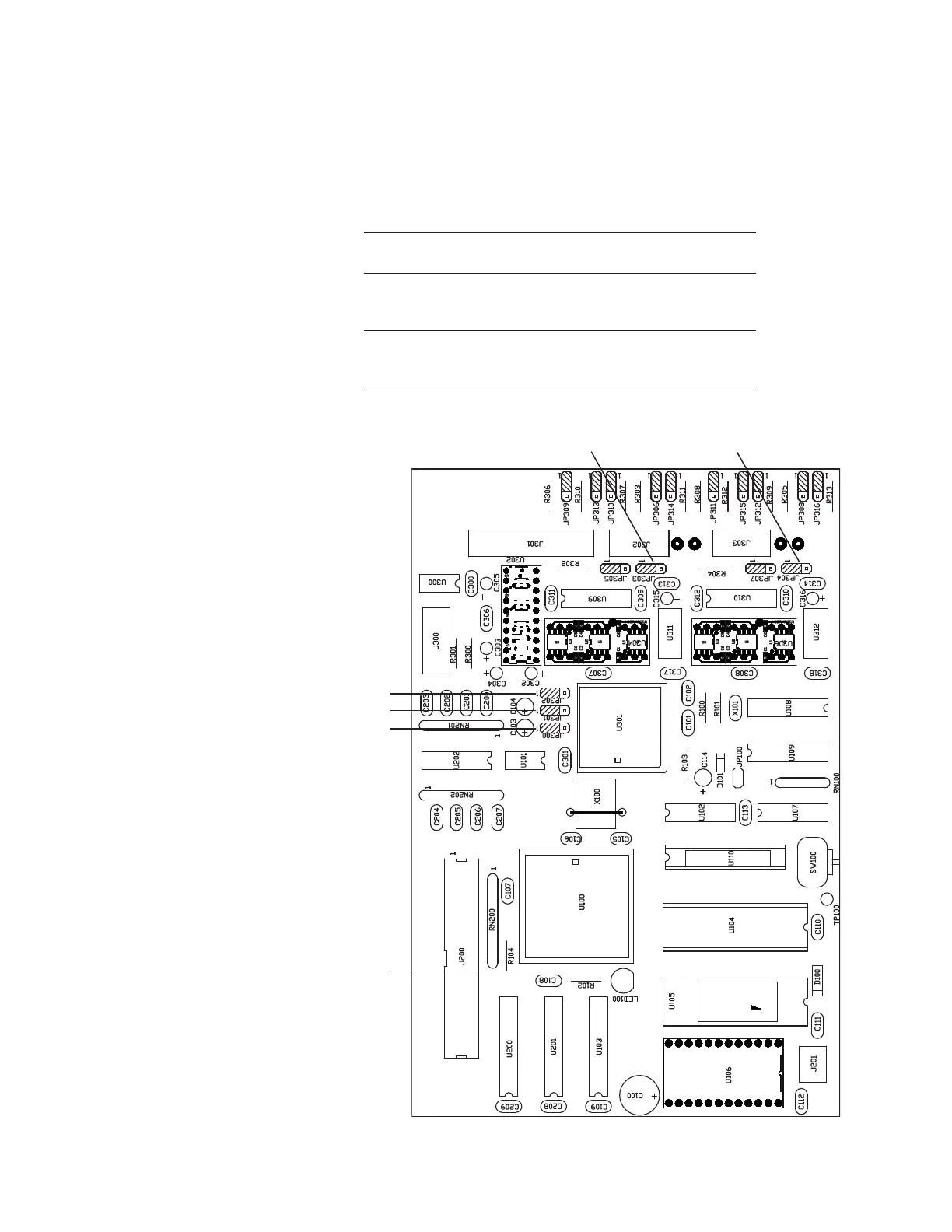
To configure either port, refer to “Remote Service Port/Local Service Port
Configurations” (and “Remote Service Port RS-485, Full/Half Duplex,” if using
the Remote Service Port) or “Customer Data Acquisition Port RS-485, Full/Half
Duplex” below. The jumpers for these service ports are located on the Host
Controller board (see Figures 3-4/3-5).
Remote Service Port/Local Service Port Congurations
Set these jumpers to
To congure the analyzer for: these positions:
JP300 = 1-2
Local Service Port RS-232 or Modem JP301 = 1-2
JP302 = 1-2
JP300 = 2-3
Remote Service Port RS-485 JP301 = 2-3
(* See Note.) JP302 = 2-3
*Note: Requires additional conguration, discussed under “Remote
Service Port RS-485, Full/Half Duplex” congurations.
Figure 3-5.
Host Controller board
(P/N 100-1757).
Green Status LED100
JP300
JP301
JP302
JP303 JP304



 To Next Page