3-30 | Model 933 UV Analyzer
g. Check the analyzer temperature zones (Optical Bench, Measuring
Cell, Column Block):
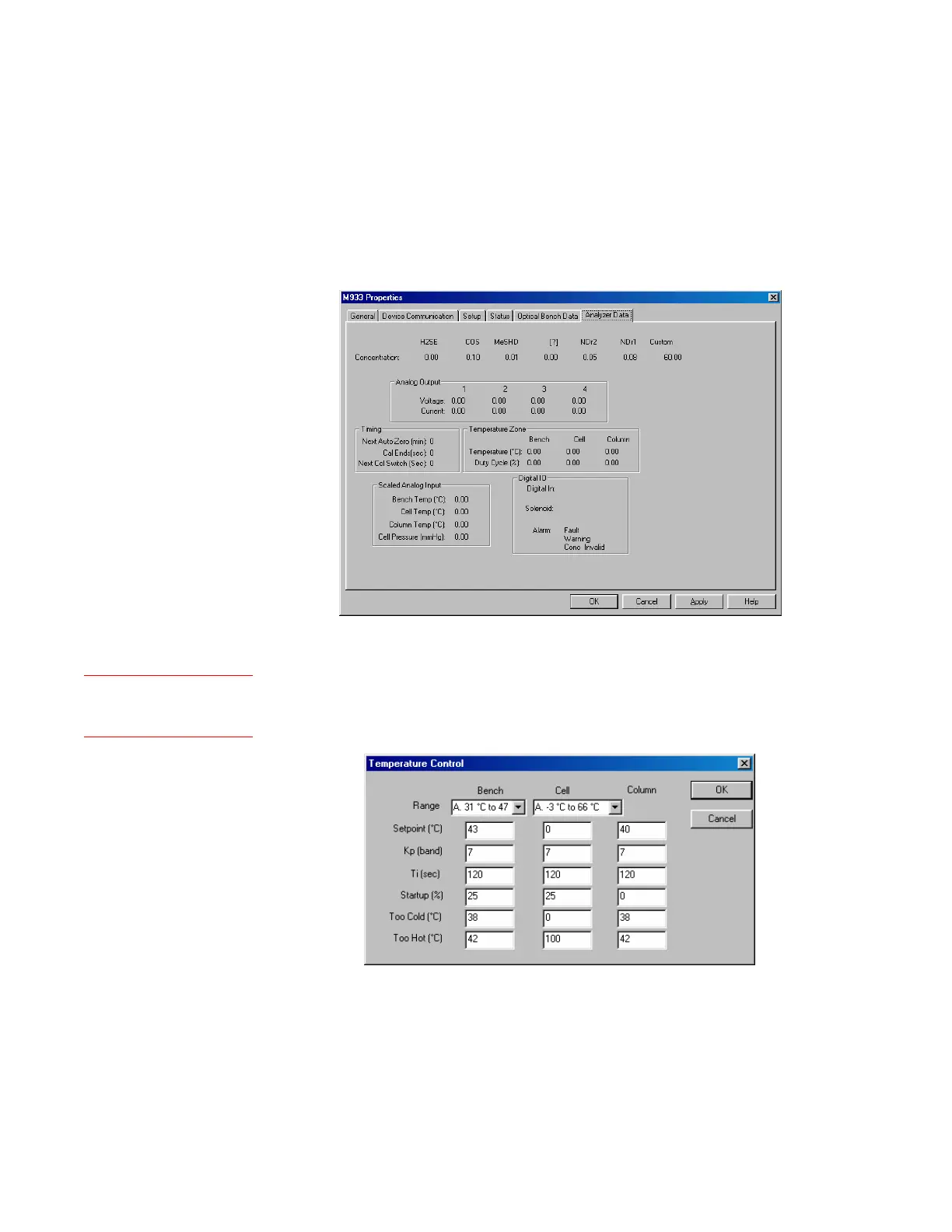
While working from the Configurator Software (Analyzer Data
tab), view and record the current (start-up) temperature readings
for each zone. These values can be used as a reference later while
comparing the temperature values after the analyzer has warmed
up. This will also help you determine if the signal wiring is prop-
erly terminated and if all of the circuitry is operating properly.
Figure 3-13.
Analyzer Data tab.
From the Temperature Control dialog box, verify the Setpoint, Too
Hot, and Too Cold setpoint temperatures for each zone are correct.
See also “Temperature Control” in Chapter 4.
Figure 3-14.
Temperature Control
dialog box.
Setup (tab)
Temp Control



 To Next Page