2 Installation
761 Compact IC
30
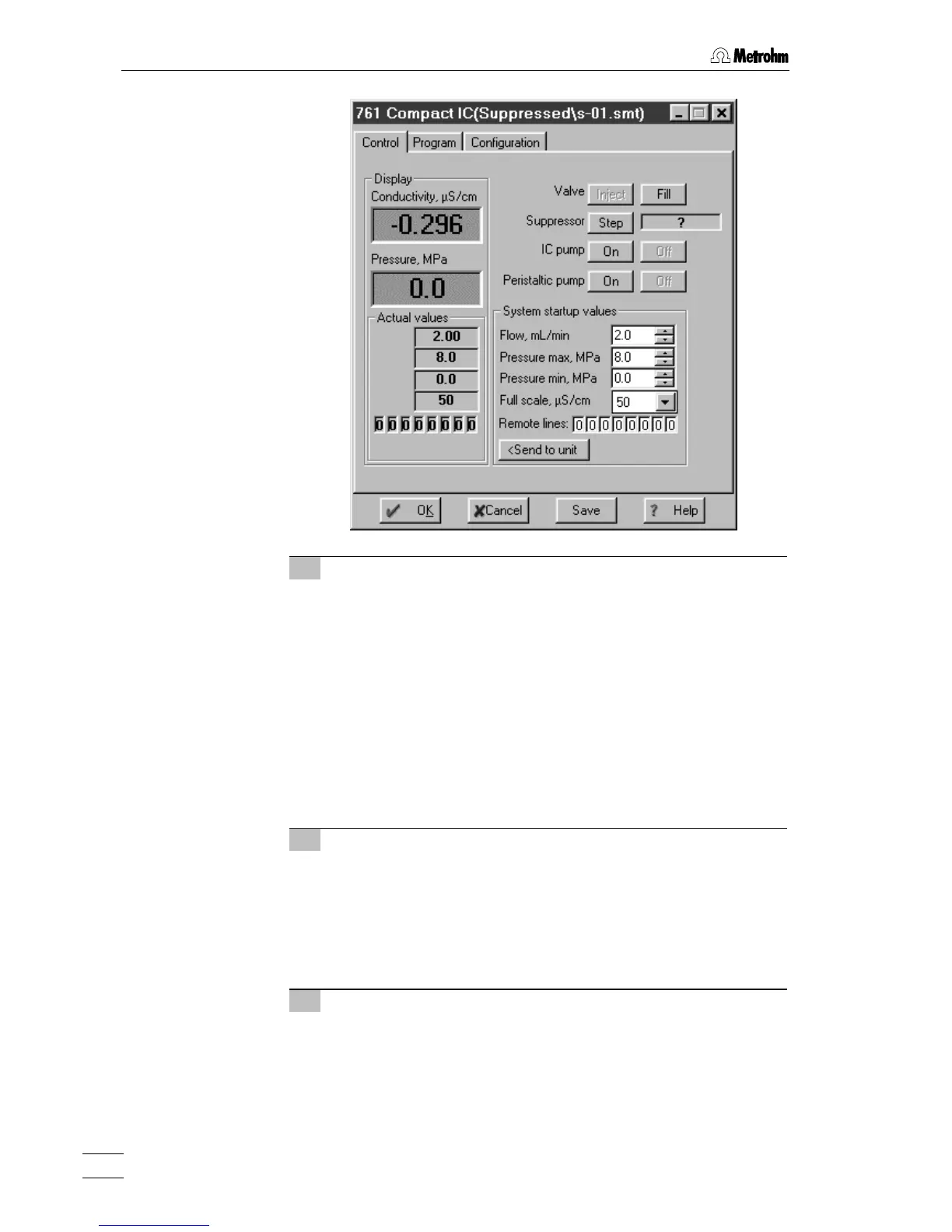
4 Deaerate pump
• Make sure that the aspirating tubing 63 for the high-pressure
pump has been immersed into the eluent.
• Click the
<On> button for IC pump to switch on the high-
pressure pump.
• Use the syringe inserted into connection 8 to aspirate air until
eluent flows into the syringe.
• Click the
<Off> button for IC pump to switch off the high-
pressure pump.
• Close the rotary knob on purge valve 39 by turning it in a
clockwise direction (see Fig. 3 and Fig. 4).
• Remove the syringe from connection 8.
5 Rinse pulsation dampener
• Place a beaker beneath the column connection capillary 28.
• Click the
<On> button for IC pump to switch on the high-
pressure pump and rinse the pulsation dampener 60 filled
with isopropanol for ca. 10 min with eluent.
• Click the
<Off> button for IC pump to switch off the high-
pressure pump.
6 Reduce flow rate
• Reset the original flow rate under Flow (e.g. 0.5 mL/min).
• Click
<Send to unit> to send this value to the 761 Compact IC.















 To Next Page