4.2 Instrument and software settings
761 Compact IC
77
Chromatogram units Units for chromatograms:
Flow Unit for flow rate: µL/min, mL/min
Pressure Unit for pressure: MPa, psi, bar, atm
Print via print spooler
Switch on/off printing via print spooler. Switch
off this option if you use a GDI printer.
Measuring priority Setting the priority of program execution. real-
time means that the «761 Compact IC» program
has the highest priority,
normal means that all
active programs have the same priority.
<Default colors> Default colors for chromatographic windows
(details see section 4.5.3).
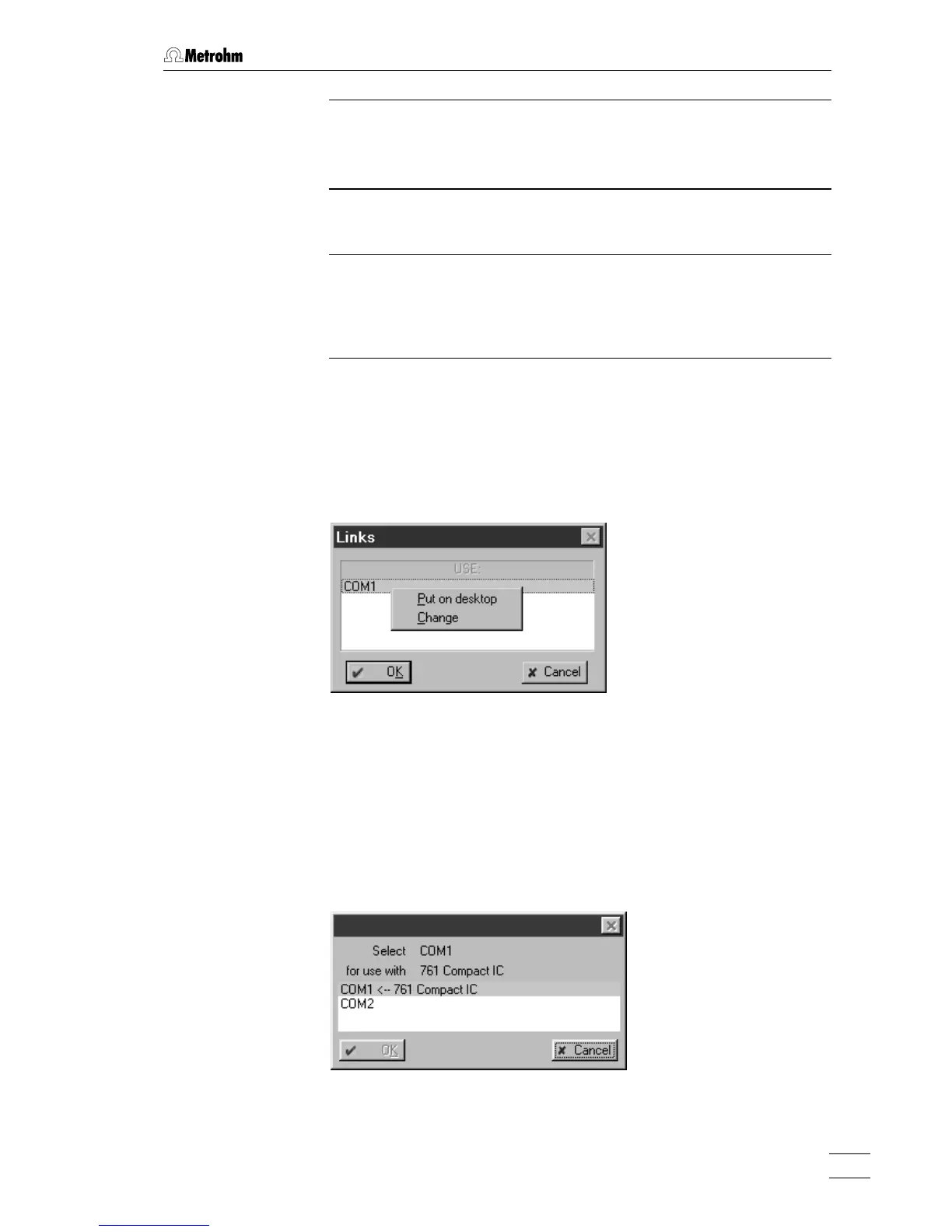
4.2.4 COM port
761 COMPACT IC / Options / 761 Compact IC:COM1
This menu item opens the Links window for COM port (serial RS232 in-
terface) selection and settings.
If
COM1 is clicked with the right mouse button, the following menu items
appear:
Put on desktop Possibility for setting COM port parameters for
recording data transfer (details see on-line
help).
Change Possibility for changing the COM port (default
setting:
COM1). The following window is
opened, where the interface can be changed
by clicking on the desired COM port.















 To Next Page