3 Operating tutorial
761 Compact IC
60
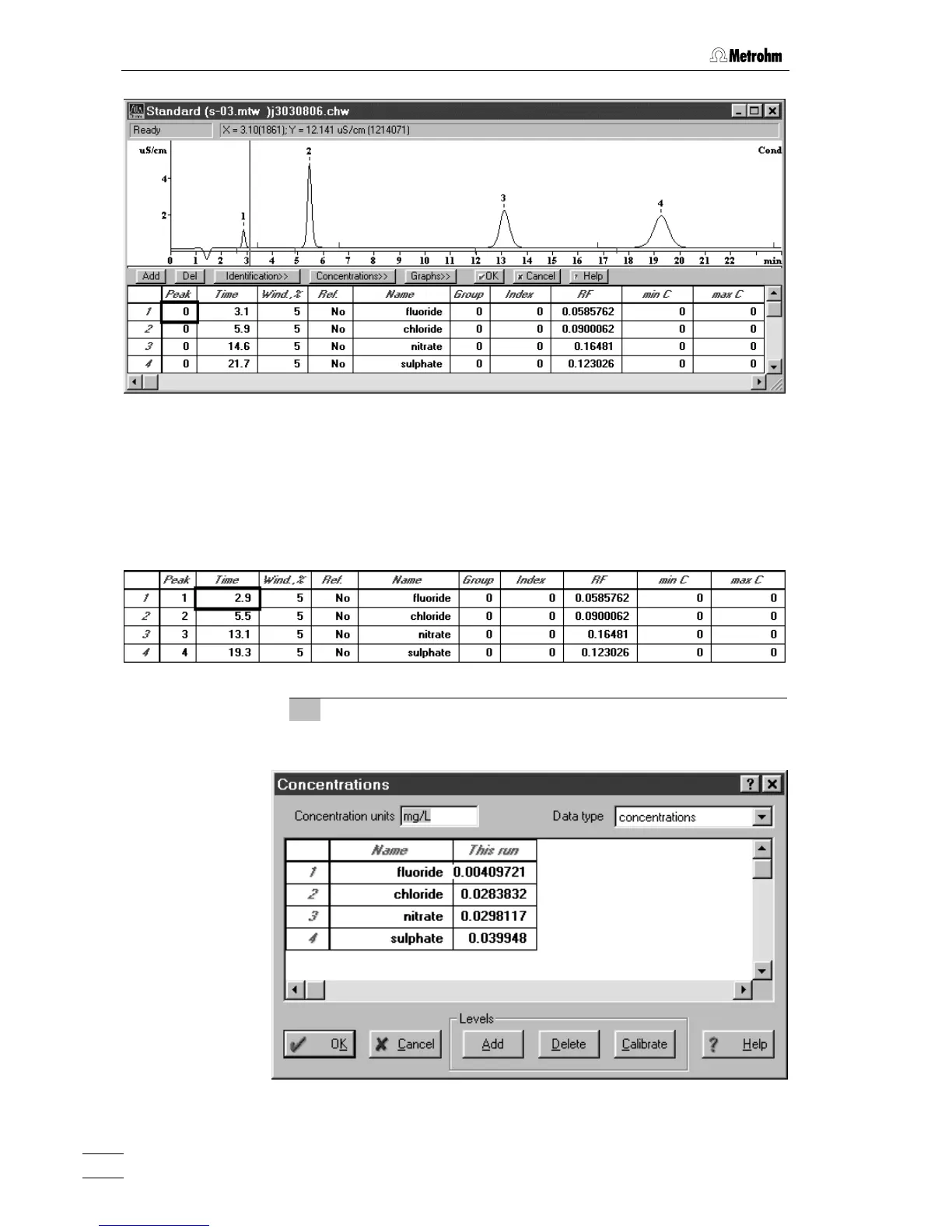
This is done by clicking on the chromatogram and moving
the cursor with the aid of the cursor keys <> and <> to
the middle of the peak and reading off the corresponding re-
tention time in the status line. Enter this value (rounded off if
necessary) into the
Time column.
The optimized table could, for example, then appear as
follows:
16 Start calibration
⇒ Click the <Concentrations> button in the component window.
⇒ Click on
<Add>. The Add level window appears.





 To Next Page