Metrotech Corp. | 29
Metrotech Copyright © 2008 Doc. No.: R12015
6.2.2.2 Sonde Locate
In Sonde Locate mode, the receiver automatically adjusts its depth calculation algorithms to reect the differences
between a line radiating a transmitter signal and the signal generated by a sonde transmitter.
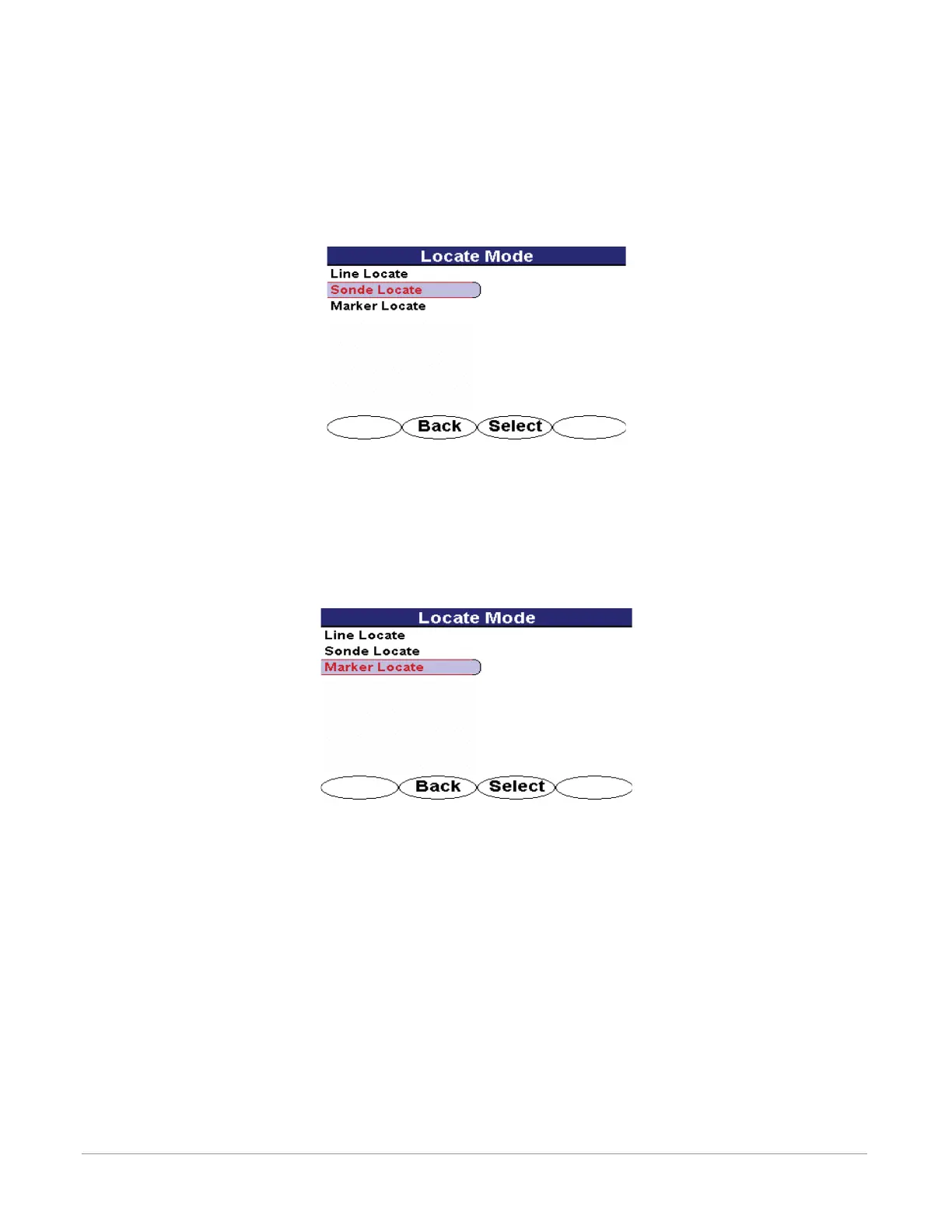
To access the sonde locate mode, use the 4-way navigation button to select the desired mode.
Press the <Select> softkey to select the desired mode. The receiver will automatically return to chosen opera-
tional interface.
Figure 6-11 Sonde Locate Selection Screen in Mode Menu
6.2.2.3 Marker Locate
In Marker Locate mode, the receiver automatically adjusts to transmit and detect a specic frequency designated
for a buried utility marker. A depth calculation can be generated after locating the marker’s peak signal.
To access the marker locate mode, use the 4-way navigation button to select the desired mode.
Press the <Select> softkey to select the desired mode. The receiver will automatically return to chosen opera-
tional interface.
Figure 6-12 Marker Locate Selection Screen in Mode Menu
6.2.3 Settings Menu
The Settings menu offers the following menu selections:
Personalize
Audio
Initial Setup
Display Clock
Preset State
About
To access the settings menu, use the 4-way navigation button to highlight Settings. The chosen menu is labeled
at the top of the menu screen.
Press the <Select> softkey to open the desired menu screen. Press <Back> to return to the operational interface.
Use the 4-way navigation button to select another menu.
•
•
•
•
•
•


 To Next Page
 Loading...