12
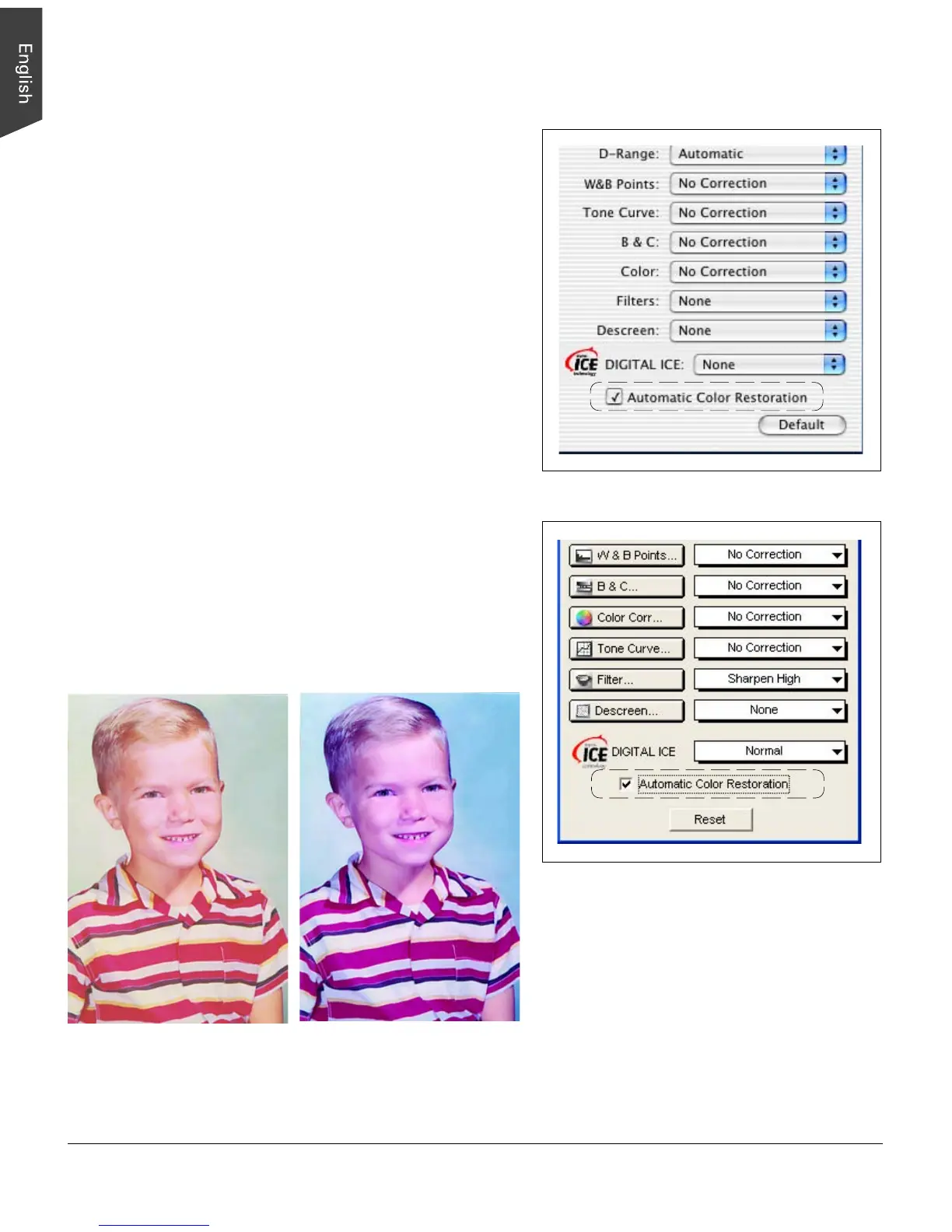
Automatic Color Restoration
The Automatic Color Restoration feature is part of
Microtek’s ColoRescue
TM
system for bringing faded colors
back to life.
Note:
• This option will not work when the Image Type is set
to “Line Art” or “Black and White Diffusion.”
• For best results when using the “Automatic Color
Restoration” feature, marquee (select) only the image
area of the photo to be restored (the photo proper). Do
not include the white border around the photo, as
inclusion of the background may lead to inaccurate
color restoration.
To use the Automatic Color Restoration function:
1. In the Preview window, marquee the faded image area
to be restored.
2. In the Settings window, check the “Automatic Color
Restoration” option.
3. Click the “Scan” or “Batch” button to start scanning.
Automatic Color Restoration is applied, and faded
colors in the photo are restored.
Before After
Mac OS X
Windows XP



 To Next Page