23
3.1.5 Ethernet Fixture Setting (Ethernet Fix.)
This function sets the protocol, IP, and server port, etc. for networking.
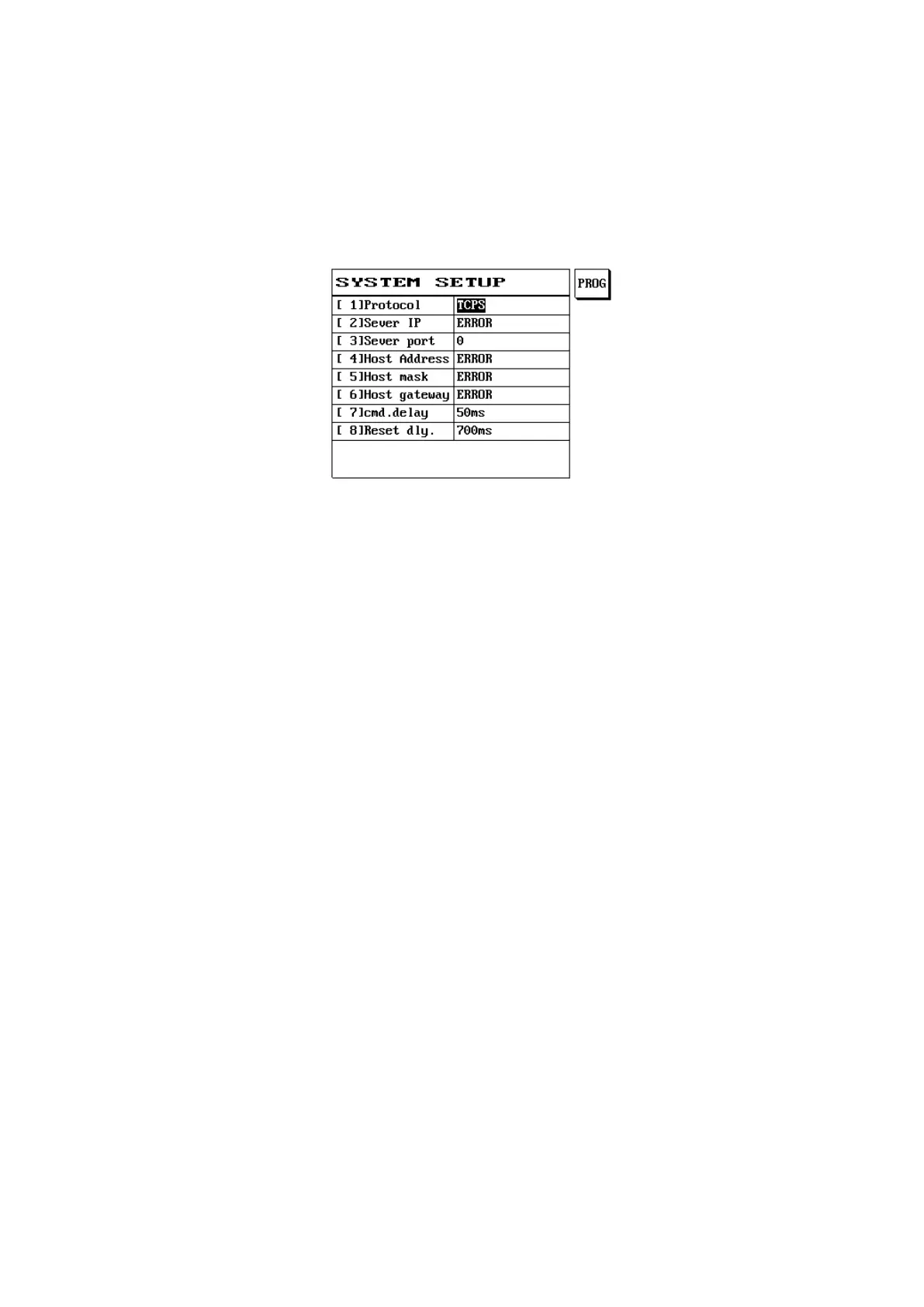
(1) Press [Func].
(2) Please use [↑] or [↓] to select find network fixture setting (Ethernet Fix.) and press [Enter].
(3) The LCD screen will display as follows:
[1] Protocol:
TCPC: Transmission Control Protocol Client
TCPS: Transmission Control Protocol Server
[2] Sever IP: IP address of server
[3] Sever Port: Server terminal (port) 0-65535
[4] Host Address: Host address
[5] Host Mask: Host mask (mask)
[6] Host Gateway: Host gateway (gateway)
[7] Instruction Delay: Delay time 50-9999ms
[8] Reboot Delay: Delay time 700-9999ms



 To Next Page