47
4.1.2 Conductance
(1) Press [Cond].
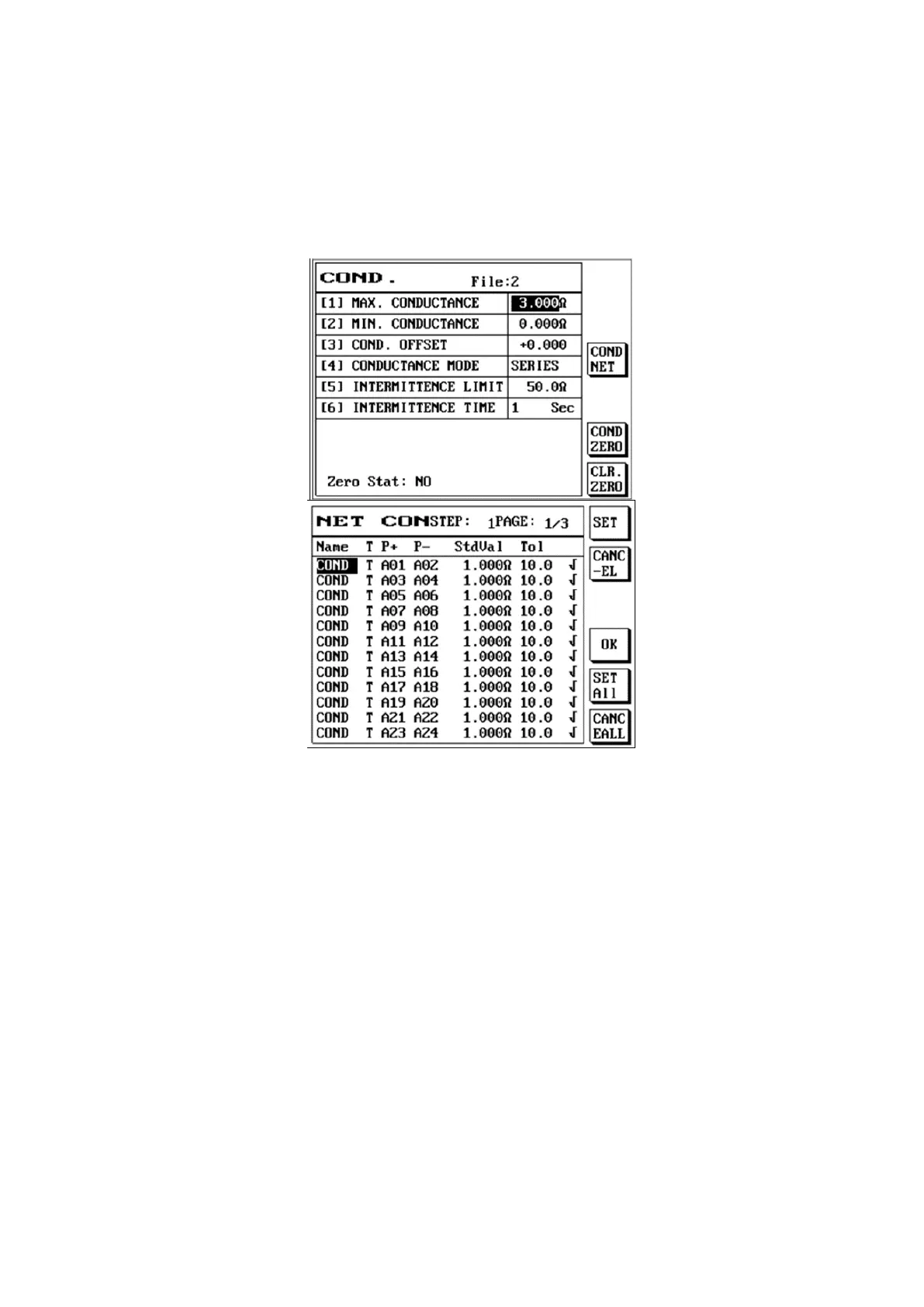
(2) The LCD screen will display as follows.
(3) Please use [↑] or [↓] to select the item you want to set.
(1) Maximum conductance value: Please use the number buttons to enter a value according to your
needs as the upper limit of the cable conductance.
(2) Minimum conductance value: Please use the number buttons to enter a value according to your
needs as the lower limit of the cable conductance.
(3) Conductance adjustment value: Resistance value can be entered to increase or decrease the
resistance of the fixture.
(4) Conductance mode: Use S1 [Item selection] to switch between serials, radiation, or composite.
(5) Intermittence limit: Resistance value can be entered to be used as the basis to determine the test
result.
(6) Intermittence time: A time value can be entered to be used as the continuation time for the test.
Press S3 [COND NET] to enter conduction edit:
COND NET: Allows importing of the O/S learned into component edit.



 To Next Page