67
4.3.3 Create New File
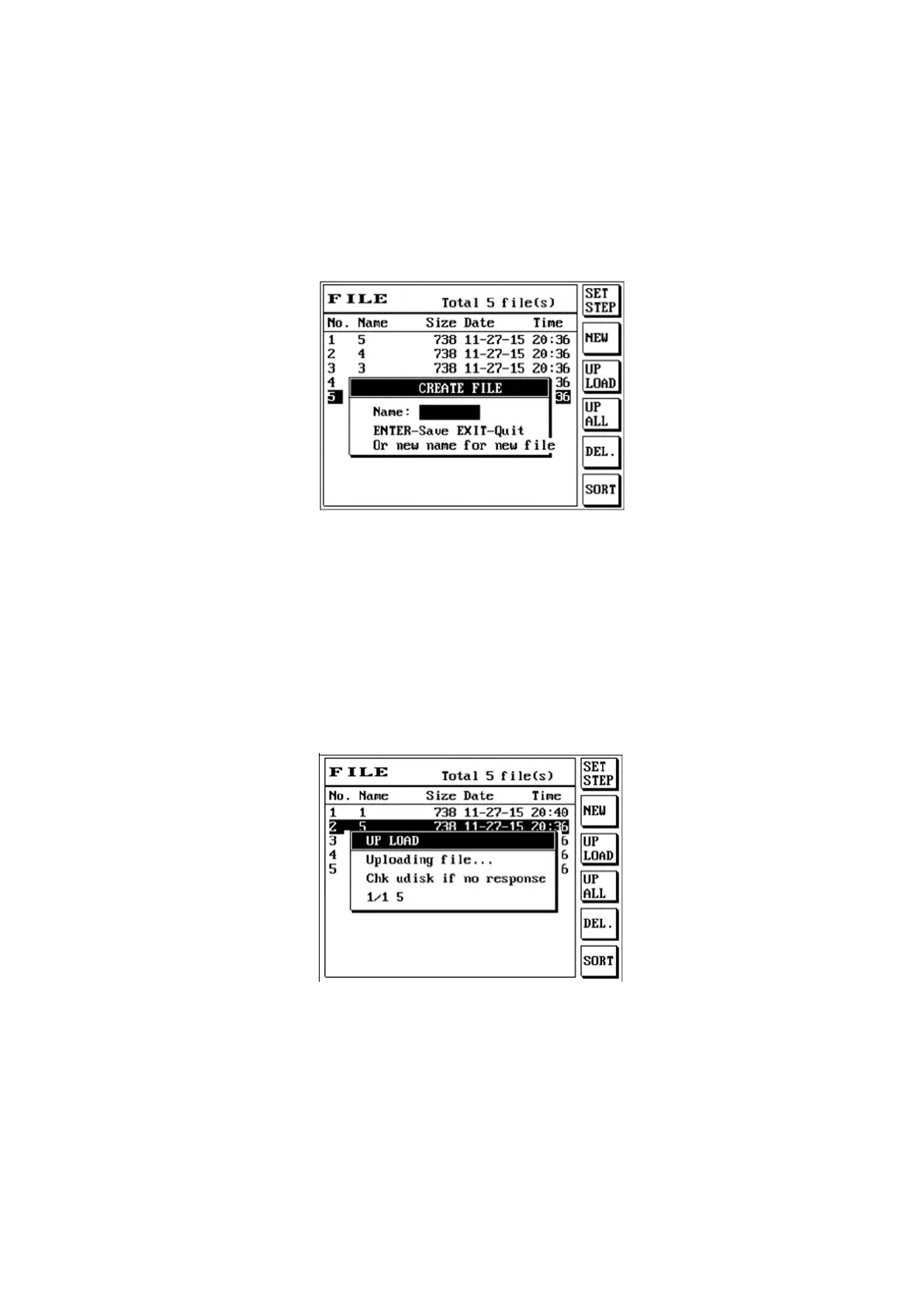
The function to create a new file in the permanent memory; its instructions are as follows:
(1) Press [File].
(2) Press S2 [NEW] to perform the create new file action.
(3) The LCD screen will display as follows:
(4) Enter file name
(5) Confirm the file name you want to create and press [Enter] to complete the create new file action.
4.3.4 Upload File
Upload file uploads the selected single file to the USB flash drive; its instructions are as follows:
(1) Press [File] and use [↑] or [↓] to move the cursor to select the file name to upload, and insert the
USB flash drive into the front panel.
(2) Press S3 [UPLOAD] to execute the upload file action.
(3) The LCD screen will display as follows:
(4) Confirm the file name you want to upload and press [Enter] to complete the upload file action.



 To Next Page