41
Since we initially have 4 steps preset, so for the test of each DUT, steps 1 to 4 of the step test must be
completed successfully in order for it to pass. A maximum of 128 test steps can be set.
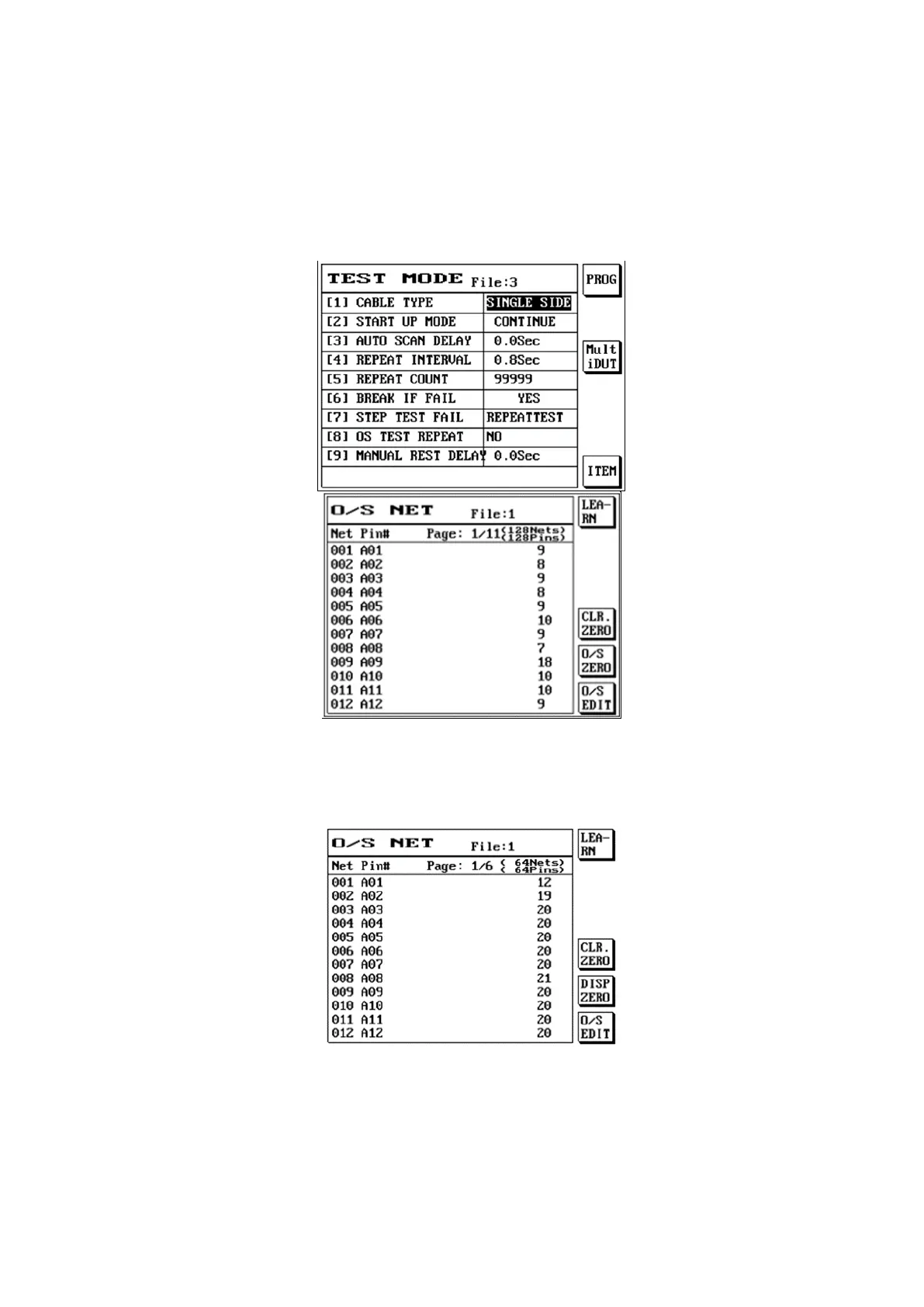
When test mode is being set, set the cable type as {unilateral}.
Press [Learn] when there is no DUT, the LCD screen will display as follows:
The value displayed at the right of the screen is the unilateral test sensitivity; press S5 O/S ZERO and
then press LEARN and the value will change to zero. S4 is the CLR.ZERO value.
Press [Learn] after inserting the DUT, the LCD screen will display as follows:
When test mode is being set, enter the value needed for the SINGLE SIDE SENSE.
P.S Use 80-90% of the minimum value learned as the setting value.



 To Next Page