LED indicators 35
DL431 Mic Splitter
Operator Manual
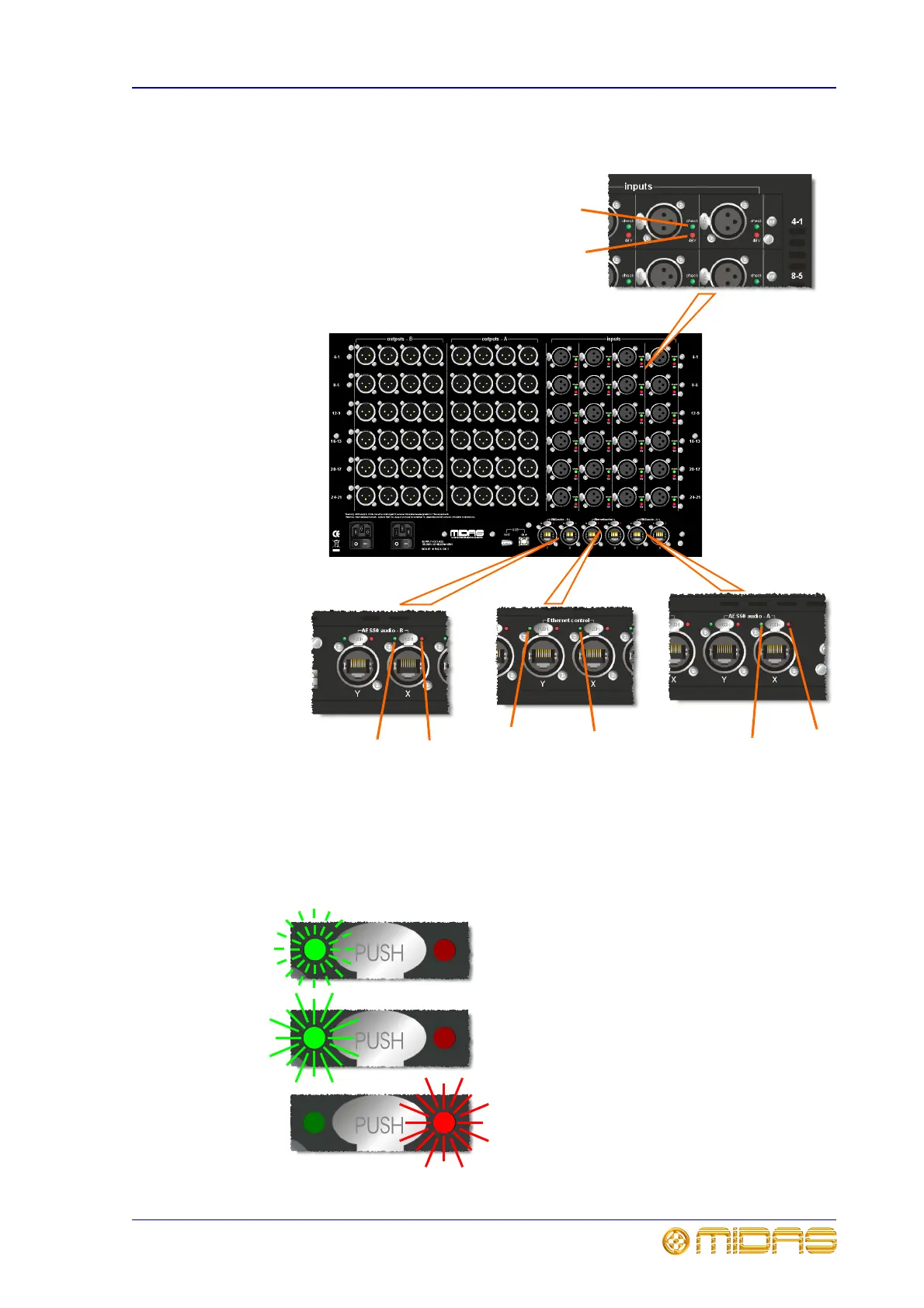
LED indicators
Pulsating green with red extinguished = valid
audio and valid aux data; active link.
Green illuminated with red extinguished =
valid audio and valid aux data; standby link.
Green extinguished with red illuminated = no
audio; link has failed.
1
3
2
3
4
4
3
3
1 Green check LED illuminates to indicate
when a channel is selected on a console.
2 Red 48V LED illuminates to indicate 48V
phantom voltage is on.
3 Green and red LEDs on both the X and Y
AES50 audio - A and B sockets indicate the
conditions shown below.
4 Green LEDs on both the Ethernet
control X and Y sockets have the same
function as those in the Ethernet control panel
on the front of the unit; see page 29.



 To Next Page