Option 1 MicSplit ID 43
DL431 Mic Splitter
Operator Manual
Option 1 MicSplit ID
This option allows you set up the ID of the DL431 Mic Splitter, which distinguishes it
from the other DL431 Mic Splitters in the XL8 Live Performance System network. There
are four ID numbers available - 1, 2, 3 and 4 - with each being allocated 24 channels,
numbered as follows:
• Mic splitter 1 - channels 1 to 24.
• Mic splitter 2 - channels 25 to 48.
• Mic splitter 3 - channels 49 to 72.
• Mic splitter 4 - channels 73 to 96.
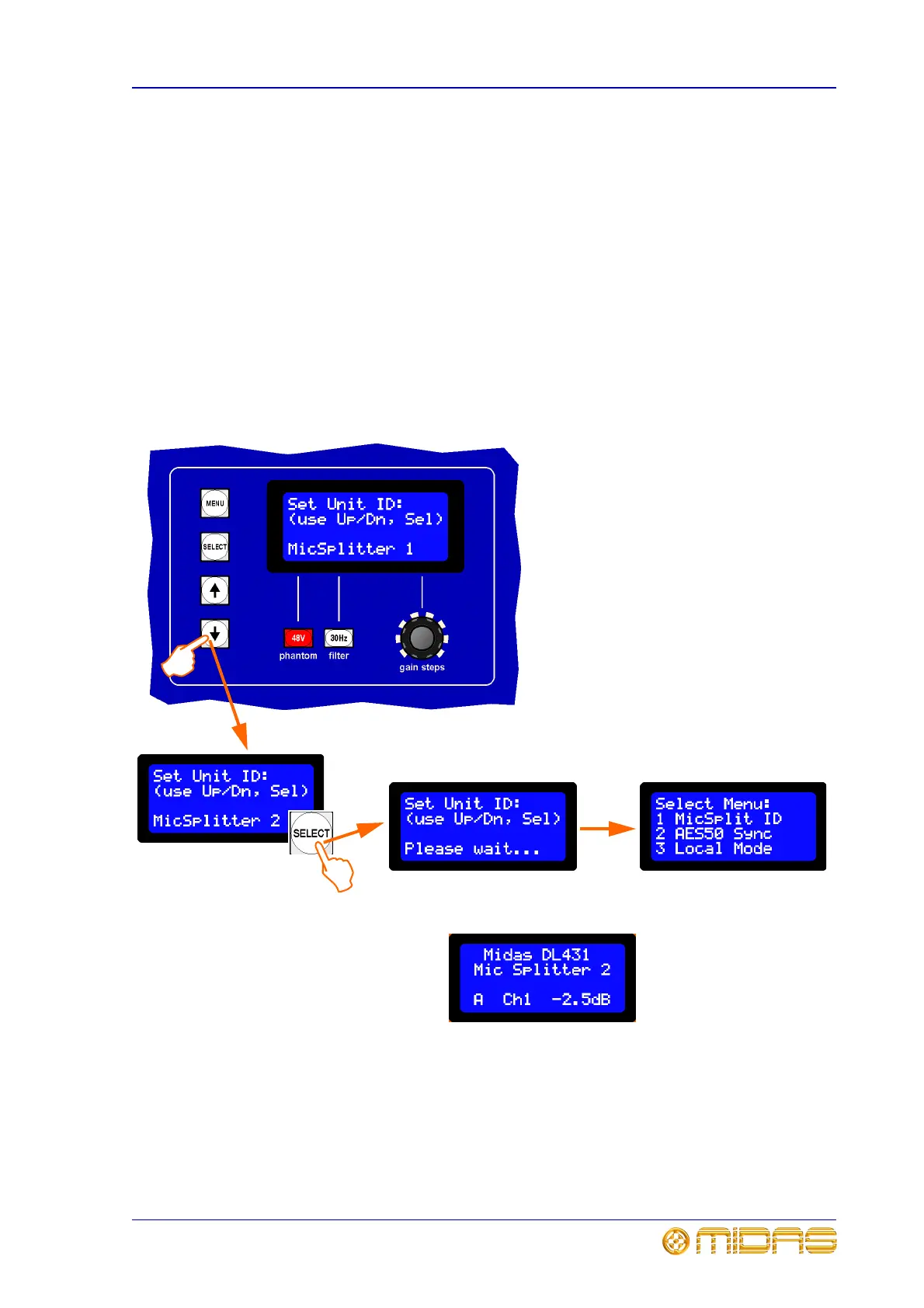
To set up the unit’s ID
First, enter the main menu and then continue to set the unit’s ID number in the range 1
to 4.
1 Select option 1 from the main menu;
see “To enter the main menu and select an
option” on page 42. You will see a display
similar to the one shown left.
2 Press the down arrow to go to the next
mic splitter ID number. You can scroll
through the mic splitter ID numbers using
the up and down buttons.
3 When you have the required mic
splitter ID number displayed, for example,
“MicSplitter 2”, press SELECT to save and
store the setting.
4 Use the MENU button to exit.
3
2
The default screen will now
show the new mic splitter ID
number, for example, “Mic
Splitter 2”



 To Next Page