52 Chapter 7: Operation
DL431 Mic Splitter
Operator Manual
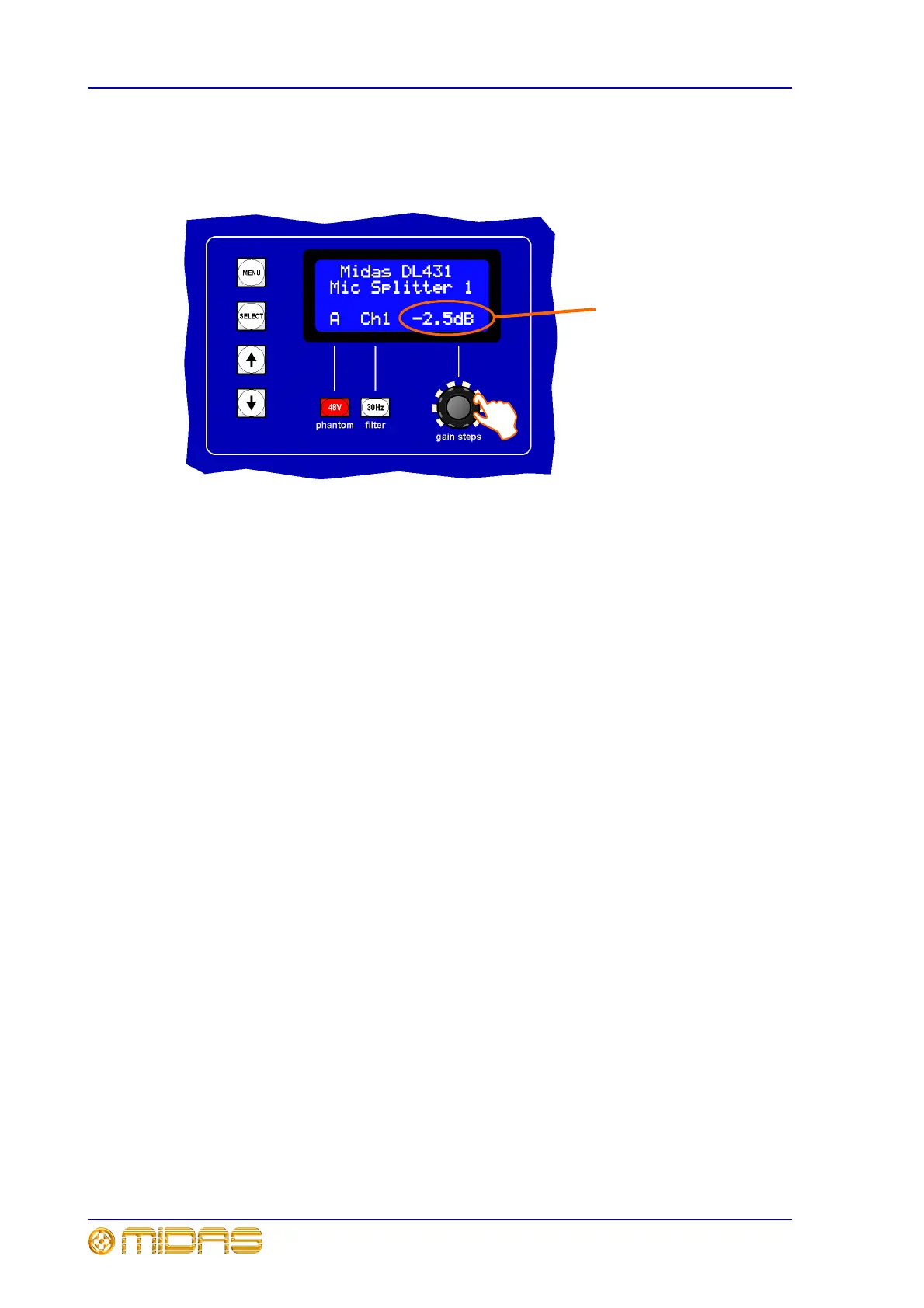
To adjust the gain
After selecting the appropriate channel, adjust the gain steps control knob on the
control panel to achieve the required gain, in the range -2.5dB to +45dB.
Monitoring a channel
Refer to “channel monitor panel” on page 30.
You can monitor a channel via a pair of headphones. Level adjustment is provided by
the level control knob.
Service information
The service manual for this equipment is available for purchase. Please contact your
local distributor for details.
Routine maintenance
To help keep your DL431 Mic Splitter unit in good working order and to make sure it
gives you optimum performance, we recommend that you carry out the following:
Monthly
• Clean the unit, as detailed in “Cleaning” on page 53.
• Check controls for freedom of operation.
• Check functionality of all controls, that is, control knobs, pushbuttons, LEDs etc. You
can carry out a visual check of all LEDs, pushbutton backlights and LCD display by
switching the unit off and then on again, as all of these should illuminate during
power up.
• Check functionality of equipment.
Yearly
• Clean the internal fans, see “Cleaning the internal fans” on page 53.
Current gain value will alter
according to adjustment



 To Next Page