49
DL431 Mic Splitter
Operator Manual
Chapter 7: Operation
This chapter gives the operating instructions for the DL431 Mic Splitter.
Default display
The default display appears after the unit has been switched on and has powered up.
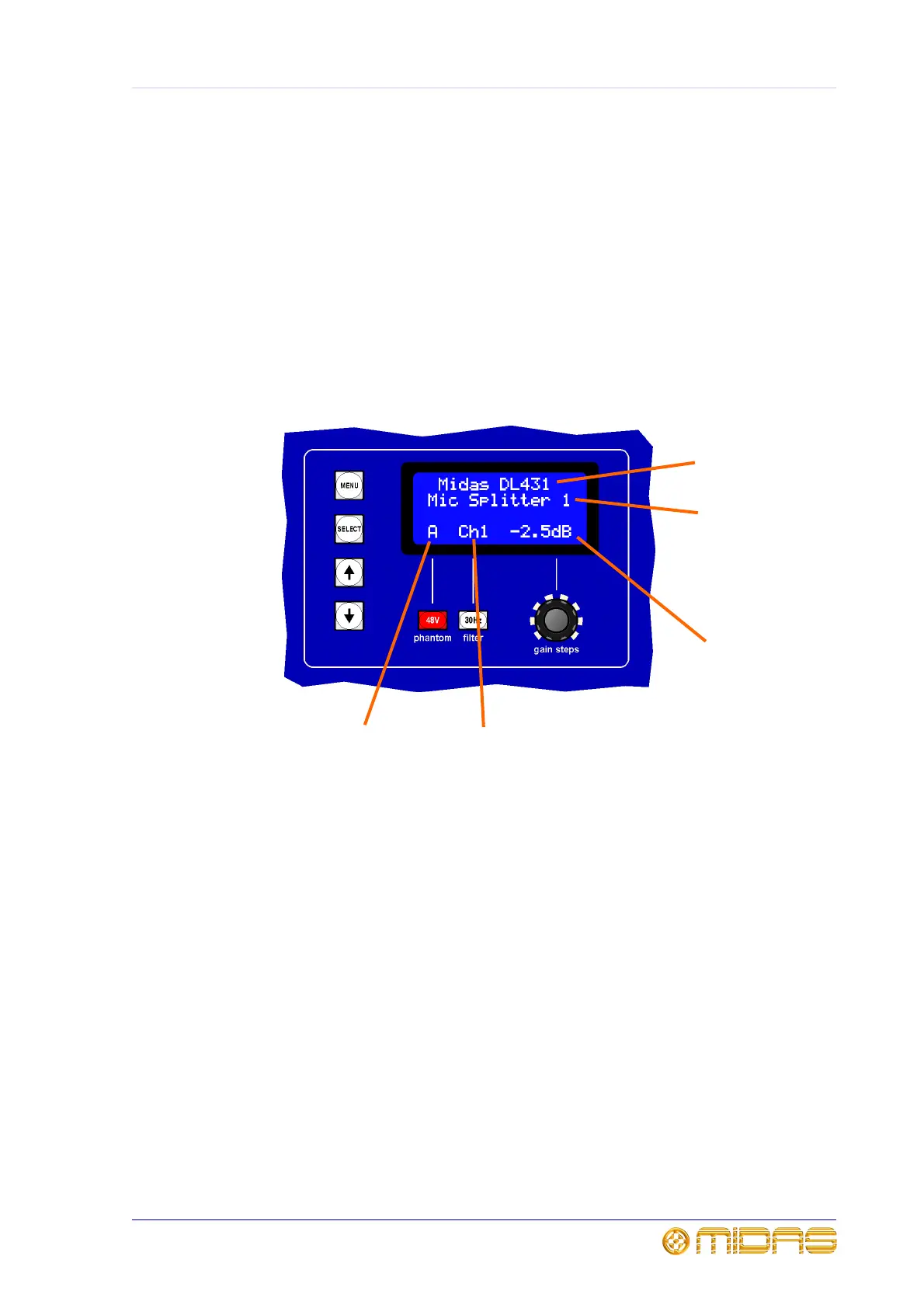
The following diagram shows a typical default display.
1
2
3
4
5
1 The first line of text displays the company
name and model of the unit.
2 The second line of text displays the unit
name followed by its currently configures ID
number, see “To set up the unit’s ID” on
page 43.
3 Current gain value of the selected
channel, see “To adjust the gain” on page 52.
4 Number of the currently selected channel,
see “To select a channel” on page 50.
5 Mic amp source identifier, see “To select a
mic amp” on page 50.



 To Next Page