37
DL431 Mic Splitter
Operator Manual
Chapter 5: Getting Started
This section shows you how to connect up, switch on, set up and configure the DL431
Mic Splitter. For operating instructions, see Chapter 7 “Operation”.
Connecting up
Connect up your DL431 Mic Splitter as follows:
• Inputs - connect the inputs to the rear of the unit.
• Outputs - connect the A and B outputs to the rear of the unit.
• AES50 - connect the Ethernet cables from the routers to the AES50 audio - A and
AES50 audio - B X and Y sockets on rear of the unit.
• Ethernet - connect the Ethernet control cables to the rear of the unit.
• USB - connect a laptop/PC, if required, to the rear of the unit.
• Isolated C outputs - connect the isolated C outputs to the front of the unit.
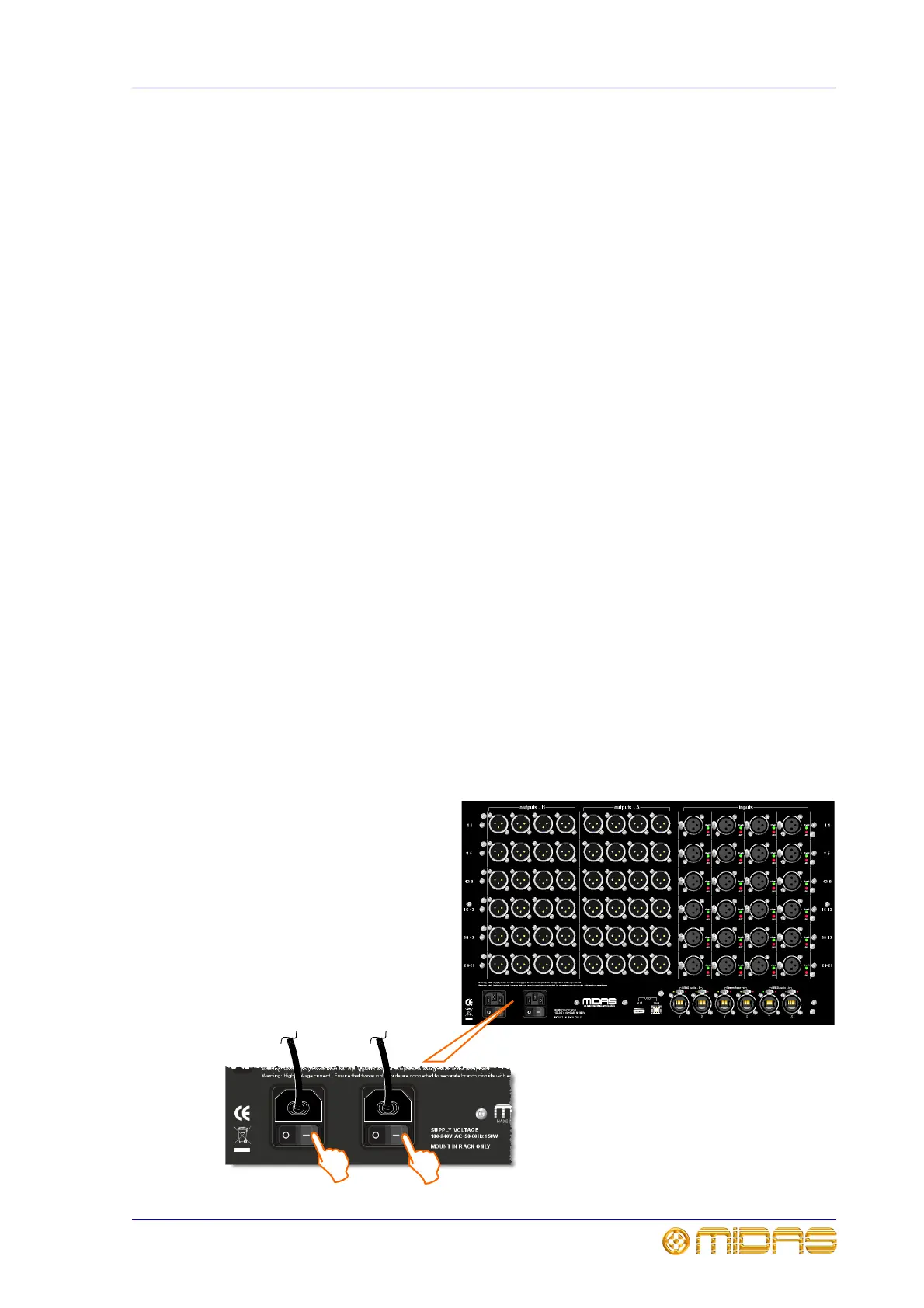
• Mains power supply - insert the IEC connectors of the two mains cables into the
rear of the unit and then plug them both into mains power outlets.
Switching on and off
Switching on
After you have connected up your DL431 Mic Splitter it is ready to be switched on. To
do this, switch on both mains on/off switches on the rear of the unit, one after the
other. At the front of the unit, check that the LEDs in panels psu 1 and psu 2 are all
illuminated, see “psu 1 and psu 2 panels” on page 29.



 To Next Page