VetPro DC Installation/Service Manual, 00-02-1606, Revision R01
132
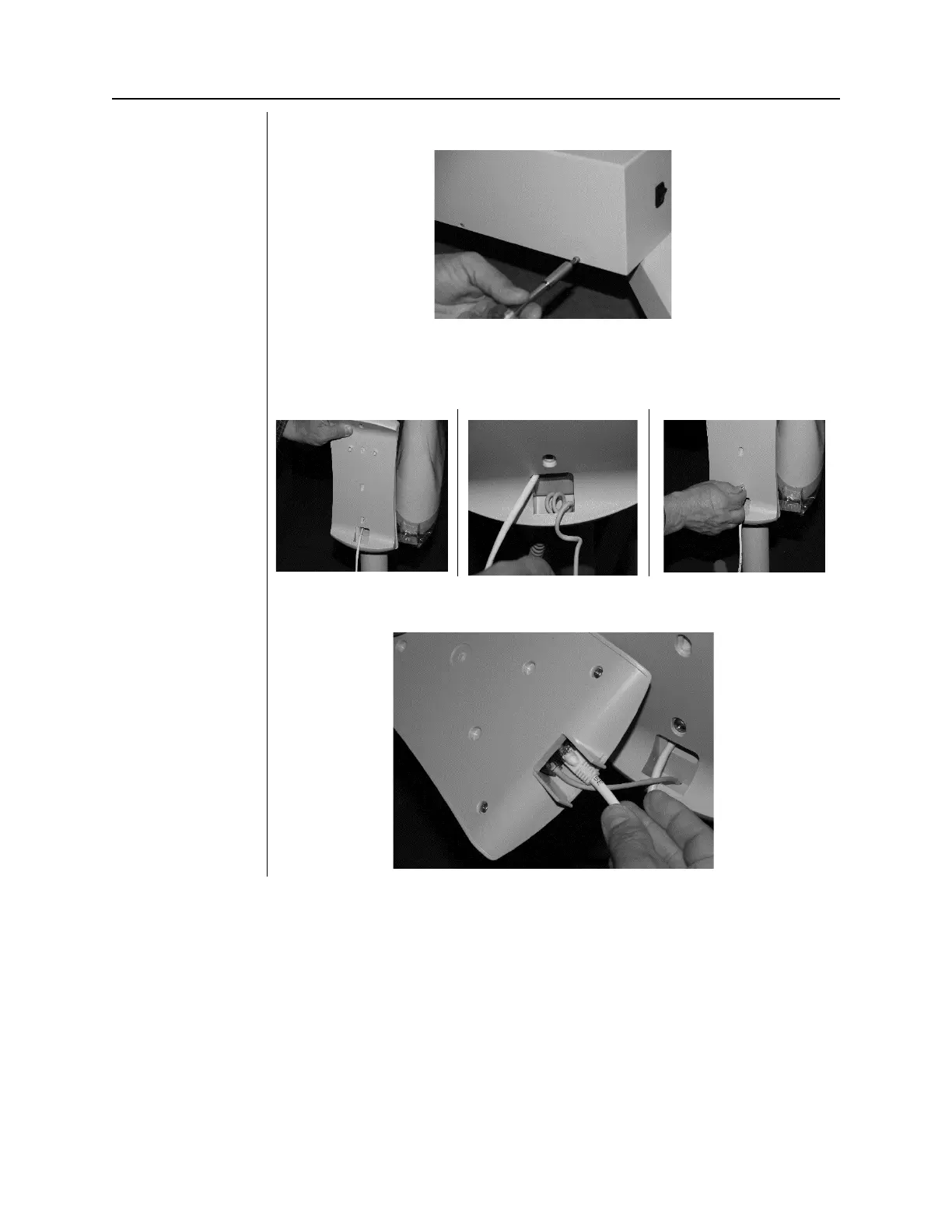
19. Attach the control unit cover.
Figure 142
Figure 143
Figure 144
20. Feed the Cat5 cable through the Operators panel cradle. Feed remote
exposure cable through the bottom of cradle
. NOTE: Allow a few coils
of slack inside for strain relief.
Attach the cradle with supplied
21. Connect Cat5 cable and remote switch cable to the Operators Panel.
Mount the Operators Panel into cradle



 To Next Page