VetPro DC Installation/Service Manual, 00-02-1606, Revision R01
70
System Configuration
System Configuration Mode
Configuration
Mode
The VetPro DC Animal Health Dental X-ray System has a software-driven
system configuration mode. When the VetPro DC is in system configuration
mode, you can perform the following procedures:
• Adjusting the Display
• Changing the Pre-programmed Exposure Settings
• Change the Cone Size
• Showing the Current System Configuration
• Display Diagnostic Data
Configuration
Mode
1. To enter system configuration mode, press the Tooth Selection and
Patient Size Selection buttons on the Operator Panel simultaneously for 5
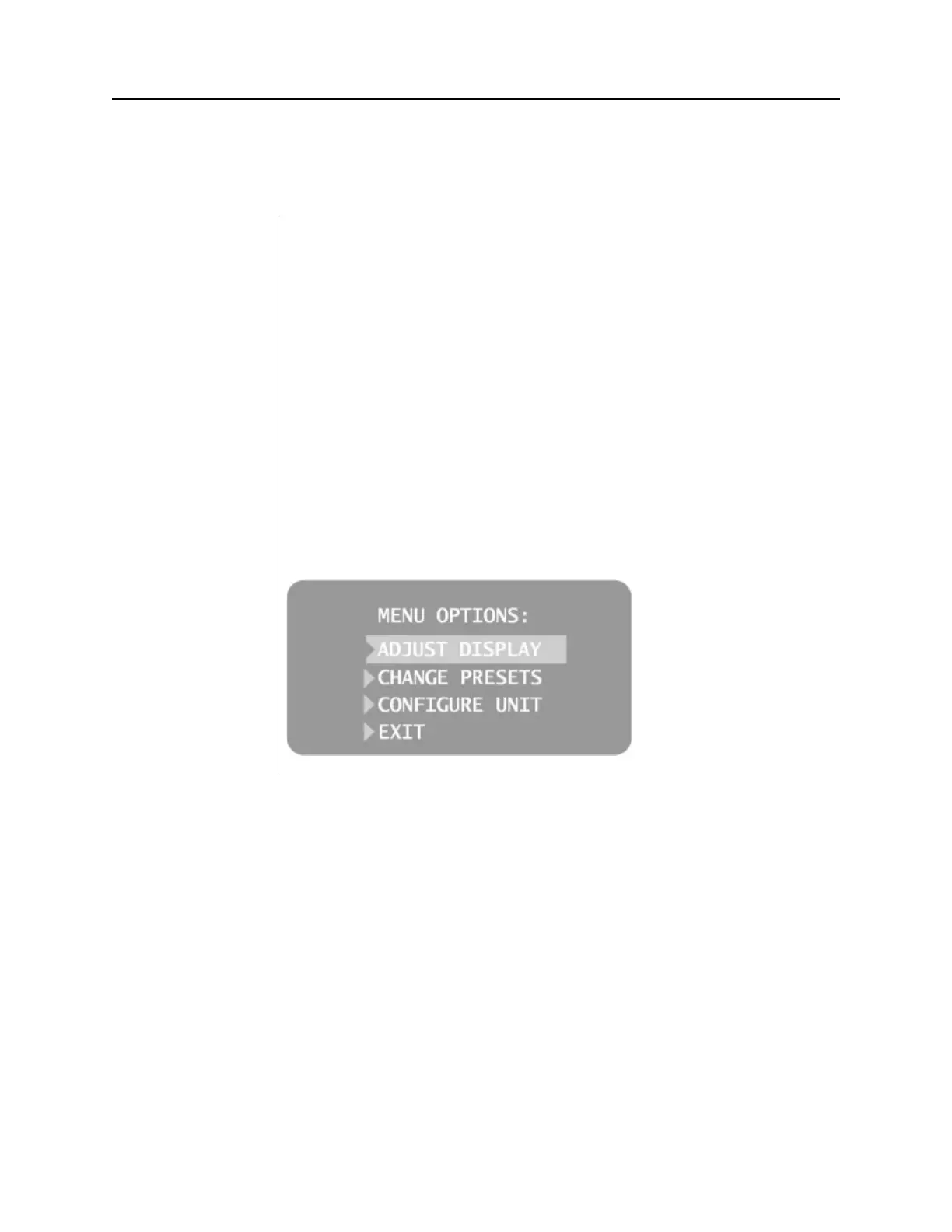
seconds. The display shows the Main System Configuration menu, as
shown in Figure 52, and the Ready Indicator blinks.
2. To select menu items while in system configuration mode, use the up and
down arrows to highlight a menu option. Then use the right arrow button
as an “Enter” button to select the highlighted option. When changing
presets, the right arrow button is also used to select the technique factor.
3. After selecting a menu option, use the up and down arrows to increase or
Figure 54
Main System
Configuration Menu



 To Next Page