Technical Information
41
CM6
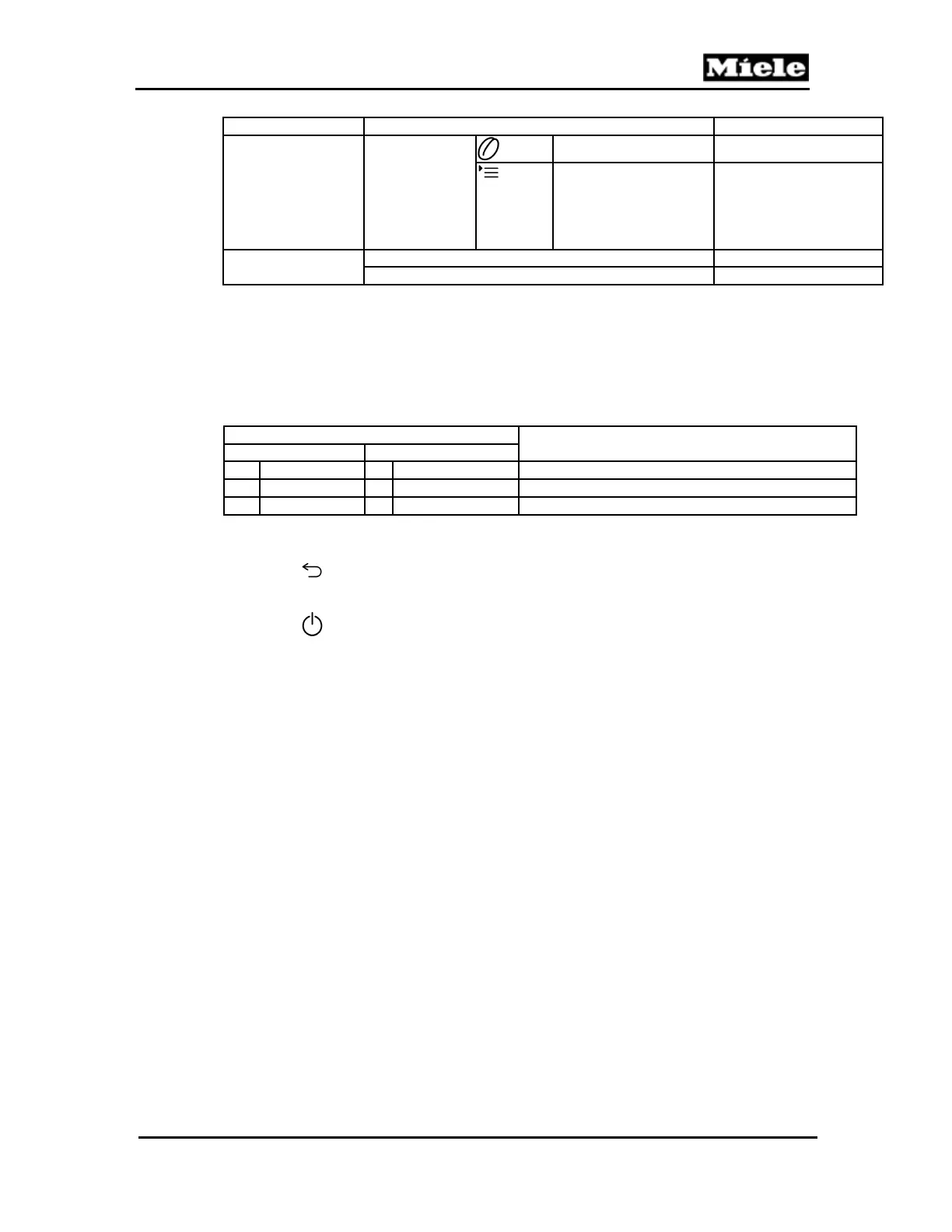
Function Options Description
Operation
(Touch-) sensors
(press the
touchpad to be
tested; the
number of the
touchpad sensor
is displayed)
Sensor 104 pressed
Sensor 67 pressed
Exit
Leave service mode
Cancel
Table 001-5: Service Mode
1
To prevent mechanical damage, always initialize as a last step.
2
To prevent mechanical damage, always initialize as a last step.
3
Data not available.
4
In order to avoid damage to the water-carrying parts, always drain the system before storage or
transport and particularly in winter.
5
Only operate the heater briefly so that it does not get too hot and trip the fuse.
Switch state
Brew unit position
S60-1 (top switch) S60-2 (bottom switch)
0 Activated 1 Not activated Home (see Section 001-2.3.4)
1 Not activated 0 Activated Compressing (see Section 001-2.3.5)
0 Activated 0 Activated Drainage (see Section 001-2.3.6)
Table 001-6: Brew Unit Position Switches
Back:
Press the
touchpad.
Save and quit:
Press the
touchpad. The appliance is switched off.
4.5 Top Cover Removal
1. Disconnect the power cord.
2. Take out the drip tray.
3. Take out the water tank.
4. Take off the beans container lid.
5. Empty the beans from the beans container into a separate bowl.
6. Remove the 3 top cover screws (T10); see Figure 001-22, Item 1, and Figure 001-
23, Item 1.



 To Next Page